Measuring a room can be tricky and time-consuming. But what if you could get accurate results in seconds, without dragging out a tape measure or guessing distances?
With a laser distance measurer, you can do just that. This guide will show you how to use this handy tool to make your measuring tasks faster and easier. Whether you’re redecorating, planning renovations, or just curious about your space, you’ll learn simple tips to get the job done right every time.
Keep reading to unlock the full potential of your laser distance measurer and take control of your room measurements like a pro.
Choosing The Right Laser Measurer
Picking a laser distance measurer for rooms can be tricky. You want a tool that fits your needs and budget. Understanding the types and features helps you make the right choice.
This guide covers the main types of laser measurers, key features to look for, and how to balance price and function.
Types Of Laser Distance Measurers
Laser measurers come in several types. Each suits different tasks and room sizes.
- Basic Models:Measure simple distances with good accuracy.
- Advanced Models:Offer extra features like area and volume calculation.
- Bluetooth-enabled:Connect to apps for easier data saving and sharing.
- Professional-grade:Provide high accuracy and longer range for complex projects.
Key Features To Consider
Look at features that affect ease of use and accuracy. Some features are essential for room measuring.
| Feature | Benefit |
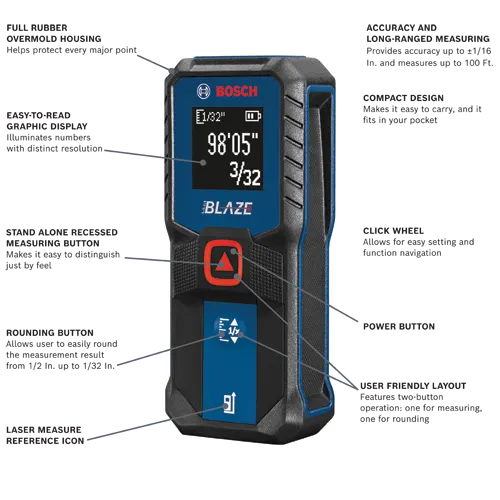
| Measurement Range | How far the laser can measure accurately |
| Accuracy | How close the measurement is to the real distance |
| Display Type | Easy-to-read screen or backlight for dark rooms |
| Memory | Stores past measurements for quick reference |
| Multiple Measurement Modes | Area, volume, continuous, and indirect measurement options |
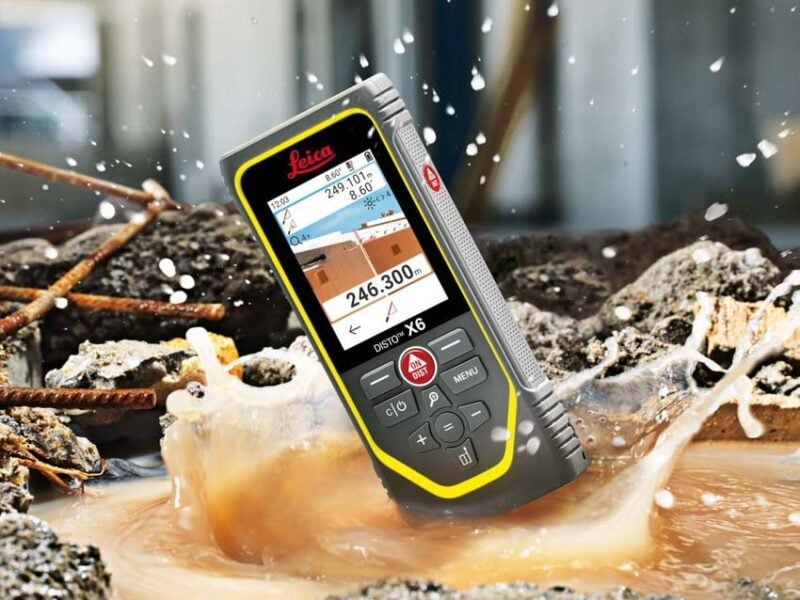
| Durability | Resistance to dust, water, or drops |
Budget Vs. Functionality
Decide what features you need before setting your budget. More features usually mean higher price.
- Basic models cost less but may lack advanced functions.
- Mid-range models balance price and useful features.
- High-end models are best for professionals with tough demands.
- Think about how often you will use the device and for what tasks.
- Sometimes, a simple, cheaper model is enough for home projects.
Credit: www.protoolreviews.com
Preparing The Room For Measurement
Measuring a room with a laser distance measurer needs careful preparation. Getting the room ready helps you get accurate results quickly.
This guide covers how to clear obstacles, manage lighting, and consider surfaces before measuring.
Clearing Obstacles
Remove any furniture, boxes, or items that block the path of the laser beam. Obstacles can cause wrong measurements or stop the laser from reaching the target.
- Move chairs and tables out of the way
- Clear floor space along the measuring line
- Check for hanging objects like lamps or curtains
- Ensure windows and doors are fully open or closed
Lighting Conditions
Good lighting helps you see the laser point and the area you measure. Avoid very bright or very dark rooms for best results.
| Lighting Type | Effect on Measurement |
| Bright sunlight | Laser dot may be hard to see |
| Dim or shaded light | Laser dot is easier to spot |
| Artificial indoor light | Usually good for clear readings |
Surface Considerations
The laser needs a flat, reflective surface to bounce back for accurate readings. Some surfaces work better than others.
Here are tips to improve surface conditions:
- Avoid measuring against glass or mirrors
- Use a flat wall or solid object as a target
- If the surface is too dark, place a white piece of paper on it
- Check the surface is clean and free of dust
Basic Measurement Techniques
Using a laser distance measurer is simple for measuring rooms. It gives quick and accurate results. Learning basic techniques helps you measure with ease.
This guide explains how to measure single distances, multiple points, and use reference points effectively.
Single Distance Measurement
Single distance measurement finds the length between two points. Point the laser at the target and press the button to get the reading.
Make sure the laser hits a solid surface for the best result. Hold the device steady to avoid errors.
Measuring Multiple Points
Measure multiple points to get dimensions of walls or furniture. Take each distance one by one and write down the results.
- Start at one corner of the room
- Measure to the next corner or point
- Continue until all points are recorded
- Add measurements for total length or area
Using Reference Points
Reference points help measure from a fixed spot. Place the device on a stable surface or hold it against a wall.
This method ensures repeatable and accurate measurements. It also helps when measuring complex room shapes.
Credit: www.boschtools.com
Advanced Measurement Tips
Using a laser distance measurer can speed up your work in rooms. Knowing some advanced tips helps you get more accurate results. These tips let you measure areas, volumes, and hard-to-reach places.
Learn how to use special functions on your device. These include calculating space size, measuring indirect distances, and using math tools like the Pythagorean theorem.
Calculating Area And Volume
Most laser measurers can calculate area and volume automatically. You need to measure the right sides or heights of the room first. This saves time and reduces errors compared to manual calculation.
- Measure the length of the room and record it.
- Measure the width of the room and record it.
- Use the area function on your device to multiply length by width.
- For volume, measure the height of the room.
- Use the volume function to multiply area by height.
Measuring Indirect Distances
Sometimes you cannot measure a distance directly. The laser beam may be blocked or the target is out of reach. Use indirect measurement features to find these distances safely and accurately.
Use these methods for indirect measuring:
- Measure from two known points to the target.
- Use your device’s built-in functions like “single indirect” or “double indirect” mode.
- Apply the device’s instructions to calculate the hidden length.
- Check the screen for the indirect distance result.
Using Pythagorean Functions
The Pythagorean theorem helps measure heights or lengths without direct access. Your laser measurer can use this math rule to find distances using two or more measurements.
| Measurement Type | Use | Example |
| Single Pythagorean | Measure two sides of a right triangle | Measure floor to wall and diagonal to ceiling |
| Double Pythagorean | Use three measurements for hard spots | Measure two walls and floor to find ceiling height |
Common Mistakes To Avoid
Using a laser distance measurer can make measuring rooms faster and easier. Still, some mistakes can cause wrong results.
Knowing these common errors helps you get better and more accurate measurements every time.
Incorrect Positioning
Placing the laser measurer in the wrong spot leads to false readings. Make sure the device is steady and aimed straight at the target.
Do not hold the tool at an angle or move it while measuring. This causes errors in distance calculations.
- Keep the device flat and steady
- Aim directly at the target surface
- Avoid obstacles between the device and target
Ignoring Calibration
Calibration checks if the device measures correctly. Skipping this step can cause wrong results.
Regularly calibrate your laser measurer as the manual suggests. This keeps measurements accurate over time.
- Check calibration before important projects
- Follow the device manual instructions
- Use a known distance to test accuracy
Misreading Results
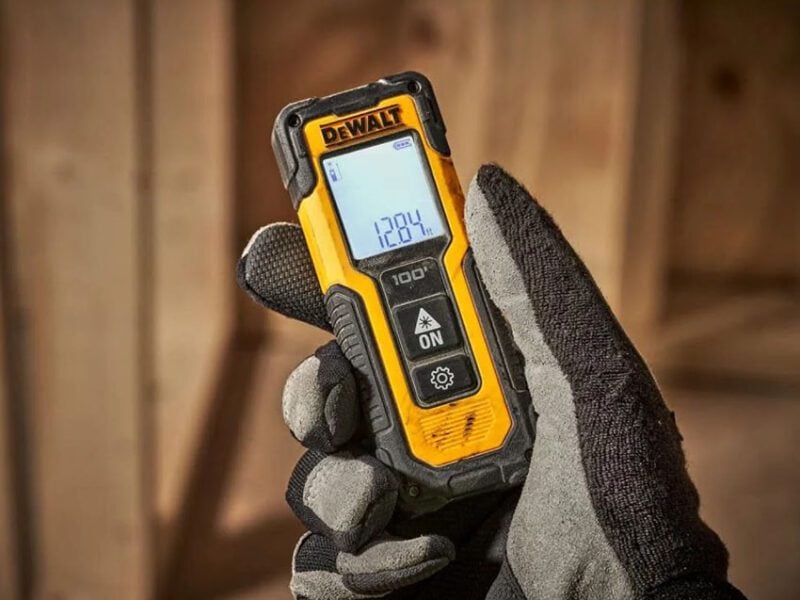
Reading the screen too fast or ignoring units can cause mistakes. Take time to look at the results carefully.
Confirm the unit of measurement matches what you need, like feet or meters. Write down or save your readings properly.
- Check the unit displayed on the screen
- Read numbers clearly before moving the device
- Record measurements immediately to avoid forgetting
Credit: www.protoolreviews.com
Maintaining Your Laser Measurer
Taking care of your laser distance measurer helps it last longer. Proper maintenance keeps it working well.
Simple actions like cleaning and battery care protect your device. Regular checks keep measurements accurate.
Cleaning And Storage
Keep the laser lens clean for clear measurements. Use a soft cloth to gently wipe dirt and dust away.
Store your measurer in a dry, cool place. Avoid exposing it to extreme heat or moisture.
- Use a soft, dry cloth for cleaning
- Do not use harsh chemicals or water
- Keep the device in its protective case
- Store away from direct sunlight and heat
Battery Care
Check the battery level before use. Replace or recharge batteries to avoid power loss during measuring.
Remove batteries if you won’t use the device for a long time. This prevents battery leaks that can damage it.
- Use the recommended battery type
- Replace weak batteries promptly
- Charge rechargeable batteries fully
- Remove batteries if storing for months
Regular Calibration
Check your laser measurer’s accuracy often. Calibration keeps measurements reliable and precise.
Follow the user manual for calibration steps. Some devices need professional calibration after long use.
- Test measurements against a known distance
- Calibrate according to the manufacturer’s instructions
- Schedule professional calibration if needed
- Keep a record of calibration dates
Frequently Asked Questions
How Does A Laser Distance Measurer Work In Rooms?
A laser distance measurer sends a laser beam to a target. It calculates distance by measuring the time the beam takes to return. This method provides quick, accurate room measurements without needing tapes or manual calculations.
What Are The Benefits Of Using A Laser Distance Measurer?
Laser measurers offer fast, precise measurements with minimal effort. They reduce errors common in manual methods. These devices are portable, easy to use, and ideal for measuring large or complex room spaces efficiently.
Can A Laser Distance Measurer Measure Irregular Room Shapes?
Yes, laser distance measurers can handle irregular shapes. By taking multiple measurements at different points, you can calculate areas and volumes accurately, even in oddly shaped rooms.
How To Ensure Accuracy When Using A Laser Distance Measurer?
To ensure accuracy, hold the device steady and aim carefully at the target. Avoid reflective surfaces and obstructions. Calibrate the device regularly and follow the manufacturer’s instructions for best results.
Conclusion
Mastering the laser distance measurer can simplify room measurements. It’s precise and user-friendly. With practice, you’ll measure faster and more accurately. Perfect for DIY projects or professional tasks. No more guessing or errors. Just point, click, and note. Save time and effort with this handy tool.
Its compact size makes it easy to carry. Choose the right one for your needs. Check features and battery life. Now, you’re ready to measure any room with confidence. Enjoy the convenience and efficiency it offers. Happy measuring!