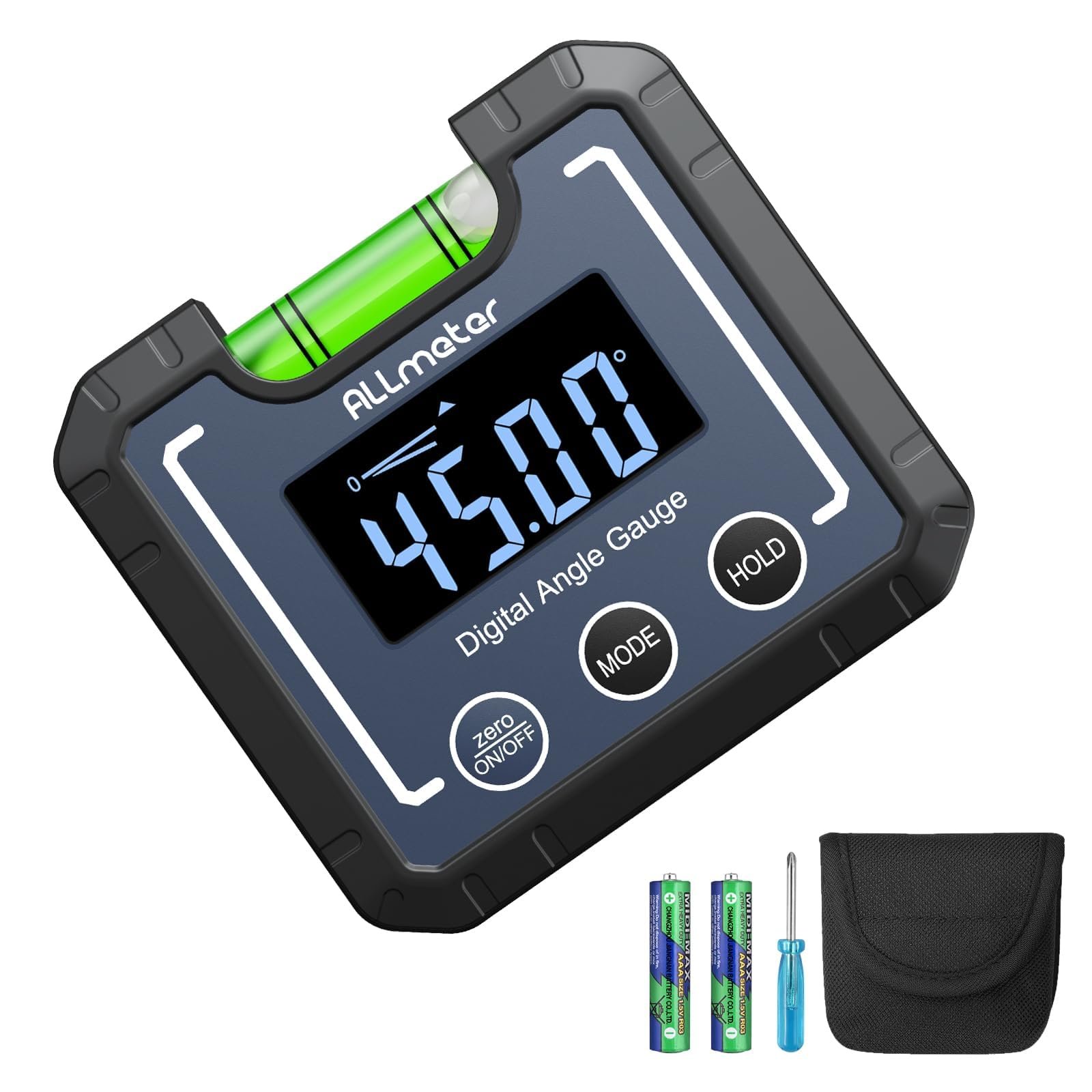
Are you tired of guessing angles and struggling with inaccurate measurements? Using a digital protractor can change the way you work, making precision easier than ever before.
Whether you’re a DIY enthusiast, a craftsman, or just someone who values exactness, mastering this tool can save you time and frustration. You’ll discover simple tips that help you get the most accurate readings every time. Keep reading to unlock the secrets of using a digital protractor like a pro—and watch your projects improve instantly.

Credit: www.amazon.com
Choosing The Right Digital Protractor
Using a digital protractor can help you measure angles with great accuracy. Picking the right one makes your work easier and more precise.
There are many models available. Knowing what to look for helps you find the best fit for your tasks.
Key Features To Look For
Choose a digital protractor with a clear display. A bright screen helps you read measurements quickly.
Look for a protractor with a strong build. It should resist drops and rough handling.
- High accuracy with small error margin
- Easy-to-use buttons for quick settings
- Good battery life or rechargeable options
- Locking mechanism to hold angles in place
- Magnetic base for steady use on metal surfaces
Comparing Popular Models
Some digital protractors are simple and cost less. Others offer advanced features for tough jobs.
| Model | Accuracy | Display Type | Special Features | Price Range |
|---|---|---|---|---|
| Model A | ±0.1° | LCD | Magnetic base, angle hold | Low |
| Model B | ±0.05° | Backlit LCD | Rechargeable, data hold | Medium |
| Model C | ±0.02° | OLED | Bluetooth, adjustable zero | High |
Pick a model that fits your budget and needs. Check which features help your work most.

Credit: www.amazon.com
Setting Up Your Digital Protractor
Using a digital protractor helps you measure angles with high precision. Setting it up correctly is important for accurate results. This guide covers key steps to prepare your tool.
Read each section carefully to learn how to calibrate your device and keep it in good condition. Proper setup saves time and avoids mistakes.
Calibrating For Accuracy
Calibration ensures your digital protractor shows correct angle readings. Follow these tips to calibrate your device:
- Place the protractor on a flat, level surface.
- Turn the device on and wait for it to stabilize.
- Press the calibration or zero button as instructed in the manual.
- Check the reading against a known angle, like 0° or 90°.
- Repeat calibration if readings differ significantly.
Battery And Maintenance Tips
Proper battery care and maintenance help your digital protractor last longer and work reliably. Use the table below to learn simple upkeep steps.
| Task | Details |
|---|---|
| Battery Check | Replace batteries when the display dims or shows low power. |
| Clean Regularly | Wipe the device with a soft, dry cloth to remove dust. |
| Storage | Keep in a dry place and avoid extreme temperatures. |
| Handle Carefully | Do not drop or expose to water to prevent damage. |
Measuring Angles Precisely
Using a digital protractor helps measure angles with high accuracy. It is essential for tasks needing exact angle readings.
Proper use of the tool improves results and avoids errors. This guide covers key tips for precise measurements.
Proper Positioning Techniques
Place the digital protractor flat and steady on the surface. Align it carefully with the edges or points forming the angle.
- Ensure the base of the protractor touches the surface fully.
- Line up the protractor arms with the angle’s sides.
- Hold the device firmly to avoid movement.
- Check the digital display after positioning before recording.
Avoiding Common Measurement Errors
Errors often come from poor placement or reading mistakes. Avoid these to keep measurements correct.
| Common Error | How to Avoid |
| Misalignment of protractor arms | Double-check arm placement along angle sides |
| Movement during reading | Hold device steady until measurement locks |
| Dirty or damaged sensor | Clean sensor area before use |
| Incorrect zeroing | Calibrate the protractor before measuring |

Credit: m.youtube.com
Advanced Techniques For Complex Angles
Using a digital protractor can help measure complex angles accurately. It is useful for tasks that need more than simple angle readings.
Advanced methods improve precision and help handle tricky surfaces. Learning to use extra tools with your protractor can make difficult measurements easier.
Using Digital Protractors With Other Tools
Pairing a digital protractor with other measuring tools can increase accuracy. For example, combining it with a ruler or caliper helps check distances and angles at the same time.
- Use a ruler to align the protractor on straight edges.
- Combine with a spirit level to ensure the surface is flat.
- Attach the protractor to a tripod for steady positioning.
- Use calipers to measure the gap between angled parts.
Tips For Measuring Irregular Surfaces
Measuring angles on uneven or curved surfaces requires special care. Digital protractors can adapt to these shapes with some simple tricks.
| Tip | Explanation |
| Use a flexible base | Attach the protractor to a bendable strip to follow curves. |
| Take multiple readings | Measure several points and average the angles for accuracy. |
| Secure the tool | Hold the protractor firmly or clamp it to avoid shifts during measurement. |
| Calibrate often | Check zero settings before each measurement to prevent errors. |
Interpreting And Recording Measurements
Using a digital protractor gives you quick angle measurements. Reading and saving these numbers correctly is important for precise work.
This guide helps you understand digital displays and keep good records of your measurements.
Reading Digital Displays Correctly
Look at the screen carefully to read the angle shown. The display shows numbers in degrees, minutes, and sometimes seconds.
Check if the protractor is set to the correct unit. Some models switch between degrees and radians. Use degrees for most projects.
- Make sure the screen is clear and free from dirt
- Confirm the unit of measurement before noting the number
- Hold the protractor steady to avoid fluctuating readings
- Watch for negative or positive signs indicating direction
Best Practices For Documentation
Write down measurements as soon as you take them. This reduces mistakes and loss of data.
Use a clear format to record angles. Include the date, project name, and any notes about the measurement.
- Record the exact number shown on the display
- Note the units used (degrees, minutes, seconds)
- Keep a dedicated notebook or digital file for measurements
- Label each entry with relevant project details
- Review your notes before using the measurements
Troubleshooting Common Issues
Using a digital protractor can improve angle measurements. Sometimes, the device shows errors or odd readings. Knowing how to fix these problems helps keep your work precise.
This guide covers ways to handle inconsistent readings and when to recalibrate or replace your tool for the best results.
Dealing With Inconsistent Readings
Inconsistent readings often come from poor contact, dirt, or low battery power. Check that the protractor sits flat and steady on the surface. Clean the sensors and edges before measuring.
- Make sure the device is on a stable surface
- Clean the protractor’s sensors regularly
- Replace batteries if readings flicker or fade
- Avoid strong magnetic or electric fields nearby
- Check for physical damage on the device
When To Recalibrate Or Replace
Recalibrate the protractor if readings drift or seem off. If recalibration does not fix the problem, the device might need replacement.
| Issue | Action |
| Small errors in angle readings | Recalibrate the device |
| Frequent inconsistent results | Check battery and clean sensors |
| Device won’t power on | Replace batteries or repair |
| Recalibration fails | Consider replacing the protractor |
Frequently Asked Questions
How Do I Calibrate A Digital Protractor Accurately?
To calibrate, place the protractor on a flat surface and reset it to zero. Follow the manufacturer’s instructions carefully. Regular calibration ensures precise angle measurements, improving your work’s accuracy and reliability.
What Are Common Mistakes Using A Digital Protractor?
Common mistakes include improper calibration, not zeroing before use, and misreading the display. Always hold the protractor steady and check the battery level to avoid errors.
How To Maintain A Digital Protractor For Longevity?
Keep it clean and dry, avoid dropping, and store in a protective case. Regularly check the battery and calibration to maintain consistent performance.
Can A Digital Protractor Measure Both Internal And External Angles?
Yes, digital protractors can measure both internal and external angles accurately. Just position the tool correctly on the surfaces you are measuring.
Conclusion
Mastering the digital protractor brings accuracy to your projects. Precise measurements save time and reduce errors. Practice regularly for best results. Keep the device clean and calibrated. This ensures consistent performance. Always follow the user manual for guidance. Explore different protractor features to enhance skills.
Remember, patience is key. With these tips, you can achieve great precision. Your projects will reflect this accuracy and professionalism. Happy measuring with your digital protractor!