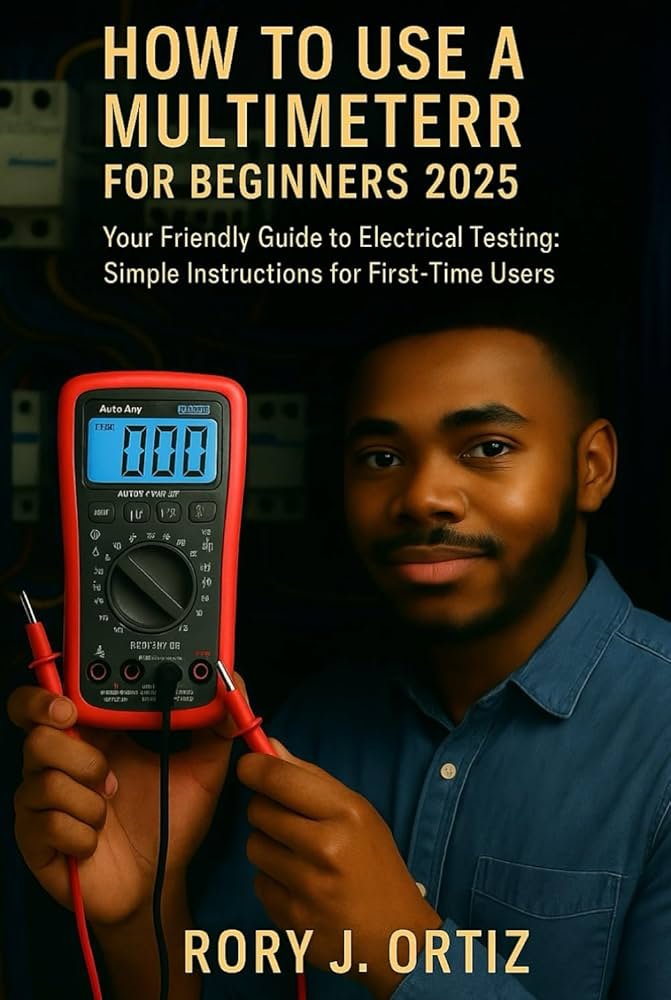
Have you ever faced a broken wire or a tricky electrical problem and wished you had a simple tool to find the issue quickly? That’s where a multimeter becomes your best friend.
This small device can measure voltage, current, and resistance, helping you fix gadgets, check batteries, and even troubleshoot your home’s wiring safely. If you’re new to using a multimeter or want to feel more confident with it, this guide is made just for you.
By the end, you’ll know exactly how to use your multimeter like a pro—saving time, money, and frustration. Ready to unlock the power in your hands? Let’s dive in!

Credit: www.youtube.com
Multimeter Basics
A multimeter is a tool that measures electrical values. It helps you check voltage, current, and resistance.
Using a multimeter correctly keeps you safe and helps you find electrical problems fast.
Types Of Multimeters
There are two main types of multimeters: analog and digital. Analog multimeters use a needle to show readings. Digital multimeters show numbers on a screen.
- Analog multimeters are good for detecting slow changes.
- Digital multimeters are easier to read and more common today.
- Some digital multimeters have extra features like temperature measurement.
Key Features To Know
| Feature | Description |
| Display | Shows measurement results clearly |
| Range Selector | Choose the type and size of measurement |
| Probes | Connect to the device being tested |
| Hold Button | Freezes the current reading on display |
| Auto-ranging | Automatically sets the correct measurement range |
Safety Tips
Use these safety tips to avoid injury and damage when using a multimeter.
- Always check the multimeter and probes for damage before use.
- Set the correct measurement type and range before testing.
- Do not touch metal parts of the probes during measurement.
- Never measure resistance on a powered circuit.
- Use proper personal protective equipment if working with high voltage.
Setting Up Your Multimeter
Using a multimeter correctly starts with proper setup. This helps you get accurate readings and avoid damage.
Before testing, learn how to set the mode, use probes, and calibrate the device.
Choosing The Right Mode
Multimeters have different modes for measuring voltage, current, and resistance. Pick the right mode for your test.
Using the wrong mode can give wrong readings or harm the multimeter.
- Use “V” for voltage (AC or DC)
- Use “A” for current (amps)
- Use “Ω” for resistance
- Check for special modes like diode or continuity test
Using Probes Correctly
Probes connect the multimeter to the circuit. Insert them into the correct ports on the device.
Hold the probes steadily. Avoid touching metal parts with your hands to get safe and accurate readings.
- Insert black probe into the “COM” port
- Insert red probe into the port matching your test (VΩ for voltage or resistance, A for current)
- Touch probe tips firmly to test points
- Keep fingers behind the probe guards
Calibrating The Device
Calibration ensures your multimeter gives correct readings. Some multimeters need manual calibration.
Check the manual for calibration steps. Use a known reference or test a simple circuit to confirm accuracy.
- Turn on the multimeter
- Select the mode to calibrate
- Follow calibration instructions in the manual
- Test a known voltage or resistance to verify
Measuring Voltage
A multimeter measures electrical voltage in circuits. It helps check how much power flows through wires.
Knowing how to measure voltage is important for fixing electrical problems safely and correctly.
Ac Vs Dc Voltage
Voltage can be AC (alternating current) or DC (direct current). AC changes direction, DC flows one way.
Use the right setting on your multimeter to measure each voltage type safely and accurately.
- AC voltage is common in homes and outlets.
- DC voltage is found in batteries and electronic devices.
- Set the multimeter dial to AC (V~) or DC (V-) before measuring.
Common Voltage Measurements
Measuring voltage shows if a device or circuit has power. It helps check batteries, outlets, and wires.
Typical voltage values vary by device and power source. Knowing common ranges helps find problems fast.
- Household outlets usually have 110-240 volts AC.
- Car batteries provide about 12 volts DC.
- Small electronics often use 3, 5, or 9 volts DC.
- Always check the device label for correct voltage.
Troubleshooting Voltage Issues
If a device does not work, measuring voltage can find the issue. No voltage means no power supply or broken wire.
Check voltage at different points to locate where power stops. This helps fix wiring or replace parts.
- Test voltage at power source first.
- Check voltage at device terminals.
- Look for voltage drop along wires.
- If voltage is too low, battery or supply may be weak.
- Always turn off power before changing connections.

Credit: www.amazon.com
Checking Current
Checking electrical current with a multimeter helps you understand how much electricity flows in a circuit. It is important to measure current carefully to avoid damage or inaccurate readings.
Current is measured in amperes (A), and your multimeter must be set correctly to get the right value. Always follow safety steps to protect yourself and your device.
Selecting Current Range
Before measuring current, choose the correct range on your multimeter. Picking a range too low can blow the fuse. Too high a range may give less precise results.
- Start with the highest current range if unsure.
- Lower the range gradually for more accuracy.
- Check the multimeter manual for maximum current limits.
- Never exceed the max current rating of your meter.
Series Connection Techniques
The multimeter must be connected in series with the circuit to measure current. This means the current flows through the meter.
| Step | Action |
| 1 | Turn off power to the circuit. |
| 2 | Open the circuit where you want to measure current. |
| 3 | Connect the multimeter leads in series at the break. |
| 4 | Turn the power on and read the current value. |
Avoiding Common Mistakes
Many errors happen when measuring current. Follow these tips to avoid problems.
- Do not connect the meter in parallel; it may cause a short circuit.
- Check that the meter’s fuse is intact before use.
- Use correct ports on the multimeter for current measurement.
- Avoid touching metal parts to prevent shocks.
Testing Resistance And Continuity
A multimeter helps measure electrical resistance and check continuity. These tests show if parts work well.
Knowing how to test resistance and continuity can save time and prevent damage in circuits.
Resistance Measurement Tips
Set your multimeter to the correct resistance range before measuring. Start with a higher range if unsure.
Make sure the circuit is powered off. Remove power to avoid damage or wrong readings.
- Touch probes firmly to the component leads
- Keep fingers away from metal parts during testing
- Note the reading once it stabilizes
- Compare the value to the component’s rating
Using Continuity Mode
Continuity mode checks if electricity flows through a circuit or wire. It sounds a beep if there is a complete path.
Use this mode to find broken wires or open circuits quickly and easily.
- Turn the multimeter dial to continuity setting
- Touch the probes to both ends of the wire or path
- Listen for the beep to confirm connection
- No beep means the circuit is open or broken
Detecting Faulty Components
Test components like resistors and fuses by measuring resistance. A very high or low reading may show a fault.
Continuity checks can find shorts or breaks inside parts and wiring.
- Compare resistance values to the component’s specifications
- Look for no continuity in fuses that should conduct
- Check switches in on and off positions for proper operation
- Replace parts that fail resistance or continuity tests
Advanced Functions
A multimeter can do more than measure voltage and current. It also tests components and signals.
These advanced functions help you check electronic parts and diagnose circuits better.
Capacitance Testing
Capacitance testing measures how much charge a capacitor can hold. It helps find bad capacitors.
Set the multimeter to the capacitance mode and connect the leads to the capacitor terminals. The screen shows the capacitance value.
- Discharge the capacitor before testing to avoid damage.
- Use the right range if your meter is not auto-ranging.
- Compare the reading to the capacitor’s rated value.
Frequency Measurement
Frequency measurement shows how often a signal repeats per second. It is useful for testing clocks and signals.
Select the frequency mode on your multimeter. Connect the leads to the signal source. The frequency will display in hertz (Hz).
- Make sure the signal is within the meter’s frequency range.
- Use this to check signal generators and oscillators.
- Stable readings mean a steady signal.
Diode And Transistor Checks
Diode and transistor tests check if these components work well. They measure forward voltage and junction health.
Set the multimeter to diode mode. Connect the leads to the diode or transistor pins. The meter shows voltage drop or resistance.
- A good diode shows voltage drop around 0.6 to 0.7 volts.
- Reverse connection shows no reading or infinite resistance.
- Transistor testing checks base, collector, and emitter junctions.
Practical Applications
A multimeter is a handy tool used to measure electrical values. It helps check voltage, current, and resistance.
This guide explains how to use a multimeter for different tasks. You can fix home wiring, car problems, or work on electronics projects.
Home Electrical Repairs
Use a multimeter to check if wires and outlets work correctly. It helps find broken circuits or bad switches.
Test voltage in sockets before fixing them. Check fuses and circuit breakers to see if they are good or need replacement.
- Measure voltage in power outlets
- Test continuity in wires and switches
- Check fuses and circuit breakers
- Find open or short circuits
Automotive Diagnostics
A multimeter helps find electrical problems in cars. It can check battery health and the charging system.
Use it to test fuses, wiring, and sensors. This tool can measure voltage and resistance in car parts.
- Test car battery voltage and condition
- Check fuses and wiring circuits
- Measure sensor signals and resistance
- Verify alternator output voltage
Electronics Projects
Multimeters are essential for building and fixing electronics. They help check components like resistors, capacitors, and LEDs.
Measure voltage and current in circuits to ensure they work as planned. Test connections and find shorts or broken parts.
- Measure voltage and current in circuits
- Test resistors, capacitors, and diodes
- Check continuity in wires and connections
- Find shorts and broken parts

Credit: www.amazon.com
Troubleshooting Common Issues
Using a multimeter can be tricky if problems occur. This guide helps fix common issues fast.
Knowing how to troubleshoot saves time and keeps your device working well.
Inaccurate Readings
Wrong readings happen if the multimeter is not set correctly. Check the mode and range before measuring.
Dirty or damaged probes can also cause errors. Clean the probes and inspect for breaks or wear.
- Set the right measurement mode (voltage, current, resistance)
- Choose a suitable range for your test
- Clean probe tips with rubbing alcohol
- Replace probes if wires or tips are damaged
Multimeter Not Powering On
When your multimeter won’t turn on, the battery is often dead. Replace it with a fresh one.
Check the battery contacts for dirt or corrosion. Clean them gently if needed.
- Replace old or dead batteries
- Clean battery contacts
- Make sure the battery is inserted correctly
- Test with a known good battery if possible
Probe And Connection Problems
Loose or broken connections cause bad readings. Check if probes fit tightly in the ports.
Inspect the probe wires for cuts or frays. Replace damaged probes to get accurate results.
- Push probes firmly into the multimeter jacks
- Look for visible damage on probe cables
- Test probes on a known circuit to verify function
- Use proper ports for the type of measurement
Frequently Asked Questions
What Is A Multimeter Used For?
A multimeter measures voltage, current, and resistance in electrical circuits. It helps diagnose electrical problems and test components safely and accurately.
How Do I Choose The Right Multimeter?
Choose based on your needs: basic models suit beginners, while advanced ones offer features like auto-ranging and data hold for professionals.
How To Safely Use A Multimeter?
Always turn off power before testing resistance. Use correct settings and probes to avoid damage or injury. Follow manufacturer guidelines carefully.
Can A Multimeter Measure Both Ac And Dc?
Yes, most multimeters measure both AC and DC voltage and current, allowing versatile testing in various electrical applications.
Conclusion
Mastering multimeter use enhances your DIY skills. It’s simple yet powerful. Remember to always prioritize safety. Check connections and settings before use. Practice makes perfect in measuring tasks. Multimeters diagnose electrical issues effectively. They are essential for home and work.
Understanding their functions simplifies troubleshooting. Regular use builds confidence. Keep learning and experimenting safely. With practice, you’ll handle projects with ease. Multimeters are invaluable for both beginners and experts. Embrace this tool for better electrical knowledge. Stay curious and keep exploring.