
Using an orbital sander can make your woodworking or DIY projects smoother and faster. But if you’re not careful, it can also lead to accidents or damage to your work.
You want to get the best results without risking injury or ruining your materials. That’s why knowing how to operate your orbital sander safely is essential. You’ll discover simple yet powerful tips that protect you and improve your sanding skills.
Keep reading to make your next project both safe and successful.
Choosing The Right Orbital Sander
Choosing the right orbital sander is important for safety and good results. The right tool helps you work smoothly and avoid accidents.
Knowing the types, grit options, and power details helps you pick the best sander for your project.
Types Of Orbital Sanders
Orbital sanders come in different types. Each type works best for certain tasks and surfaces.
- Finishing Sander:Small and light, good for fine sanding and smooth finishes.
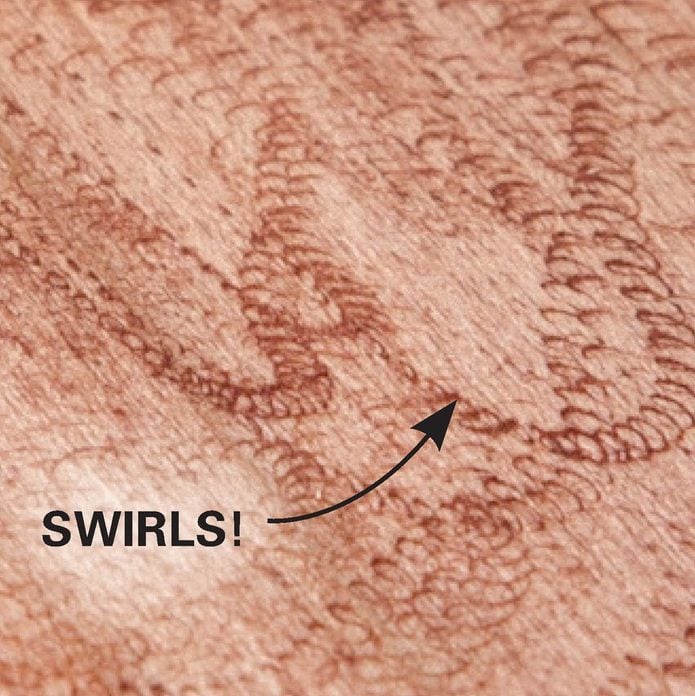
- Random Orbital Sander:Moves in random patterns, reduces swirl marks, good for most surfaces.
- Detail Sander:Has a pointed tip, ideal for tight spots and corners.
Selecting The Right Grit
Grit means how rough or smooth the sandpaper is. Picking the right grit protects your work and gives the finish you want.
| Grit Number | Use |
| 40-60 | Remove old paint or rough wood |
| 80-120 | Shape wood and smooth rough edges |
| 150-180 | Prepare surface for finishing |
| 220+ | Final sanding before painting or staining |
Power And Speed Considerations
Power and speed affect how well your sander works. Choose one that matches your project size and material.
Keep these in mind:
- Higher power works better for big or hard surfaces.
- Variable speed lets you control sanding for delicate or tough jobs.
- Too much speed can damage soft wood or finishes.
Credit: www.familyhandyman.com
Preparing Your Workspace
Setting up your workspace before using an orbital sander is important for safety. A tidy and well-lit area helps you work better.
Good airflow and dust control keep the air clean and protect your lungs. Take time to prepare the space well.
Clearing The Area
Remove all objects that could get in your way while sanding. Clear tools, cords, and debris from your work zone.
Keep your floor free of clutter to avoid tripping or slipping. A clean area helps you focus on the task.
- Pick up loose items on the floor
- Organize tools away from your sanding path
- Secure cords to prevent trips
- Make sure the surface is stable and flat
Ensuring Proper Lighting
Bright lighting helps you see the sanding surface clearly. It reduces mistakes and improves safety.
Use overhead lights or lamps to shine directly on your workpiece. Avoid shadows that can hide dust or defects.
- Use daylight bulbs for natural light effect
- Place lights so they do not shine in your eyes
- Check your workspace in different lighting before starting
Ventilation And Dust Control
Good airflow reduces dust buildup and keeps air fresh. Sanding creates fine dust that can harm your lungs.
Use fans or open windows to let fresh air in. Connect your sander to a dust collection system if possible.
- Wear a dust mask or respirator for protection
- Clean dust collectors regularly
- Avoid sanding in small, closed rooms without ventilation
- Use a vacuum cleaner after sanding to remove dust
Personal Safety Gear
Using an orbital sander creates dust and noise. Wearing the right safety gear protects your body. Safety gear lowers the risk of injury and illness.
Always prepare before sanding. Check your gear fits well and is in good condition. This helps you work safely and comfortably.
Eye Protection
Eye protection keeps dust and debris out of your eyes. Use safety goggles or glasses with side shields. These stop particles from flying in during sanding.
- Choose impact-resistant lenses
- Ensure a snug fit to block dust
- Clean goggles before use
- Replace scratched or damaged lenses
Hearing Protection
Orbital sanders produce loud noise. Protect your hearing with earplugs or earmuffs. Use hearing protection every time you work.
| Type | Pros | Cons |
| Foam Earplugs | Lightweight, disposable | Can be uncomfortable over time |
| Reusable Earplugs | Washable, cost-effective | Need regular cleaning |
| Earmuffs | Easy to put on and off | Bulky, less portable |
Respiratory Masks
Dust from sanding can harm your lungs. Wear a mask rated N95 or higher. It filters out fine dust particles for safer breathing.
- Check mask fits tightly on your face
- Replace masks when dirty or damaged
- Use masks with adjustable nose clips
- Do not share masks with others
Protective Clothing
Wear clothes that cover your skin fully. Long sleeves and pants stop dust and splinters. Choose thick fabric that resists tears.
Tips for protective clothing:
- Wear gloves to protect your hands
- Use closed-toe shoes for foot safety
- Choose clothes that you can wash easily
- Avoid loose clothing that can catch in the sander
Credit: www.familyhandyman.com
Operating Techniques
Using an orbital sander safely needs proper techniques. These help prevent accidents and get smooth results.
Learn the right grip, how to start and stop, keep pressure even, and avoid sanding too much.
Proper Grip And Posture
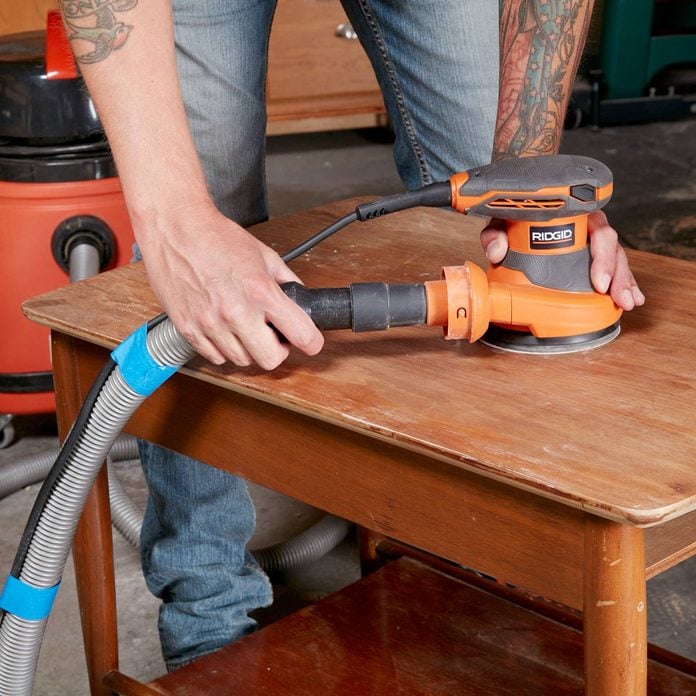
Hold the sander firmly with both hands. Keep your back straight and feet shoulder-width apart. This position gives better control and reduces fatigue.
Starting And Stopping Safely
Always place the sander on the work surface before turning it on. Turn the sander off first, then lift it from the surface. This prevents gouges and damage.
Maintaining Even Pressure
- Use light, steady pressure on the sander.
- Do not press too hard; let the sander do the work.
- Keep the sander flat against the surface.
- Move the sander in slow, even motions.
Avoiding Over-sanding
| Warning Signs | How to Avoid |
|---|---|
| Surface looks uneven | Keep the sander moving constantly |
| Deep marks appear | Use lighter pressure and finer grit paper |
| Wood feels too thin | Check thickness often and stop sanding early |
Handling Dust And Debris
Using an orbital sander creates dust and debris that can harm your health and work area. Managing this dust is important for safety and cleanliness.
Proper handling of dust helps keep your workspace clear and reduces the risk of respiratory problems.
Using Dust Collection Systems
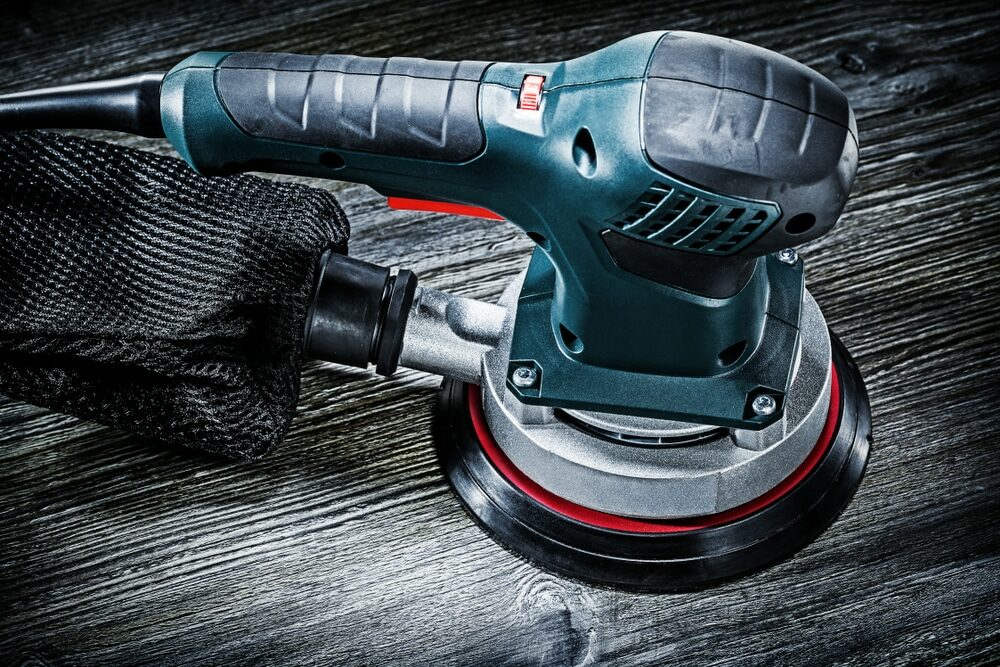
Attach a dust collection system to your sander to catch most of the dust. These systems use bags or vacuums to trap particles.
- Check that the dust bag or vacuum is properly connected.
- Empty the dust bag regularly to maintain suction.
- Use a vacuum with a HEPA filter for best dust control.
Regular Cleaning
Keep your work area clean to avoid dust buildup. Clean tools and surfaces often to reduce fire risk and improve air quality.
| Cleaning Task | Frequency |
| Empty dust collection bag | After each use |
| Wipe down sander body | Daily |
| Sweep or vacuum work area | Daily |
| Inspect air filters | Weekly |
Safe Disposal Of Dust
Dust from sanding can be harmful and flammable. Dispose of it safely to protect yourself and your home.
Follow these tips for safe dust disposal:
- Place dust in a sealed metal container.
- Keep the container away from heat sources.
- Do not mix dust with other waste.
- Take the container to a hazardous waste facility if possible.
Credit: mrsander.co.uk
Maintenance And Inspection
Keeping your orbital sander in good shape helps it work better and last longer. Regular checks stop problems before they start.
Follow these tips to maintain and inspect your orbital sander safely and effectively.
Checking Pads And Discs
Inspect sanding pads and discs before use. Look for tears, cracks, or worn spots that could cause poor sanding or injury.
- Replace pads if they are torn or damaged.
- Use the right disc size and type for your sander.
- Secure discs tightly to prevent slipping.
- Clean pads regularly to remove dust buildup.
Inspecting Power Cords
Check power cords for cuts, frays, or exposed wires. Damaged cords increase the risk of shocks or fire.
| Issue | Action |
| Cut or frayed cord | Replace cord before use |
| Loose plug | Secure or replace plug |
| Exposed wires | Do not use the tool until fixed |
| Cord damage near tool | Avoid bending or twisting cord |
Lubrication And Storage
Keep the sander lubricated and store it properly to avoid damage and rust.
Follow these tips for lubrication and storage:
- Use manufacturer-recommended oil for moving parts.
- Clean dust from vents and surfaces before storage.
- Store in a dry, cool place to prevent rust.
- Unplug the sander before cleaning or oiling.
Common Mistakes To Avoid
Using an orbital sander can make your work smooth and fast. But careless use can cause accidents or damage. Avoid these common mistakes to stay safe and get good results.
Knowing what to watch out for helps you use your sander better. Learn which errors to avoid when operating this tool.
Skipping Safety Gear
Many users skip wearing safety gear to save time. This puts their eyes, lungs, and hands at risk. Always wear safety goggles, a dust mask, and gloves.
Dust and debris can cause serious injuries or breathing problems. Safety gear protects you from these hazards.
- Wear safety goggles to protect your eyes
- Use a dust mask to avoid inhaling particles
- Gloves protect your hands from vibration and cuts
Applying Excessive Pressure
Pressing too hard on the sander can damage the surface you work on. It also wears out the sanding pad faster. Let the tool do the work with light, steady pressure.
Too much pressure can cause uneven sanding and overheating. This reduces the tool’s life and lowers the quality of your finish.
- Hold the sander lightly but firmly
- Move the sander smoothly across the surface
- Stop and check your work often
Ignoring Tool Wear
Using worn-out sanding pads or a damaged sander can cause poor results and safety risks. Check your tool before each use. Replace parts that are worn or broken.
Ignoring wear can lead to tool failure or accidents. Maintaining your sander keeps it safe and effective.
- Inspect sanding pads for tears or clogging
- Check the sander’s power cord for damage
- Clean dust from vents and moving parts
- Replace worn pads and parts regularly
Frequently Asked Questions
How Do I Ensure Safety When Using An Orbital Sander?
Always wear protective gear, secure the workpiece, and keep a firm grip. Avoid loose clothing and work in a well-ventilated area.
What Are Common Hazards Of Operating An Orbital Sander?
Dust inhalation, electric shock, and abrasive injuries are common risks. Proper PPE and tool maintenance reduce these hazards significantly.
How Often Should I Check My Orbital Sander For Damage?
Inspect your sander before each use. Check the power cord, sanding pad, and dust collection system for wear or damage.
Can I Use An Orbital Sander On All Surfaces Safely?
Orbital sanders are best for wood and soft materials. Avoid using on metal or wet surfaces to prevent damage and accidents.
Conclusion
Operating an orbital sander safely ensures a smooth woodworking experience. Always wear protective gear. Goggles and gloves are essential. Keep your workspace clean and organized. This prevents accidents. Always check the sander before use. Look for any damage. Maintain a firm grip on the tool.
This gives better control. Follow the manufacturer’s instructions carefully. They provide important safety guidelines. Practice these tips regularly. Safety becomes a habit. Your projects will turn out great. Plus, you’ll stay safe. That’s the key to successful sanding. Stay safe and enjoy your woodworking!