Ever tried to assemble furniture or hang a picture only to realize your screwdriver just isn’t cutting it? Enter the cordless drill—your new best friend for all things assembly.
Whether you’re a DIY enthusiast or someone who only tackles home projects occasionally, knowing how to use a cordless drill can save you time and effort. Imagine breezing through tasks that once felt like a chore. Intrigued? You should be.
In this guide, you’ll discover the simple steps to mastering this versatile tool, so you can tackle assembly tasks with confidence and ease. Ready to transform your approach to home projects? Let’s get started!

Credit: www.thebestbackyard.com.au
Choosing The Right Drill
Using a cordless drill helps make assembly tasks easier. Picking the right drill is important for good results.
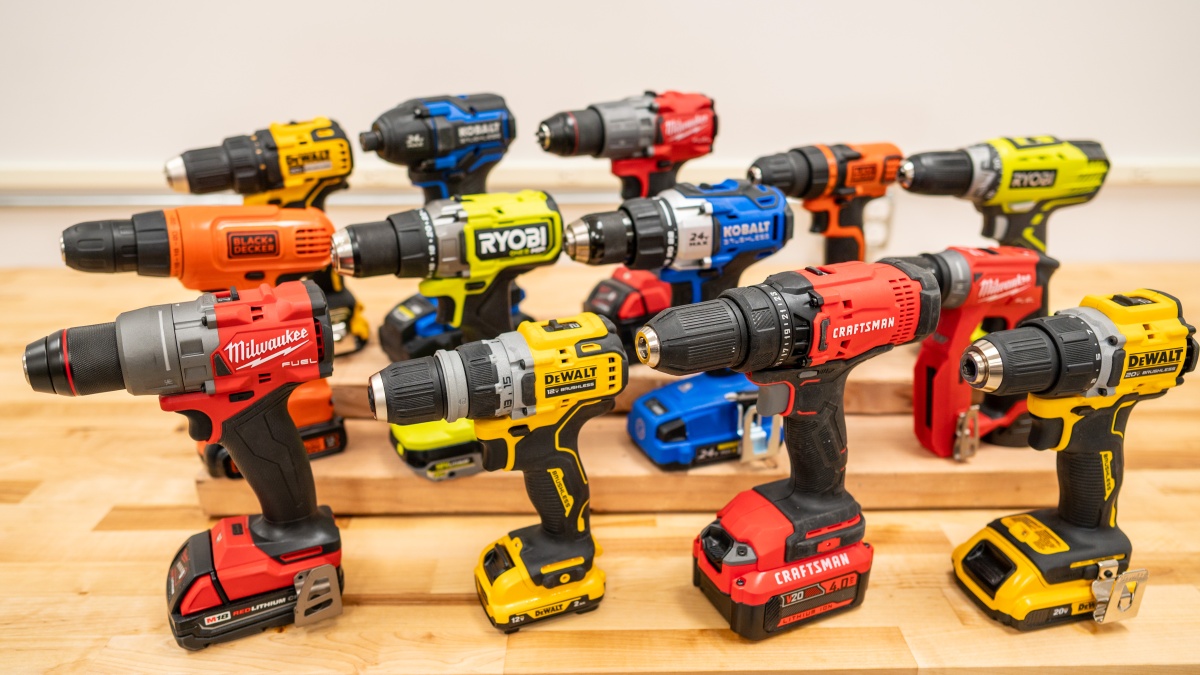
Different drills have features that suit different jobs. Learn what to look for before buying.
Battery Types And Power
Cordless drills use batteries to run without wires. The type of battery affects how long the drill works.
Power is shown in volts. Higher volts mean the drill can handle tougher jobs.
- Nickel-Cadmium (NiCd): Older, heavier, less battery life
- Lithium-Ion (Li-Ion): Lighter, holds charge longer, no memory effect
- Voltage range: 12V to 20V suits most assembly tasks
Drill Size And Weight
Size and weight affect how easy the drill is to hold. A lighter drill reduces hand fatigue.
Choose a drill that fits your hand and feels balanced. Small drills are good for tight spaces.
- Compact drills weigh less and are easy to carry
- Mid-size drills offer more power but weigh more
- Heavy drills can be tiring for long jobs
Key Features To Look For
Some features make cordless drills easier and safer to use. Look for useful functions that match your needs.
- Variable speed control helps adjust drill speed
- Keyless chuck allows quick bit changes
- LED light improves visibility in dark areas
- Ergonomic grip reduces hand strain
- Battery indicator shows remaining power
Preparing For Assembly
Using a cordless drill makes assembly tasks easier and faster. Before you start, it is important to prepare well. This helps you work safely and get good results.
Preparation includes choosing the right drill bits, setting the correct torque, and wearing safety gear. These steps make your work smooth and safe.
Selecting The Correct Drill Bits
Pick the drill bit that fits the screws or holes you will work with. Using the wrong bit can damage your project or drill.
Common drill bits include flathead, Phillips, and hex bits. Check the size to match the screw head perfectly.
- Match the bit shape to the screw head
- Use the right size to avoid slipping
- Replace worn bits for better performance
Setting The Right Torque
Torque controls how hard the drill turns the screw. Setting the right torque prevents stripping screws or damaging materials.
Start with a low torque setting for soft materials. Increase torque for harder surfaces or bigger screws.
- Low torque for light tasks
- Medium torque for normal assembly
- High torque for tough materials
Safety Gear Essentials
Wear safety gear to protect yourself during assembly. This reduces the risk of injury from flying debris or accidental slips.
Essential safety gear includes safety glasses, gloves, and ear protection if needed. Always keep your work area clean and well-lit.
- Safety glasses to protect your eyes
- Gloves to protect your hands
- Ear protection for loud drills
- Clear workspace to avoid accidents
Drilling Techniques
Using a cordless drill correctly makes assembly tasks easier and safer. Good drilling techniques help you create clean holes and avoid damage.
Focus on accuracy and control. This guide covers starting holes, keeping the drill steady, and common mistakes to avoid.
Starting Holes Accurately
Begin by marking the exact spot where you want the hole. Use a pencil or a center punch to create a small dent. This dent helps the drill bit stay in place.
Start drilling slowly. Let the bit cut into the material without forcing it. This prevents the drill from slipping and makes a clean hole.
Maintaining Drill Stability
Keep the drill steady and straight. Hold it with both hands if possible. Align the drill bit with the marked spot at a 90-degree angle.
- Use a firm grip on the drill handle
- Keep your body balanced and stable
- Apply steady, even pressure while drilling
- Pause occasionally to clear debris from the hole
Avoiding Common Mistakes
| Mistake | How to Avoid |
|---|---|
| Drill bit slipping | Use a center punch; start drilling slowly |
| Applying too much pressure | Let the drill do the work; use steady pressure |
| Drilling at an angle | Hold drill perpendicular to surface |
| Overheating the drill bit | Pull the bit out to cool and clear debris |
Credit: www.techgearlab.com
Handling Different Materials
Using a cordless drill can make assembly tasks faster and easier. Different materials need different drilling techniques. Knowing how to handle wood, metal, and plastic helps you work safely and efficiently.
Each material reacts differently to the drill’s speed, pressure, and bit type. Learning the right approach prevents damage and improves results.
Wood Assembly Tips
Wood is common for many projects. Use a drill bit made for wood to avoid splintering. Start with a pilot hole for hard or thick wood. This helps guide the screw and stops the wood from cracking.
- Choose a sharp, spade or brad point bit
- Drill at a steady, medium speed
- Use clamps to hold the wood firmly
- Pre-drill pilot holes for screws
- Apply light pressure to prevent splitting
Metal Fastening Tricks
Metal needs careful handling to avoid damage. Use a high-speed steel (HSS) drill bit for metal. Lubricate the bit with oil to reduce heat. Drill slowly and steadily to keep control and avoid burning the metal.
| Material Type | Drill Bit | Speed Setting | Additional Tips |
| Thin Sheet Metal | HSS Twist Bit | Low to Medium | Use lubricant, clamp securely |
| Thick Metal Plate | Step Drill Bit | Low | Apply steady pressure, cool often |
| Aluminum | Cobalt Bit | Medium | Drill quickly, avoid overheating |
Working With Plastic Components
Plastic parts require a gentle touch. Use a drill bit designed for plastic or a standard twist bit with care. Drill slowly to avoid melting or cracking the plastic. Support the piece well to keep it stable.
- Set drill speed to low or medium
- Use a backing board to prevent cracks
- Keep drill bits sharp and clean
- Apply light and steady pressure
- Allow the bit to cool between holes
Maintaining Your Drill
Keeping your cordless drill in good shape helps it last longer. Regular care improves its performance.
Simple steps like cleaning and checking the battery keep your drill ready for assembly tasks.
Battery Care And Charging
Use the charger made for your drill’s battery. Avoid using old or broken chargers.
Charge the battery before it is completely empty. This helps keep the battery healthy.
- Store batteries in a cool, dry place
- Do not leave batteries on the charger for days
- Check battery contacts for dirt or damage
Cleaning And Storage
Wipe your drill with a clean cloth after use. Remove dust and dirt from vents and chuck.
Store your drill in its case or a dry place. Keep it away from moisture and extreme heat.
- Use compressed air to clean hard-to-reach parts
- Keep drill bits separate and dry
- Do not store drill with battery inside for long periods
Troubleshooting Common Issues
If the drill does not start, check the battery charge first. Replace or recharge if needed.
Listen for strange noises or weak power. These may mean the motor or gears need service.
- Check if the drill bit is properly tightened
- Clean battery contacts to fix connection problems
- Inspect the trigger switch for damage

Credit: jpttools.com
Enhancing Efficiency
Using a cordless drill can speed up your assembly tasks. Knowing how to use it well saves time and effort.
This guide covers ways to work faster by using drill attachments, organizing your workspace, and smart time-saving tips.
Using Drill Attachments
Drill attachments help you do many jobs with one tool. Use the right bit for screws or holes to get better results.
- Choose screwdriver bits that fit the screw heads exactly.
- Use drill stops to control the depth of holes.
- Attach sanding drums for smoothing surfaces.
- Try mixing paddle attachments for stirring paint or thin materials.
Organizing Your Workspace
Keep your work area tidy to find tools fast. This reduces breaks and keeps your focus on the job.
| Tip | Why It Helps |
| Use a tool caddy | Holds drill and bits close |
| Sort screws by size | Speeds up selection |
| Clear the surface | Prevents losing small parts |
| Good lighting | Makes work easier and safer |
Time-saving Strategies
Plan your work to avoid repeating steps. Use these strategies to finish assembly faster.
- Gather all parts before starting.
- Use a cordless drill with a charged battery.
- Set drill speed to match the material.
- Work on one type of task at a time.
- Keep screws and bits organized nearby.
Frequently Asked Questions
What Safety Tips Should I Follow Using A Cordless Drill?
Always wear safety goggles and gloves. Keep hair and loose clothes away. Use the drill on stable surfaces. Unplug or remove the battery when changing bits to avoid accidents.
How Do I Choose The Right Drill Bit?
Select a drill bit based on the material you’re working with. Use wood bits for wood, metal bits for metal, and masonry bits for concrete. Match the bit size to the screw or hole needed.
How Can I Extend My Cordless Drill’s Battery Life?
Fully charge the battery before use. Avoid overusing the drill on high power settings. Store the battery in a cool, dry place. Use the drill regularly to keep the battery healthy.
What Is The Best Drill Speed For Assembly Tasks?
Use low to medium speed for better control during assembly. High speed can strip screws or damage materials. Adjust speed based on the screw size and material hardness.
Conclusion
Using a cordless drill makes assembly tasks faster and easier. Choose the right drill bit for your screws. Keep the drill steady and apply light pressure. Take your time to avoid mistakes or damage. Always charge the battery before starting work.
Practice helps you gain confidence and better control. A cordless drill is a handy tool for many jobs. With simple steps, anyone can handle assembly tasks well. Give it a try and enjoy the convenience it brings.