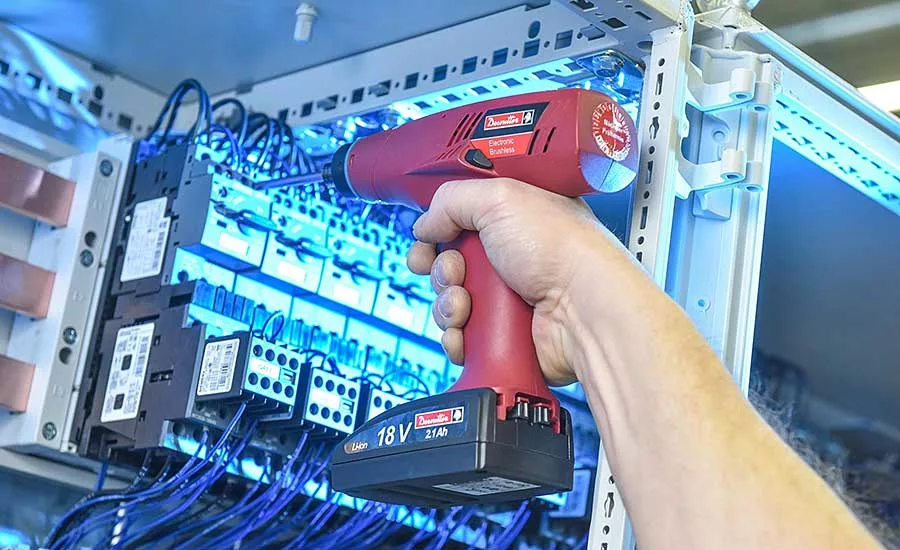
Assembling cabinets can often feel like a daunting task, especially when you’re standing there, power screwdriver in hand, unsure of where to start. But don’t worry—you’re in the right place to master this handy tool.
Imagine transforming a pile of flat-pack pieces into a beautiful, functional cabinet with ease and confidence. Sounds good, right? By learning how to properly use a power screwdriver, you’ll not only save time but also ensure your cabinets are sturdy and durable.
This isn’t just about getting the job done; it’s about doing it with precision and satisfaction. Ready to discover the secrets to seamless cabinet assembly? Let’s dive in and make your DIY project a breeze!
Choosing The Right Power Screwdriver
Using a power screwdriver makes assembling cabinets easier and faster. Picking the right one helps you work better and saves effort.
There are many types of power screwdrivers. You should also know what features matter most. Battery and corded models have different uses.
Types Of Power Screwdrivers
Power screwdrivers come in several styles. Each type fits different needs and jobs around the house.
- Cordless Screwdrivers:Easy to carry and use anywhere. They run on rechargeable batteries.
- Corded Screwdrivers:Plug into power outlets. Provide constant power without recharging.
- Electric Screw Guns:Larger and more powerful. Good for heavy-duty tasks.
- Precision Electric Screwdrivers:Small and light. Ideal for delicate work.
Key Features To Look For
Choosing a power screwdriver means checking its features. These features make your work easier and safer.
- Torque Control:Lets you adjust power to avoid damage.
- Speed Settings:Different speeds help with various screw sizes.
- Ergonomic Grip:Comfortable handle reduces hand fatigue.
- LED Light:Helps you see in dark spaces.
- Bit Compatibility:Check if it fits common screw types.
Battery Vs. Corded Models
Battery and corded power screwdrivers have pros and cons. Your choice depends on where and how you work.
- Battery Models:Portable and flexible. Good for working away from outlets. Battery life limits usage time.
- Corded Models:Unlimited power supply. Better for long projects. Cord can limit movement.
Preparing For Cabinet Assembly
Using a power screwdriver makes cabinet assembly easier and faster. Before you start, get ready by organizing your tools and workspace.
Good preparation helps prevent mistakes and saves time. Follow these steps to prepare well for your project.
Gathering Tools And Materials
Collect all tools and materials before you begin. Having everything ready helps the work go smoothly.
- Power screwdriver with different bits
- Screws and fasteners included with the cabinet
- Measuring tape and pencil
- Protective gloves and safety glasses
- Clamps to hold parts together
- A level to check alignment
Reading Assembly Instructions
Read the instructions carefully before starting. Understanding the steps helps avoid errors.
Look for parts names, screw types, and order of assembly. Follow the guide step-by-step to finish correctly.
- Check for any missing parts
- Note special screw sizes or tools needed
- Identify the base and side panels
- Understand how pieces fit together
Setting Up A Workspace
Choose a clean, flat area to work. A good workspace helps keep parts safe and organized.
Make sure there is enough light and space to move around. Lay down a soft cloth to protect cabinet surfaces.
- Clear away clutter and obstacles
- Use a sturdy table or workbench
- Keep tools within easy reach
- Have a trash bin nearby for packaging
Power Screwdriver Safety Tips
Using a power screwdriver helps you build cabinets faster. Safety is very important to avoid injuries. Learn how to protect yourself and use the tool right.
Follow simple safety tips to keep your hands and eyes safe. Handle the tool carefully and watch out for common dangers.
Wearing Protective Gear
Wear the right gear before starting your work. Protective equipment can stop injuries from flying debris and tool slips.
- Use safety glasses to protect your eyes
- Wear gloves to avoid cuts and scrapes
- Choose ear protection if noise is loud
- Put on a dust mask if working in dusty areas
Handling The Tool Safely
Hold the power screwdriver firmly and keep your hands away from the spinning bit. Always check the tool before use to make sure it works well.
| Safety Check | What to Do |
| Inspect the bit | Replace if worn or bent |
| Check battery level | Charge before starting work |
| Test the switch | Ensure it turns on and off smoothly |
| Secure loose clothing | Remove or tuck in to avoid catching |
Avoiding Common Hazards
Be aware of risks like slipping, electric shock, and sharp edges. Keep your work area clean and organized to prevent accidents.
- Do not force the screwdriver if it gets stuck
- Keep cords away from sharp objects and water
- Work in a well-lit area to see clearly
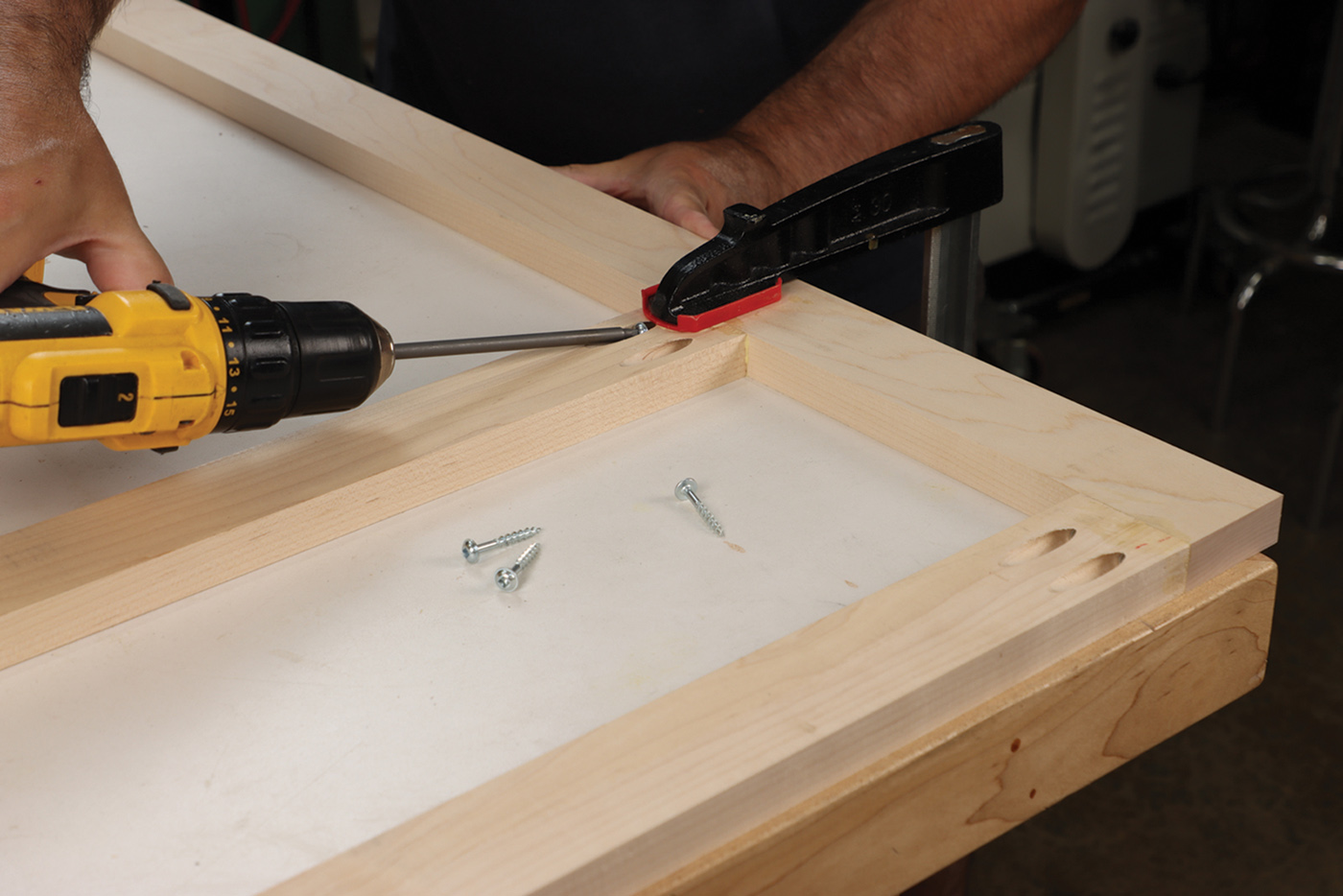
- Use clamps to hold cabinet parts steady
- Take breaks to avoid hand fatigue

Credit: www.assemblymag.com
Using The Power Screwdriver Effectively
Using a power screwdriver helps you assemble cabinets faster. It reduces hand strain and makes work easier.
To get the best results, you need to use the tool properly. This means choosing the right bit, setting the torque, and keeping screws aligned.
Selecting The Right Bit
Pick a bit that fits the screw head exactly. A loose bit can strip the screw or damage the tool.
Common bits include Phillips, flathead, and Torx. Check the screw type before you start.
- Match bit size to screw size
- Use magnetic bits to hold screws
- Replace worn bits to avoid slipping
Adjusting Torque Settings
Torque controls how much force the screwdriver uses. Set it too high and you may strip screws.
Use a low torque for small screws and soft wood. Increase torque for larger screws and hard wood.
- Start with low torque to avoid damage
- Test torque on a scrap piece first
- Adjust as needed during assembly
Maintaining Proper Screw Alignment
Keep the screwdriver bit straight to the screw head. Angled screws can strip or break.
Hold the screwdriver firmly and apply steady pressure. Guide the screw in slowly for better control.
- Align bit and screw at 90 degrees
- Use your other hand to steady the cabinet piece
- Stop if the screw feels stuck and adjust angle
Step-by-step Cabinet Assembly
Using a power screwdriver makes cabinet assembly faster and easier. It helps you join parts tightly and securely.
This guide shows you how to use a power screwdriver to assemble cabinets step by step. Follow these simple instructions to build your cabinet correctly.
Assembling The Frame
Start by laying out all frame pieces on a flat surface. Check that you have all parts and screws before starting.
- Align the side panels with the base panel.
- Hold the panels in place and drive screws through the pilot holes.
- Make sure the corners are square and tight.
- Attach the top panel using screws and the power screwdriver.
Attaching Doors And Panels
Next, fix the doors and side panels to the frame. Use hinges and screws to secure the doors.
| Part | Action | Tip |
| Door | Attach hinges with screws | Align door evenly |
| Back Panel | Secure with screws along edges | Use enough screws for strength |
| Side Panels | Fix to frame with screws | Check for flush fit |
Securing Hardware
Finally, install cabinet hardware such as handles and drawer slides. Use the power screwdriver to tighten screws firmly.
- Place handles in marked spots on doors or drawers.
- Drive screws through handle holes with the power screwdriver.
- Install drawer slides inside the frame with screws.
- Test hardware to ensure smooth movement.

Credit: www.bunnings.com.au
Troubleshooting Common Issues
Using a power screwdriver for assembling cabinets can speed up your work. Sometimes, small problems slow you down. This guide helps fix common issues fast.
Read on to learn how to solve stripped screws, bit slippage, and battery problems. These tips keep your tools working well.
Stripped Screws
Stripped screws happen when the screwdriver bit does not grip the screw head properly. This can stop the screw from turning or damage it.
- Use a bit that fits the screw head exactly.
- Apply steady, even pressure while turning.
- Try a rubber band between the bit and screw for extra grip.
- Switch to a manual screwdriver if the power tool slips too much.
Bit Slippage
Bit slippage happens when the bit slips out of the screw head. It can damage both the screw and the bit.
| Cause | Fix |
|---|---|
| Wrong bit size | Choose the correct size for the screw head |
| Worn bit | Replace the bit with a new one |
| Low torque setting | Increase the torque on the screwdriver |
| Loose bit holder | Tighten the bit holder securely |
Battery Problems
Battery issues can cause your power screwdriver to stop suddenly or work weakly.
Try these checks:
- Make sure the battery is fully charged before use.
- Clean battery contacts with a dry cloth.
- Replace old batteries that no longer hold charge well.
- Store batteries in a cool, dry place to extend life.
Maintaining Your Power Screwdriver
Keeping your power screwdriver in good shape helps it work better. Regular care stops problems and extends its life.
This guide covers cleaning, storage, maintenance tips, and when to replace parts.
Cleaning And Storage
Clean your power screwdriver after each use. Remove dust and dirt from vents and surfaces. Use a dry cloth or a soft brush to avoid damage.
- Unplug or remove the battery before cleaning
- Wipe the tool with a dry cloth
- Use compressed air for hard-to-reach areas
- Store in a dry, cool place away from moisture
- Keep it in a case or box to protect from dust
Regular Maintenance Tips
Check your screwdriver regularly to catch small issues. Tighten loose screws and check the battery condition if it is cordless. Lubricate moving parts as needed to keep the tool running smoothly.
| Maintenance Task | Frequency | Details |
| Battery Check | Monthly | Inspect for damage and charge level |
| Screw Tightening | Monthly | Tighten any loose screws on the tool |
| Lubrication | Every 3 months | Apply light oil to moving parts |
| Cleaning | After each use | Remove dust and debris |
When To Replace Parts
Replacing worn parts keeps your screwdriver safe and efficient. Check for signs like reduced power, strange noises, or worn bits. Replace parts like the chuck, brushes, or battery when needed.
- Replace the battery if it no longer holds charge
- Change the chuck if it does not hold bits tightly
- Swap out carbon brushes when worn down
- Replace damaged cords to avoid electrical hazards
Credit: www.popularwoodworking.com
Frequently Asked Questions
What Safety Tips Should I Follow When Using A Power Screwdriver?
Always wear safety goggles and gloves. Keep your workspace clean. Avoid loose clothing and ensure the screwdriver is in good condition. Follow manufacturer instructions and keep fingers away from the bit during operation.
How Do I Choose The Right Bit For Cabinets?
Select bits that match the screw head type, such as Phillips or flathead. Using the correct bit reduces damage and improves efficiency. Check bit size compatibility with your screws for a secure fit.
Can I Use A Power Screwdriver For All Cabinet Materials?
Power screwdrivers work well with wood, MDF, and plywood. For harder materials like metal, use appropriate screws and drill bits. Adjust torque settings to prevent overdriving or damaging the cabinet surface.
How Do I Prevent Stripping Screws While Assembling Cabinets?
Use the correct bit size and apply steady pressure. Set the torque to a low setting initially. Stop as soon as the screw is flush with the surface to avoid stripping.
Conclusion
Using a power screwdriver makes cabinet assembly faster and easier. It saves your hands from tiring quickly. Always choose the right bit and set the correct torque. Work slowly at first to avoid mistakes. Keep the tool steady for better results.
Practice helps you gain confidence and speed. Safety matters—wear goggles and keep fingers clear. With these tips, you can build cabinets neatly and efficiently. Give it a try and see the difference yourself. Simple tools, smart work, good results.