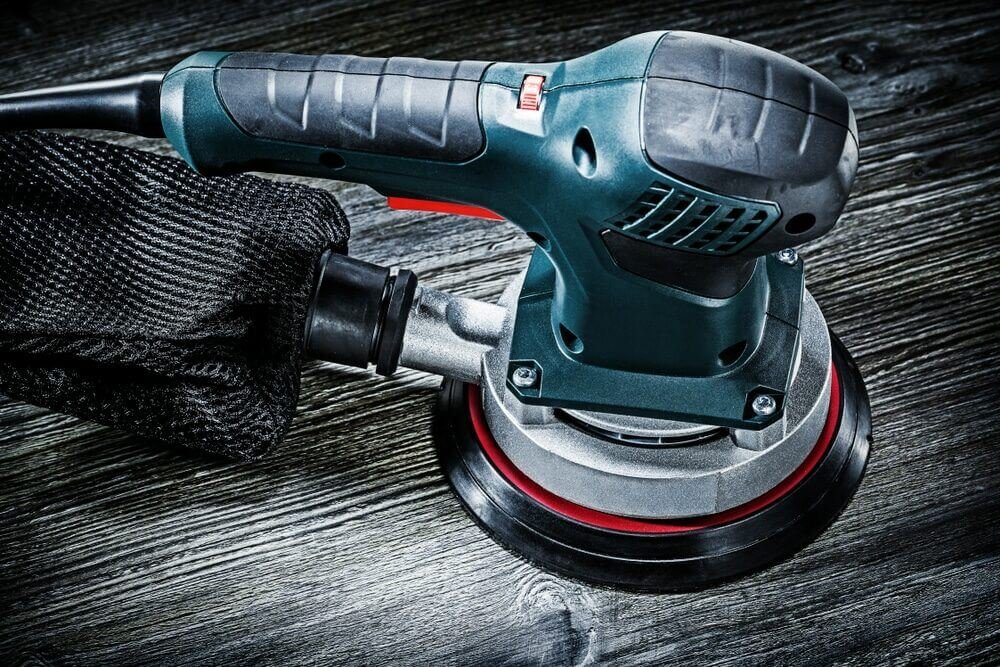
Are you tired of your power sander losing its efficiency right when you need it the most? Maintaining a power sander might seem like a daunting task, but it’s easier than you think.
Proper upkeep not only extends the life of your tool but also ensures smooth and flawless finishes on your projects. Imagine the satisfaction of a perfectly sanded surface without the hassle of unexpected breakdowns. In this guide, you’ll discover straightforward tips to keep your power sander in top shape.
From cleaning hacks to essential maintenance routines, we’ve got you covered. Ready to unleash the full potential of your power sander? Let’s dive in and transform the way you work with your favorite tool.
Choosing The Right Power Sander
Choosing the right power sander is important for good results. The right sander helps you work faster and cleaner.
You should know the types of sanders and what features matter. This helps you pick the best tool for your job.
Types Of Power Sanders
There are many types of power sanders. Each type works best for certain tasks.
Knowing the different types helps you choose the right one for your project.
- Orbital Sander: Good for light sanding and finishing.
- Belt Sander: Removes material fast on flat surfaces.
- Detail Sander: Works well on small or tight spaces.
- Random Orbital Sander: Combines speed and smooth finish.
- Disc Sander: Ideal for heavy sanding and shaping.
Features To Consider
Some features make a power sander easier and safer to use. Look for these before buying.
Choosing features that fit your needs helps you work with less effort and better results.
- Power: Higher power means faster sanding and less strain.
- Dust Collection: A good system keeps your work area clean.
- Ergonomics: Comfortable handles reduce hand fatigue.
- Speed Control: Variable speed helps control sanding depth.
- Size and Weight: Choose a size you can handle easily.

Credit: dengarden.com
Essential Maintenance Tools
Maintaining a power sander keeps it working well and safe to use. Using the right tools helps you clean and fix your sander easily.
Here are the main tools you need for cleaning and lubricating your power sander. These tools also help with replacing worn parts.
Cleaning Supplies
Keeping your power sander clean stops dust and dirt from causing damage. Use the right supplies to clean all parts carefully.
- Soft brushes for dust removal
- Compressed air canisters to blow out debris
- Lint-free cloths for wiping surfaces
- Mild detergent for stubborn dirt
- Vacuum cleaner attachment to clear dust collection ports
Lubricants And Replacements
Lubricate moving parts to reduce friction and wear. Replace worn parts to keep your sander running smoothly and safely.
| Item | Purpose | Tips |
| Machine oil | Lubricates bearings and moving joints | Apply sparingly to avoid buildup |
| Replacement sanding pads | Ensure effective sanding performance | Match pad size to your sander model |
| Carbon brushes | Replace worn brushes to maintain motor power | Check regularly for wear |
| Screws and fasteners | Replace missing or rusty hardware | Use correct sizes and types |
Daily Cleaning Routine
Keeping your power sander clean helps it work better. A daily cleaning routine stops dust and dirt from building up. This keeps the tool safe and extends its life.
Spend a few minutes each day to clean and check your sander. This quick care prevents bigger problems later. Here are two important steps to follow.
Removing Dust And Debris
Dust and debris can block air vents and wear down parts. Remove dust after each use to keep your sander running smoothly. Use a soft brush or compressed air to clean it well.
- Unplug the sander before cleaning.
- Brush dust from vents and surfaces.
- Use compressed air to blow out hard-to-reach spots.
- Wipe the exterior with a dry cloth.
- Empty and clean any dust collection bags or boxes.
Inspecting Sanding Pads
Check sanding pads daily for wear and damage. Worn pads reduce sanding quality and can harm the sander. Replace pads that are torn or uneven to keep good results.
| Pad Condition | Action |
| Clean and flat | Use as normal |
| Worn edges or uneven surface | Replace the pad |
| Torn or missing sections | Stop use and replace immediately |
| Excessive glue or debris stuck | Clean carefully or replace if needed |
Lubrication And Parts Care
Keeping your power sander in good shape helps it work longer and better. Lubrication and parts care stop wear and tear on moving parts. Simple maintenance keeps your tool safe and efficient.
Regular checks and care prevent damage and costly repairs. Follow these tips to know when to lubricate and how to handle moving parts properly.
When To Lubricate
Lubricate your power sander’s moving parts to reduce friction and heat. This helps parts last longer and run smoothly. The right time to lubricate depends on use and condition.
- After every 10 hours of use, apply lubricant to bearings and shafts.
- If the sander makes unusual noises or feels hot, check lubrication.
- Clean dust and debris before lubricating to avoid damage.
- Use lubricants recommended by the manufacturer for best results.
- Do not over-lubricate, as excess oil attracts dirt and dust.
Handling Moving Parts
Moving parts need gentle handling to avoid damage. Proper care keeps your power sander running safely and efficiently.
| Part | Care Tips |
| Bearings | Keep clean and lubricated regularly |
| Shafts | Check for wear and apply light oil |
| Switches | Clean dust and avoid moisture |
| Drive Belts | Inspect for cracks and replace if worn |
Replacing Sanding Pads And Belts
Maintaining a power sander helps it work better and last longer. Replacing sanding pads and belts is an important part of this care.
Worn-out pads and belts reduce sanding quality. Knowing when and how to replace them keeps your tool in good shape.
Signs Of Wear
Look for these signs to know if pads or belts need changing. Worn parts affect sanding results and can damage surfaces.
- Sanding pad looks torn or has missing pieces
- Belt has cracks, tears, or frayed edges
- Sanding is uneven or takes longer than usual
- Dust builds up because sanding surface is smooth
- Pad or belt slips during use
Proper Replacement Techniques
Replace sanding pads and belts carefully to avoid damage. Follow these steps for a smooth change.
- Turn off and unplug the sander before starting
- Remove the old sanding pad or belt gently
- Check the sander for dust or debris and clean it
- Align the new pad or belt with the sander’s base
- Secure the pad or tighten the belt as the tool requires
- Test the sander on a scrap piece to ensure proper fit
Always use the right size and type of pad or belt for your sander model. This helps the tool work safely and well.

Credit: www.adamstarpntool.com
Storage Tips For Longevity
Keeping your power sander in good shape starts with proper storage. Good storage helps the tool last longer and work better.
Storing the sander the right way protects it from damage and saves you money on repairs.
Ideal Storage Conditions
Store your power sander in a clean, dry place. Avoid areas with extreme heat or cold to protect its parts.
Keep the sander away from dust and dirt. Use a case or cover to stop debris from entering the tool.
- Store in a cool, dry room
- Keep away from direct sunlight
- Use a protective case or cover
- Place on a stable shelf or hook
Preventing Moisture Damage
Moisture can cause rust and damage the motor. Always dry the sander before storing it.
Use silica gel packs or a dehumidifier in storage areas to reduce moisture in the air.
- Wipe the sander dry after use
- Store with silica gel packs nearby
- Keep in a room with low humidity
- Avoid storing in basements or damp areas
Troubleshooting Common Issues
Power sanders need regular care to work well. Sometimes, they face problems that slow work down.
Knowing how to fix common problems saves time and money. This guide helps you spot and solve issues fast.
Power Problems
If your sander does not start or stops suddenly, power is likely the issue. Check the power source first.
Loose plugs, faulty cords, or dead batteries cause power problems. Make sure everything connects well and is charged.
- Check if the plug is fully inserted in the outlet
- Inspect the power cord for cuts or damage
- Test the outlet with another device to confirm power
- Charge or replace the battery if cordless
- Clean the power switch to ensure good contact
Unusual Noises And Vibrations
Strange sounds or strong shaking can mean parts are loose or worn out. This can harm the sander and your work.
Check the sanding pad, motor, and screws. Tighten or replace parts to reduce noise and vibration.
- Make sure the sanding pad is attached firmly
- Look for worn bearings or brushes in the motor
- Tighten all screws and bolts
- Replace damaged sanding discs
- Clean dust buildup inside the sander
Safety Practices During Maintenance
Maintaining a power sander is important to keep it working well. Safety is the top priority during maintenance. Follow safety practices to avoid accidents and injuries.
Always prepare yourself and the workspace before starting any repair or cleaning. This helps you stay safe and finish the job faster.
Protective Gear
Wear protective gear to protect your body from dust and sharp parts. This gear helps prevent injuries during maintenance work.
Use safety glasses to protect your eyes from flying debris. Gloves protect your hands from cuts and rough surfaces.
- Safety glasses or goggles
- Work gloves
- Dust mask to avoid inhaling dust
- Hearing protection if working in noisy areas
Safe Handling Procedures
Turn off and unplug the power sander before starting maintenance. This stops the tool from turning on by accident.
Handle the sander carefully to avoid dropping it. Keep the workspace clean and well-lit to see what you are doing.
- Unplug the sander before cleaning or fixing
- Use tools designed for maintenance tasks
- Keep hands away from moving parts
- Store the sander safely after maintenance

Credit: www.klium.com
Frequently Asked Questions
How Often Should I Clean My Power Sander?
Clean your power sander after every use to remove dust and debris. This prevents clogging and extends the tool’s lifespan. Use a brush or compressed air for thorough cleaning. Regular maintenance ensures optimal performance and safety.
What Is The Best Way To Replace Sandpaper On A Power Sander?
Turn off and unplug the sander before replacing sandpaper. Release the clamps or Velcro holding the sandpaper. Align the new sheet properly and secure it firmly. Proper replacement ensures smooth sanding and avoids damage.
How Can I Lubricate My Power Sander Effectively?
Check the user manual for lubrication points. Use recommended lubricants sparingly on moving parts. Avoid over-lubrication to prevent dust accumulation. Regular lubrication reduces wear and keeps the sander running smoothly.
What Safety Tips Should I Follow When Maintaining A Power Sander?
Always unplug the sander before maintenance. Wear protective gloves and eyewear during cleaning and repairs. Avoid using water or harsh chemicals on electrical parts. Following safety tips prevents accidents and tool damage.
Conclusion
Maintaining a power sander keeps it working well and lasts longer. Clean the dust after each use. Check the sanding pads often. Tighten loose parts to avoid damage. Store the sander in a dry place. Simple care saves money and time.
Use these tips to keep your tool ready. A well-kept sander makes your work easier and better every time.