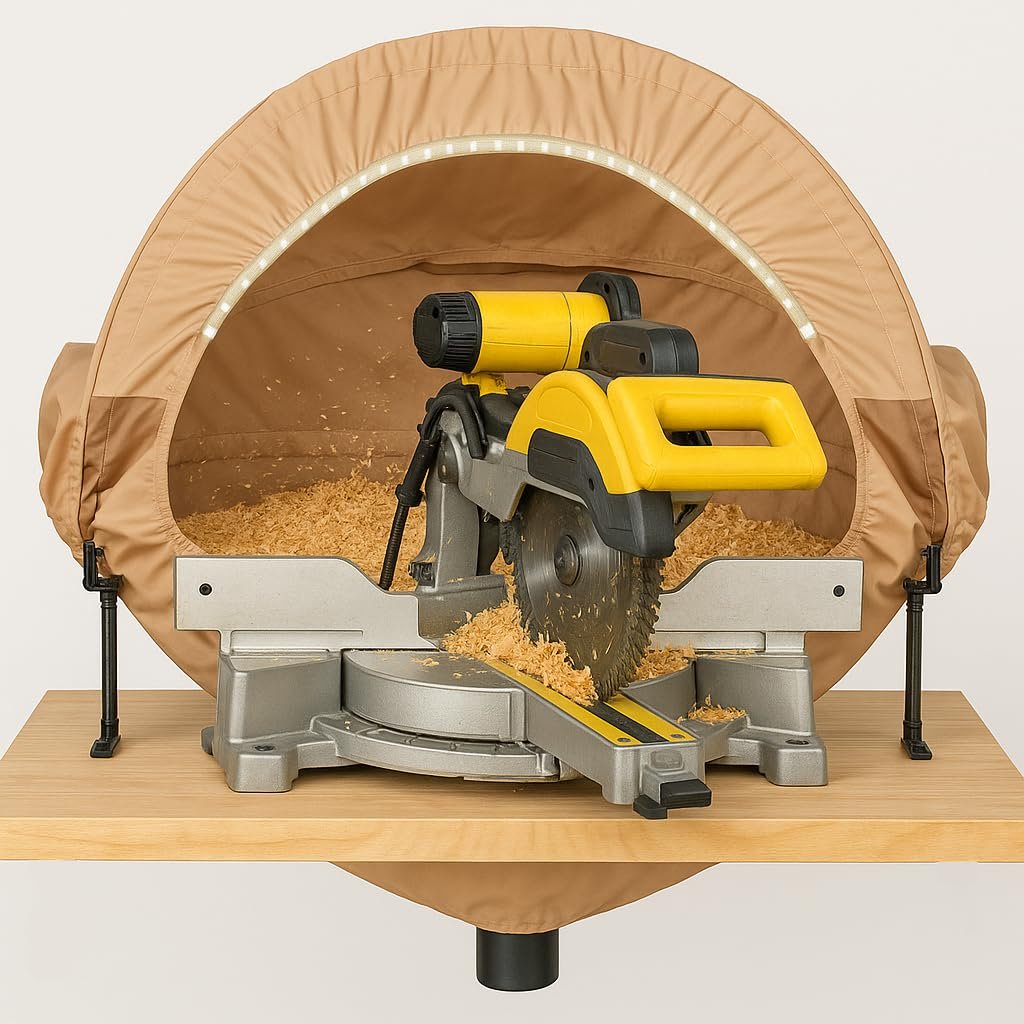
If you use a miter saw regularly, you know how quickly dust can build up in its dust ports. This dust doesn’t just make a mess—it can clog your saw, reduce its efficiency, and even shorten its lifespan.
Cleaning these dust ports might seem like a small task, but it can make a huge difference in how well your saw performs. You’ll discover simple, effective steps to keep your miter saw dust ports clean and working smoothly. Stick with me, and you’ll save time, improve safety, and get better cuts every time.
Let’s get started!
Why Clean Dust Ports Matter
Keeping your miter saw dust ports clean helps the tool work better. Dust buildup can block airflow and slow down the saw.
Regular cleaning also protects your health and keeps your workspace safe from dust hazards.
Impact On Saw Performance
Dust ports clear of debris allow the saw to run smoothly. Clogged ports cause the motor to overheat and reduce power.
- Improves airflow to the motor
- Prevents overheating and damage
- Maintains cutting accuracy
- Extends the saw’s lifespan
Health And Safety Benefits
Dust from cutting can harm your lungs and cause allergies. Clean ports reduce airborne dust and keep your work area safer.
| Risk | Benefit of Cleaning Dust Ports |
| Breathing dust particles | Lower dust in the air |
| Fire hazard from dust buildup | Reduced fire risk |
| Slippery floors from dust | Cleaner workspace |

Credit: shopnationstore.com
Tools Needed For Cleaning
Cleaning the dust ports of your miter saw keeps it running well. Dust build-up can block airflow and reduce efficiency.
Using the right tools makes cleaning easier and safer. It helps remove dust from hard-to-reach places.
Basic Cleaning Supplies
You need some basic cleaning supplies to start. These include cloths, compressed air, and cleaners.
Soft cloths help wipe dust from surfaces. Compressed air blows dust out of tight spots. Mild cleaners remove sticky dust.
- Microfiber cloths or rags
- Can of compressed air
- Mild cleaning spray or soapy water
- Protective gloves
Recommended Brushes And Accessories
Brushes help clean dust ports where cloths cannot reach. Choose brushes with soft or stiff bristles depending on dust type.
Small brushes fit into narrow openings. A vacuum with a narrow nozzle also helps remove dust deeply.
- Soft-bristled paintbrush for light dust
- Stiff nylon brush for stuck dust
- Small wire brush for metal parts
- Vacuum cleaner with crevice tool
- Toothbrush for tight corners
Preparing The Miter Saw
Cleaning the dust ports on your miter saw keeps it working well. This guide shows how to get ready safely before cleaning.
Start by making sure the saw is safe to work on. Then, remove the dust port carefully.
Unplugging And Safety Precautions
Always unplug the miter saw before cleaning. This stops the saw from turning on by mistake.
- Locate the power cord and disconnect it from the outlet.
- Wear safety gloves to protect your hands from sharp parts.
- Use eye protection to avoid dust and debris.
- Work in a well-lit area so you can see clearly.
- Keep the saw stable on a flat surface to prevent movement.
Removing The Dust Port
The dust port collects sawdust during cutting. Removing it helps clean out blockages.
| Tool Needed | Purpose |
| Screwdriver | To loosen screws holding the dust port |
| Brush or compressed air | To clean inside the dust port and saw |
Follow these steps to remove the dust port:
- Find the screws or clips that hold the dust port in place.
- Use a screwdriver to remove screws carefully.
- Gently pull the dust port away from the saw.
- Clean the dust port with a brush or compressed air.
- Check the saw’s opening for remaining dust or debris.
Step-by-step Cleaning Process
Keeping your miter saw dust ports clean is important. It helps your saw work better and last longer.
This guide shows how to clean the dust ports safely and easily. Follow each step carefully.
Clearing Loose Debris
Start by removing loose dust and sawdust from the dust port area. This makes deep cleaning easier.
- Turn off the saw and unplug it.
- Use a brush or dry cloth to wipe away dust around the port.
- Blow air gently into the port with compressed air if available.
- Remove any large pieces of wood or debris by hand.
Deep Cleaning Inside The Port
After clearing loose debris, clean inside the dust port to remove sticky dust and buildup.
- Wear safety goggles and a mask to protect from dust.
- Use a small brush or pipe cleaner to scrub inside the port.
- Wipe the inside with a damp cloth if needed, then dry it fully.
- Repeat cleaning if dust or buildup remains.
Checking For Blockages
Check the dust port and connected hose for any blockages that stop dust from moving.
| Check Point | What to Look For | Fix |
|---|---|---|
| Dust Port Opening | Clogged sawdust or debris | Clear with brush or air |
| Dust Collection Hose | Pinched or crushed hose | Straighten or replace hose |
| Connection to Vacuum | Loose or blocked connection | Secure and clean connection |
Maintaining Dust Collection System
Keeping your miter saw dust ports clean helps the dust collection system work well. This keeps your workspace safe and your tools in good shape.
Regular checks and cleaning stop dust buildup. This guide covers two key parts to check and maintain.
Inspecting Hoses And Attachments
Look at the hoses and attachments for cracks or blockages. Dust can clog these parts and reduce suction.
- Check hoses for holes or tears.
- Remove dust or debris inside attachments.
- Replace damaged parts promptly.
- Make sure hoses are not bent or crushed.
Ensuring Proper Fit And Seal
A tight fit between the dust port and collection system stops dust leaks. Check seals and connections often.
| Check Point | What to Look For | Action Needed |
| Dust Port Connection | Loose or wobbly | Tighten clamps or replace fittings |
| Seals and Gaskets | Cracks or wear | Replace seals |
| Adapter Fit | Gaps or mismatches | Use correct size adapter |

Credit: www.amazon.ca
Tips To Reduce Dust Buildup
Dust buildup in miter saw dust ports can reduce tool efficiency. It can also cause safety issues during use. Keeping the dust ports clean helps maintain good air flow and better dust collection.
Use these tips to lower dust buildup and keep your saw working well. Regular care makes cutting jobs cleaner and safer.
Using Dust Extractors Effectively
Attach a dust extractor or vacuum to your miter saw dust port. This pulls dust away from the cutting area. It stops dust from settling inside the port.
Make sure the dust extractor fits tightly on the dust port. Loose connections let dust escape. Use adapters if needed to get a snug fit.
- Check extractor hose for blockages often
- Turn on extractor before starting saw cuts
- Keep extractor filter clean for strong suction
Regular Cleaning Schedule
Set a cleaning routine for your miter saw dust ports. Clean dust ports after every few uses. This stops dust from building up and clogging the system.
Use a brush or compressed air to clear dust inside the port. Wipe the outside with a damp cloth. Check for cracks or damage during cleaning.
- Clean ports weekly if used daily
- Inspect dust extractor connection points regularly
- Replace worn parts to keep good dust flow
Troubleshooting Common Issues
Cleaning the miter saw dust ports keeps your tool working well. Dust buildup can cause problems with the saw’s performance. Knowing how to fix common issues helps you avoid damage and saves time.
This guide covers two main problems: persistent clogs and dust port damage. Follow the tips to keep your dust ports clear and intact.
Persistent Clogs
Dust can build up and block the dust ports, reducing suction and causing dust to spill. Clearing these clogs is important to keep your workspace clean and safe.
- Turn off and unplug the saw before cleaning.
- Use a small brush or compressed air to remove dust from the ports.
- Check the dust collection hose for blockages and clear them.
- Remove and clean the dust bag or container regularly.
- Inspect the ports for any stuck debris and gently remove it.
Dust Port Damage
Damage to the dust port can cause leaks and reduce dust collection efficiency. It can happen from rough handling or debris impact. Fixing damage quickly keeps your saw working well.
| Issue | Cause | Solution |
| Cracks in port | Impact or drop | Seal with epoxy or replace port |
| Loose connection | Worn fittings | Tighten or replace fittings |
| Worn port edges | Frequent use | Sand smooth or replace port |

Credit: www.amazon.ca
Frequently Asked Questions
How Often Should I Clean My Miter Saw Dust Ports?
Clean the dust ports after every few uses to ensure efficiency. Accumulated dust can impact the saw’s performance and lead to clogging. Regular cleaning prevents this and prolongs the life of your tool. Always check the manufacturer’s instructions for specific guidance related to your miter saw model.
What Tools Do I Need To Clean The Dust Ports?
Use a small brush, vacuum, and compressed air to clean effectively. A small brush helps dislodge dust, while the vacuum removes it. Compressed air can blow out any stubborn particles. Ensure the saw is unplugged before starting the cleaning process to ensure safety.
Can Clogged Dust Ports Affect Miter Saw Performance?
Yes, clogged dust ports can reduce cutting efficiency and accuracy. Dust buildup can also increase wear on the saw’s components. Regular cleaning ensures optimal performance and prolongs the tool’s lifespan. It also helps maintain a cleaner and safer workspace, reducing the risk of inhaling dust particles.
Are There Any Safety Tips For Cleaning Dust Ports?
Ensure the saw is unplugged before cleaning to prevent accidents. Wear a dust mask to avoid inhaling particles. Use appropriate tools like a brush or vacuum to safely remove dust. Avoid using water or liquids, as they can damage the saw’s components.
Follow these tips for safe maintenance.
Conclusion
Cleaning miter saw dust ports keeps your tool working well. Dust buildup can block airflow and cause damage. Regular cleaning helps maintain accuracy and safety. Use a brush or compressed air to clear dust. Take a few minutes after each use.
A clean saw means better cuts and longer life. Don’t ignore this simple step in your tool care. Keep your workspace cleaner and your saw ready to work. Small effort, big difference.