Imagine walking into your workspace and instantly spotting every tool you need, right where it belongs. No more searching, no more clutter – just a clean, organized area where productivity thrives.
Sounds like a dream, right? Well, creating a tool shadow board can turn that dream into reality. Have you ever wasted precious minutes hunting for a wrench or screwdriver, only to find it under a pile of other tools? You’re not alone.
But what if there was a simple way to organize your tools that not only saved you time but also reduced stress? You’ll discover how to create a tool shadow board that transforms chaos into order. You’ll learn step-by-step how to set up your own efficient system, tailored to your needs. Ready to boost your productivity and make your workspace a haven of order? Let’s dive in and explore how you can achieve this with a tool shadow board.

Credit: kaizencasesandinserts.com
Benefits Of A Tool Shadow Board
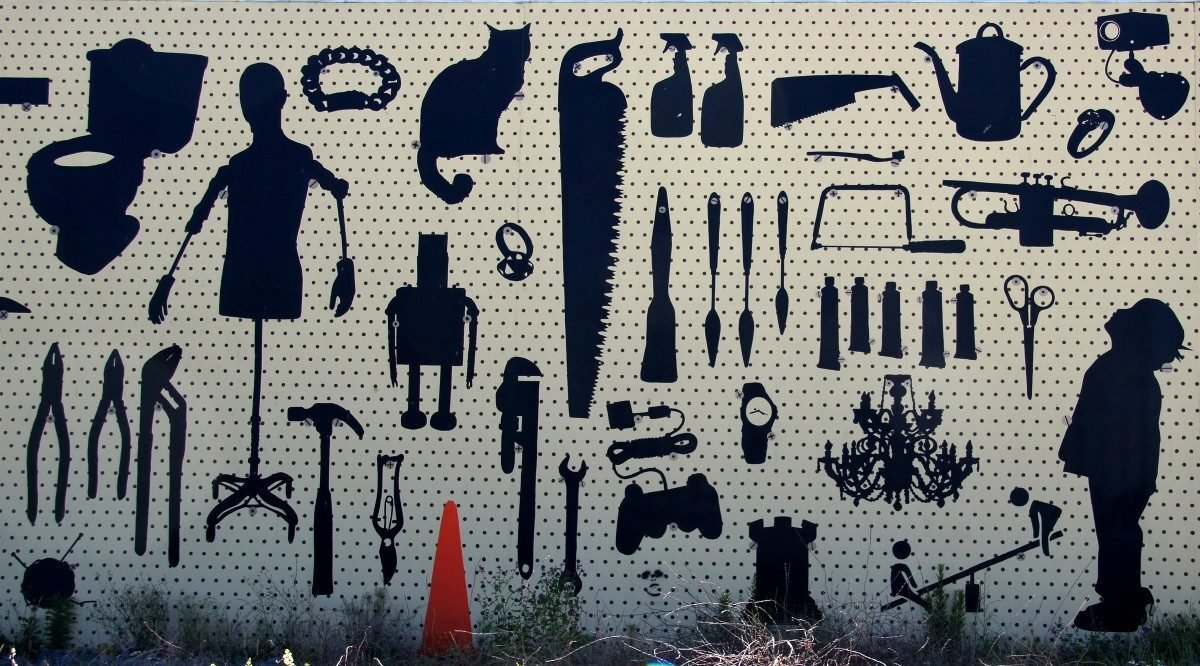
A tool shadow board helps keep tools in the right place. It shows where each tool belongs. This makes it easy to find and return tools.
Using a shadow board improves how a workspace looks and works. It helps workers save time and avoid mistakes.
Boosting Workplace Efficiency
With a tool shadow board, workers spend less time searching for tools. This speeds up work and lowers stress. Everyone knows where to find needed tools fast.
- Tools are easy to spot and pick up.
- Workflows move faster with fewer interruptions.
- Teams can focus on tasks without delays.
Enhancing Tool Organization
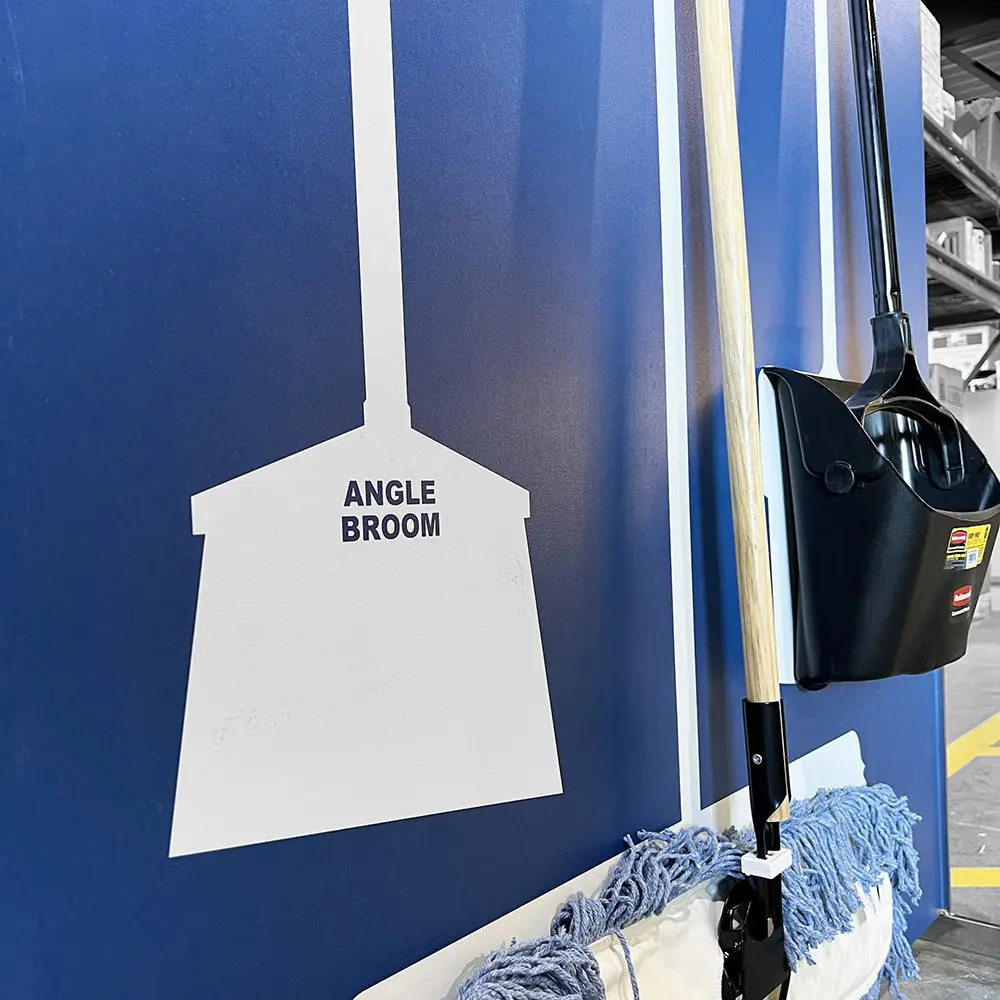
A shadow board keeps tools neat and organized. Each tool has a marked spot shaped like its outline. This helps workers put back tools correctly.
| Feature | Benefit |
| Tool outlines | Quick visual check for missing tools |
| Designated spots | Reduces clutter and mix-ups |
| Clear labels | Improves tool identification |
Reducing Tool Loss And Downtime
Lost tools cause delays and extra costs. A shadow board helps track all tools. Workers see if a tool is missing right away.
- Fewer lost tools mean less money spent on replacements.
- Quick tool checks reduce downtime for repairs or tasks.
- Better tool care leads to longer tool life.

Credit: detectamet.com
Essential Materials And Tools
Creating a tool shadow board helps keep your workspace organized. You need some key materials and tools for this project.
Choosing the right items makes the board useful and easy to use every day.
Selecting The Right Board
Pick a board that is strong and fits your space. Wood or metal boards work well for tool shadow boards.
The size should match the number of tools you want to display. Smooth surfaces make drawing shadows easier.
Choosing Markers And Labels
Use markers that show up clearly on your board. Permanent markers or paint pens are good choices.
Labels help identify tools quickly. Use printed or hand-written labels that are easy to read and stay in place.
- Permanent markers or paint pens
- Clear, readable labels
- Water-resistant label paper
Required Mounting Hardware
You need strong hardware to fix the board to your wall. Screws and anchors keep the board safe and steady.
Pick mounting hardware based on your wall type. Drywall anchors work for drywall, while masonry screws suit brick walls.
- Screws suited for your wall type
- Wall anchors for drywall or plaster
- Drill and screwdriver for installation
Planning Your Shadow Board Layout
Creating a tool shadow board starts with good planning. A clear layout helps keep tools organized and easy to find.
Focus on the tools you have and how you use them. This makes your shadow board practical and efficient.
Assessing Tool Inventory
List all the tools you use regularly. Include their sizes and shapes. Check if any tools need special storage.
- Gather all tools in one place
- Note each tool’s type and size
- Mark tools that are fragile or sharp
- Decide which tools you use most often
Designing Tool Placement
Arrange tools by size and frequency of use. Keep heavy tools lower and lighter ones higher. Group similar tools together.
| Tool Type | Placement | Notes |
| Hammers | Middle row | Easy to reach |
| Screwdrivers | Top row | Grouped by size |
| Wrenches | Bottom row | Larger sizes on left |
| Measuring Tools | Side panel | Keep visible |
Considering Workflow And Accessibility
Place tools based on your work steps. Keep often-used tools closest. Make sure the board is at a comfortable height.
- Set the board near your main workspace
- Place tools in order of use
- Leave space for new tools
- Use clear labels or outlines
- Ensure tools hang securely but are easy to remove
Credit: www.asgservices.com
Creating Tool Outlines
A tool shadow board helps organize tools and keeps your workspace tidy. Creating accurate tool outlines is key to making the board useful and easy to use.
This guide explains how to trace tools precisely, use color coding, and apply digital templates for neat outlines.
Tracing Tools Accurately
Place each tool flat on the board surface before tracing. Use a fine-tipped marker for clear lines. Trace close to the tool edges without overlapping.
Keep your hand steady to avoid shaky lines. If needed, ask someone to hold the tool to prevent movement.
Color Coding For Quick Identification
Use colors to separate tool types or user groups. This helps users find and return tools faster. Choose bright colors that stand out on the board.
- Red for cutting tools
- Blue for measuring tools
- Green for fastening tools
- Yellow for safety equipment
Using Digital Templates
Digital templates speed up outline creation. Scan your tools or use shape software to design outlines on a computer. Print templates to place on the board before tracing.
| Template Tool | Purpose |
| Scanner | Create exact tool shapes |
| Graphic Software | Adjust outline size and style |
| Printer | Produce stencils for tracing |
Mounting And Installation Tips
Installing a tool shadow board is a smart way to organize your workspace. Proper mounting helps keep tools safe and easy to find.
This guide covers key tips for placing, securing, and maintaining your shadow board for long-term use.
Choosing The Best Location
Pick a spot that is easy to reach from your main work area. The board should be at eye level to quickly see all tools.
- Choose a dry place to avoid rust on tools.
- Avoid spots with direct sunlight to prevent fading.
- Keep the board away from heavy traffic to reduce accidents.
- Make sure there is enough wall space for the size of your board.
Securing The Board Properly
Use strong anchors and screws that fit your wall type. A loose board can be dangerous and damage tools.
| Wall Type | Recommended Mounting Hardware |
| Drywall | Toggle bolts or wall anchors |
| Concrete | Masonry screws with plugs |
| Wood | Wood screws |
Ensuring Durability And Safety
Protect your board and tools by using weather-resistant materials. Check the board often for loose hooks or damage.
- Apply a clear sealant to wooden boards to prevent moisture damage.
- Use rust-proof hooks and fasteners.
- Regularly tighten screws and replace worn parts.
- Keep the area clean to avoid slips and trips.
Maintaining And Updating The Board
Keeping your tool shadow board updated helps keep tools organized. Regular maintenance ensures everything stays in the right place.
It also helps staff find tools quickly and reduces the chance of lost items. Here are ways to maintain and update your board effectively.
Regular Tool Audits
Check the board often to make sure all tools are present and in good condition. Remove any broken or unused tools promptly.
- Count each tool and compare with the shadow outline
- Inspect tools for damage or wear
- Clean tools and the board surface
- Replace missing or broken tools as needed
Adapting To New Tools
As you add new tools, update the shadow board to include their outlines. This keeps the board current and easy to use.
| Tool | Action | Frequency |
| New Wrench | Draw outline and label | When added |
| Power Drill | Create new space and shadow | When added |
| Safety Glasses | Update storage area | When added |
Training Staff On Usage
Teach staff how to use the board correctly to keep tools in place and maintain order.
- Show how to return tools to the correct shadow spot
- Explain the importance of reporting missing tools
- Train on cleaning and checking tools after use
- Encourage regular audits by team members
Common Mistakes To Avoid
Creating a tool shadow board helps keep tools organized and easy to find. Avoiding common mistakes makes the board more effective and user-friendly.
Below are common errors to watch for when designing and setting up your tool shadow board.
Overcrowding The Board
Putting too many tools on one board causes confusion and clutter. It makes finding and returning tools harder.
- Limit the number of tools to only those used often.
- Leave space between tool outlines for easy removal.
- Use multiple boards if needed instead of one crowded board.
- Group similar tools together for better organization.
Neglecting Label Clarity
Labels that are unclear or too small make it hard to identify tools quickly. This slows down work and causes mistakes.
| Common Label Issues | How to Fix |
| Faint or small text | Use bold, large fonts with high contrast colors |
| Missing labels | Label every tool outline clearly |
| Confusing names | Use simple and common tool names |
| Labels placed far from tools | Place labels close to the tool shape |
Ignoring User Feedback
Not asking for or ignoring feedback causes the board to miss user needs. This lowers its usefulness over time.
To improve your shadow board:
- Ask users what tools they use most and how they prefer to arrange them.
- Make adjustments based on feedback regularly.
- Train users on how to return tools properly to keep the board tidy.
- Check the board’s condition often and fix any problems.
Examples Of Effective Shadow Boards
Shadow boards help keep tools organized and easy to find. They improve work speed and reduce clutter. Different places need different types of shadow boards.
Below are examples of shadow boards used in various settings. Each example shows how shadow boards fit the environment and tool needs.
Industrial Workshop Setups
Industrial workshops use shadow boards to handle many tools and heavy equipment. These boards keep tools visible and safe. Workers can quickly grab the right tool for jobs.
- Large boards with outlines for each tool
- Strong materials to hold heavy tools
- Clear labels for tool names and sizes
- Use of color coding for tool groups
- Mounted near workstations for easy access
Home Garage Solutions
Home garages often have fewer tools but need good organization. Shadow boards here help keep tools off floors and surfaces. This saves space and prevents loss.
| Tool | Shadow Board Feature | Benefit |
| Wrenches | Individual slots with size labels | Easy to find correct size |
| Screwdrivers | Vertical holders with handles visible | Quick grab and put back |
| Hammers | Strong hooks to hold weight | Safe and sturdy storage |
| Drill Bits | Small labeled compartments | Prevents loss of small parts |
Office And It Tool Boards
Offices and IT rooms use shadow boards for small, delicate tools. These boards help keep cables, screwdrivers, and testers organized. They reduce clutter on desks.
- Magnetic strips for small metal tools
- Hooks for cables and headphones
- Clear pockets for manuals and small parts
- Labels with icons for quick recognition
Frequently Asked Questions
What Is A Tool Shadow Board?
A tool shadow board is an organized display that outlines each tool’s exact place. It helps keep tools tidy, easy to find, and reduces loss or misplacement in workplaces.
Why Should I Create A Tool Shadow Board?
Creating a tool shadow board improves workplace efficiency, promotes tool accountability, and saves time. It ensures tools are always returned to their proper place after use.
How Do I Design An Effective Tool Shadow Board?
Choose a sturdy board, outline each tool’s shape, and label spots clearly. Arrange tools by frequency of use for quick access and better organization.
What Materials Are Best For Tool Shadow Boards?
Common materials include plywood, metal sheets, or magnetic boards. Choose durable, easy-to-clean materials that suit your workspace and tool types.
Conclusion
Creating a tool shadow board helps keep your workspace neat and safe. It saves time by showing exactly where each tool belongs. Clear outlines make it easy to spot missing tools quickly. You can use simple materials to build one yourself.
Regular use keeps tools organized and ready for work. A shadow board supports good habits and reduces clutter. Start with a plan, and adjust as needed. This small change can improve how you work every day.