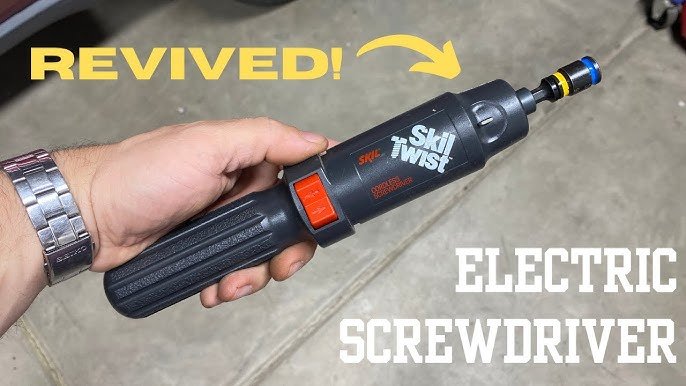
Are you tired of your trusty cordless screwdriver failing you just when you need it most? You’re not alone.
Many DIY enthusiasts and professionals face the same frustration when their favorite tool starts acting up. But don’t worry, you’ve come to the right place. In this guide, we’ll share practical tips for repairing cordless screwdrivers that can save you time, money, and a trip to the hardware store.
Imagine feeling the satisfaction of fixing it yourself and getting back to your projects in no time. Ready to take control and breathe new life into your tool? Let’s dive in and discover how you can get the job done efficiently!

Credit: www.youtube.com
Common Issues With Cordless Screwdrivers
Cordless screwdrivers are handy tools for many projects. They can stop working well over time. Knowing common problems helps fix them faster.
This guide covers four main issues with cordless screwdrivers. Learn about battery problems, motor malfunctions, chuck and bit issues, and trigger or switch failures.
Battery Problems
Batteries lose power after many uses. They may not hold a charge or run out quickly. This makes the screwdriver weak or stop working.
Sometimes, battery contacts get dirty or corroded. This stops electricity from flowing well. Charging issues also cause trouble if the charger is broken.
- Battery does not charge fully
- Battery drains quickly
- Battery heats up during use
- Dirty or corroded battery contacts
- Charger not working properly
Motor Malfunctions
The motor moves the screwdriver bit. If it fails, the tool stops turning. Motors can burn out or get stuck with dust inside.
Worn brushes inside the motor cause poor performance. Some motors make strange noises or feel hot. These signs show motor problems.
- Motor does not start
- Motor runs slowly
- Strange noises from motor
- Motor gets hot quickly
- Motor stops suddenly during use
Chuck And Bit Issues
The chuck holds the screwdriver bit tightly. If it is loose or stuck, bits fall out or will not fit. Dirt or damage can cause chuck problems.
Bits can wear down or break. Using the wrong bit size can damage the chuck or screw head. Proper care keeps parts working well.
- Chuck does not hold bits tightly
- Chuck is hard to open or close
- Bits wear down or break easily
- Wrong bit size damages chuck or screws
- Dirt or debris in chuck mechanism
Trigger And Switch Failures
The trigger controls power to the motor. Switches can wear out or fail, causing the screwdriver to stop working. Dirt or moisture can cause switch issues.
Sometimes, the trigger feels loose or does not respond. Faulty wiring inside the switch may cause power loss or inconsistent speed.
- Trigger does not start the tool
- Trigger feels loose or stuck
- Switch causes power to cut out
- Speed control does not work properly
- Dirt or moisture inside switch area
Tools Needed For Repairs
Fixing a cordless screwdriver needs the right tools. Using proper tools makes repairs easier and safer.
Gather your tools before starting. This saves time and helps avoid mistakes.
Essential Repair Tools
You need some basic tools to repair cordless screwdrivers. These tools help you open, clean, and fix parts.
- Screwdrivers with different heads (Phillips, flathead)
- Small wrench or pliers for tight parts
- Multimeter to check electrical parts
- Soldering iron for fixing wires
- Replacement batteries or parts
- Cleaning brush or cloth
- Lubricant for moving parts
Safety Gear To Use
Wear safety gear when repairing your cordless screwdriver. This protects you from injury.
Use the right gear to avoid cuts, electric shocks, or eye injuries.
- Safety glasses to protect your eyes
- Gloves to protect your hands
- Work apron to keep clothes clean
- Face mask if dust or fumes are present
- Anti-static wrist strap to protect electronic parts
Battery Troubleshooting And Replacement
Cordless screwdrivers rely on batteries to work well. Over time, batteries can lose power or stop working.
Knowing how to check and replace batteries helps keep your tool ready to use.
Testing Battery Health
Check if the battery holds a charge by fully charging it first. Then use the screwdriver until it stops.
If the battery drains very quickly, it may be weak or damaged. You can also test voltage with a multimeter.
- Charge battery fully
- Use tool until power runs out
- Measure voltage with a multimeter
- Compare voltage to battery specs
Replacing Old Batteries
Old batteries lose capacity and must be replaced to keep the screwdriver working well. Buy batteries made for your model.
Remove the old battery carefully and insert the new one. Make sure it fits tightly and connects properly.
- Find the battery type and model number
- Purchase a compatible replacement battery
- Remove old battery safely
- Insert new battery securely
Charging Tips To Extend Battery Life
Charge the battery fully before using it. Avoid leaving it plugged in too long after full charge.
Store batteries in a cool, dry place. Keep them away from heat and moisture to prevent damage.
- Charge battery until full, then unplug
- Do not overcharge the battery
- Store in cool, dry environment
- Avoid extreme temperatures
Credit: www.amazon.ae
Fixing Motor And Electrical Problems
Cordless screwdrivers often face motor and electrical issues. Fixing these problems helps the tool work well again.
Simple repairs can save money and extend the screwdriver’s life. Focus on the motor parts and wiring.
Cleaning Motor Components
Dirt and dust can block the motor from working properly. Cleaning the parts keeps the motor running smoothly.
Use a small brush or compressed air to remove debris inside the motor area. Avoid using water or liquids.
- Remove the screwdriver casing carefully
- Brush away dust from the motor and fan
- Blow compressed air to clear tight spots
- Check for signs of wear or damage
Checking And Replacing Brushes
Brushes help electricity flow inside the motor. Worn brushes can cause the motor to stop or run weakly.
Check the brushes for wear and replace them if they are very short or broken. This fixes many motor problems.
- Remove the motor cover to access the brushes
- Look for brush length and damage
- Buy replacement brushes matching your model
- Install new brushes and reassemble the tool
Inspecting Wiring Connections
Loose or broken wires can stop the screwdriver from working. Check all wiring connections inside the tool.
Look for broken wires, loose terminals, and burnt spots. Fix or replace wires to restore electrical flow.
- Open the screwdriver casing carefully
- Follow wires from battery to motor
- Check all connections and solder points
- Use a multimeter to test wire continuity
- Repair or replace damaged wires
Repairing Chuck And Bit Holders
Cordless screwdrivers often face wear and tear on their chuck and bit holders. Repairing these parts can extend the tool’s life and improve performance. It is important to know how to fix common issues properly.
This guide covers two main repairs: tightening loose chucks and replacing worn bit holders. Follow these tips to keep your screwdriver working well.
Tightening Loose Chucks
A loose chuck can cause bits to slip during use. Tightening it improves grip and tool control. Use these steps to tighten a loose chuck safely.
- Remove the battery before starting any repairs.
- Open the chuck by turning it counterclockwise.
- Inspect the chuck for dirt or debris and clean it with a soft brush.
- Apply a small amount of light machine oil to the moving parts.
- Close the chuck by turning it clockwise while holding the shaft steady.
- Test the chuck by inserting a bit and checking for tightness.
Replacing Worn Bit Holders
Bit holders wear out over time and may fail to hold bits securely. Replace worn holders to ensure safe and efficient work. The table below shows common bit holder types and their replacement tips.
| Bit Holder Type | Replacement Tip | Tools Needed |
| Magnetic Bit Holder | Remove old magnet and insert new one carefully. | Screwdriver, pliers |
| Collet Bit Holder | Unscrew the collet nut and replace the worn holder. | Wrench, hex key |
| Quick-Release Bit Holder | Detach the quick-release mechanism and install a new holder. | Small screwdriver |
Addressing Trigger And Switch Issues
Cordless screwdrivers often face problems with their trigger and switches. These parts control the power and speed of the tool.
Fixing these issues can make your screwdriver work like new again. It saves money and extends the tool’s life.
Cleaning Trigger Mechanism
Dirt and dust can block the trigger’s movement. Cleaning helps the trigger work smoothly and respond well.
Use a small brush or compressed air to remove debris. Avoid using water as it may damage the parts.
- Remove the screwdriver cover carefully
- Use compressed air to blow out dust
- Brush away dirt from trigger parts
- Check for smooth trigger movement
- Reassemble the tool after cleaning
Replacing Faulty Switches
A faulty switch can stop your screwdriver from working. Replacing the switch fixes power and control problems.
Make sure to get the correct replacement switch. Follow safety rules and disconnect the battery before starting.
- Open the screwdriver casing carefully
- Locate the switch connected to the trigger
- Disconnect wires from the old switch
- Install the new switch in place
- Reconnect wires securely
- Test the screwdriver before closing the case
Maintenance Tips To Prevent Future Problems
Keeping your cordless screwdriver in good shape saves you money. Regular care stops small issues from turning into big problems.
Follow simple maintenance steps to make your tool last longer and work better every time you use it.
Regular Cleaning Routines
Cleaning your cordless screwdriver removes dust and dirt that cause damage. Wipe the tool with a dry cloth after each use. Avoid using water or harsh chemicals that can ruin parts.
- Use a soft brush to clear dust from vents and crevices.
- Check the battery contacts and clean them gently with a dry cloth.
- Keep the chuck free of debris to ensure smooth bit changes.
Proper Storage Practices
Storing your screwdriver correctly protects it from damage and moisture. Use a dry and clean place away from extreme temperatures.
| Storage Tip | Reason |
| Keep in a case or toolbox | Prevents dust and accidental drops |
| Store away from direct sunlight | Prevents battery damage and overheating |
| Remove the battery if storing long-term | Avoids battery drain and corrosion |
Lubrication Guidelines
Lubricate moving parts to reduce friction and wear. Use light machine oil or manufacturer recommended lubricant. Avoid over-lubrication to keep dirt away.
- Apply a small drop of oil on the chuck and gears.
- Turn the chuck to spread the lubricant evenly.
- Wipe off excess oil with a clean cloth.
- Lubricate only after cleaning the tool.
When To Seek Professional Help
Repairing a cordless screwdriver can save money and extend its life. Some problems are easy to fix at home. Others need a trained technician.
Knowing when to ask for professional help keeps you safe and protects your tool. It also stops small issues from getting worse.
Complex Electrical Repairs
Electrical parts inside cordless screwdrivers are delicate. Fixing wiring or motor issues needs skill and special tools. Wrong repairs can cause shocks or damage.
Do not open the motor or battery connections unless you know what to do. Professionals have the right experience to handle these repairs safely.
Warranty And Service Options
Check if your screwdriver is still under warranty. Some repairs might be free or low-cost. Using authorized service centers keeps your warranty valid.
Contact the manufacturer or retailer for service options. Trying to fix warranty-covered problems yourself can void the warranty and cause more damage.

Credit: www.amazon.com
Frequently Asked Questions
How Do I Fix A Cordless Screwdriver That Won’t Start?
Check the battery charge first. Clean contacts and ensure proper battery placement. If it still won’t start, test or replace the battery or motor.
What Causes A Cordless Screwdriver To Lose Power Quickly?
Battery age and usage affect power. Overcharging or poor maintenance also reduces battery life. Replace or maintain the battery properly to improve power.
How Can I Replace A Stripped Screwdriver Bit?
Remove the damaged bit carefully. Purchase the correct size and type. Insert the new bit firmly to ensure proper grip and function.
Why Does My Cordless Screwdriver Overheat During Use?
Continuous use or a faulty motor causes overheating. Allow cooling breaks between tasks. Check for motor issues and clean vents regularly.
Conclusion
Repairing cordless screwdrivers can save money and extend their life. Follow simple steps to check batteries, motors, and switches. Use the right tools and take safety seriously. Small fixes often solve common problems quickly. Regular care keeps your tool working well.
Don’t rush repairs—take time to do them right. Keep learning and practicing to improve your skills. Your cordless screwdriver will serve you better with proper care. Easy repairs bring great satisfaction and more use from your tool.