If you want your drill to work like new every time you pick it up, you need to take care of it properly. Neglecting simple maintenance can lead to costly repairs or even a broken tool when you need it most.
Imagine starting a project only to find your drill won’t run smoothly or stops working halfway through. By following a few easy drill maintenance tips, you can save time, money, and frustration. Keep reading, and you’ll discover how a little care can make a big difference in your drill’s performance and lifespan.
Choosing The Right Drill
Picking the right drill makes your work easier and safer. Different drills fit different jobs and materials.
Knowing the types of drills and what tasks you need helps you choose the best one. This guide explains key points.
Types Of Drills
There are many drill types. Each one works well for certain jobs. Here are common types you should know.
- Corded Drills:Plug into power outlets. They offer steady power for long jobs.
- Cordless Drills:Battery powered. They are easy to move and use anywhere.
- Hammer Drills:Add a pounding action. Good for drilling into hard surfaces like concrete.
- Right-Angle Drills:Have a compact design. Useful in tight spaces.
- Impact Drivers:Deliver high torque. Best for driving screws and bolts.
Selecting Based On Tasks
Think about what you will drill most. This helps find the right drill for your work.
If you drill wood or metal, a standard drill works well. For concrete or brick, a hammer drill is better.
- Use corded drills for long, continuous jobs.
- Choose cordless drills for quick or mobile tasks.
- Pick impact drivers for heavy screw driving.
- Right-angle drills help reach narrow areas.
- Hammer drills are best for masonry work.
Cleaning Your Drill
Keeping your drill clean helps it work well for a long time. Dirt and dust can cause problems inside your tool.
Regular cleaning stops damage and keeps your drill safe to use.
Removing Dust And Debris
Dust and debris build up on your drill during use. Removing this dirt prevents jams and wear.
- Turn off and unplug the drill before cleaning.
- Use a soft brush to sweep away dust from the drill body.
- Blow compressed air into vents and seams to clear hidden debris.
- Wipe the drill with a dry cloth to remove fine dust.
Cleaning The Chuck
The chuck holds drill bits tight. Dirt can stop it from gripping well.
| Cleaning Tip | How to Do It |
|---|---|
| Remove bits | Open the chuck fully and take out the drill bit. |
| Brush inside | Use a small brush to clean the inside of the chuck. |
| Apply lubricant | Put a drop of light oil on the chuck to keep it smooth. |
| Wipe excess oil | Remove extra oil with a clean cloth to avoid dust build-up. |
Maintaining Ventilation Slots
Ventilation slots cool the drill motor. Blocked slots cause overheating.
- Check slots for dust and dirt regularly.
- Use a brush or compressed air to clear blockages.
- Avoid using water near ventilation areas.
- Keep the drill in a clean, dry place to reduce dust.
Lubrication Essentials
Keeping your drill in good shape needs regular lubrication. It helps parts move smoothly and stops damage.
Proper lubrication extends the drill’s life and keeps it working well every time.
Oiling Moving Parts
Oiling the moving parts of your drill reduces friction and heat. This prevents wear and tear on the tool.
Focus on the chuck, gears, and any parts that spin or slide. Use a few drops of oil and wipe off excess.
- Apply oil to the drill chuck regularly
- Keep gears lightly lubricated
- Do not over-oil to avoid dirt buildup
Choosing The Right Lubricant
Pick the correct lubricant to protect your drill parts. Not all oils work well with power tools.
Look for lubricants that resist heat and do not attract dust. These keep the drill clean and running smoothly.
- Light machine oil is good for most parts
- Grease can be used for heavy-duty gears
- Avoid thick oils that clog moving parts
- Use lubricants made for power tools if possible

Credit: www.youtube.com
Inspecting Drill Components
Regular inspection keeps your drill working well and safe. Check parts often to catch problems early. This helps avoid big repairs and extends the drill’s life.
Focus on key areas like the power source, drill bits, and moving parts. Each needs care to keep the drill running smoothly.
Checking The Power Cord And Battery
Look for cuts or cracks on the power cord. A damaged cord can cause shocks or stop the drill. For battery drills, check the battery’s charge and look for leaks or swelling.
- Unplug the drill before checking the cord.
- Inspect the entire length of the cord for damage.
- Charge the battery fully before use.
- Replace batteries that show signs of damage.
Examining Drill Bits
Drill bits must be sharp and clean to work well. Dull or rusty bits make drilling harder and may damage surfaces. Check bits for cracks or bending before use.
| Condition | Action |
| Sharp and clean | Use as normal |
| Dull or rusty | Sharpen or replace |
| Cracked or bent | Discard immediately |
Assessing The Chuck And Gears
Check the chuck for tight grip on drill bits. Loose chucks can cause bits to slip. Listen for strange noises from gears. Gears should move smoothly without grinding.
- Open and close the chuck several times to test grip.
- Clean the chuck to remove dust or debris.
- Check gears by running the drill at low speed.
- Oil gears if they sound rough or stiff.
Storage Best Practices
Proper storage helps keep your drill in good shape. It protects the tool and extends its life.
Organizing your drill and parts makes your work easier. It saves time and prevents damage.
Protecting From Moisture
Moisture can cause rust and damage the drill’s parts. Store your drill in a dry place to avoid this.
Use silica gel packs or moisture absorbers in the storage area. These help keep the air dry.
- Keep the drill away from damp basements or garages
- Wipe the drill dry before storing it
- Use sealed plastic cases or containers
- Check moisture absorbers regularly and replace them when needed
Organizing Accessories
Keep drill bits and other accessories in separate compartments. This prevents loss and damage.
Label containers or boxes to find parts quickly. Good organization saves time during projects.
- Use small boxes or cases with dividers
- Group bits by size and type
- Keep batteries charged and stored safely
- Store manuals and instructions with the drill kit

Credit: ukam.com
Battery Care Tips
Keeping your drill battery in good shape helps it last longer. Proper care saves money and keeps your drill ready to use.
Simple habits can protect the battery from damage. Follow these tips to keep your battery healthy.
Proper Charging Habits
Charge the battery only with the charger made for it. Using the wrong charger can cause damage.
Avoid leaving the battery on the charger for too long after it is full. Overcharging can reduce battery life.
- Charge batteries in a cool, dry place
- Do not charge in extreme temperatures
- Unplug charger once battery is full
- Do not let battery fully drain before charging
Extending Battery Lifespan
Store batteries in a cool place when not in use. Heat can cause batteries to lose power faster.
Use the battery regularly. Letting it sit unused for months can reduce its capacity.
- Keep battery contacts clean
- Store battery at about half charge
- Avoid dropping or damaging the battery
- Use the battery often to keep it active
Troubleshooting Common Issues
Drills are useful tools but sometimes face problems. Knowing how to fix common issues saves time and money.
This guide covers three main problems: drill not starting, unusual noises, and overheating. Each has simple checks and fixes.
Drill Not Starting
If your drill does not start, first check the power source. Ensure the battery is charged or the cord is plugged in well.
- Inspect the power switch for damage or dirt.
- Test the battery with another device if possible.
- Look for a blown fuse or tripped circuit breaker.
- Check if the motor brushes are worn out and replace if needed.
Unusual Noises
Strange sounds from a drill often signal internal problems. Listen carefully to identify the issue.
| Noise Type | Possible Cause | Suggested Action |
| Grinding | Worn gears or lack of lubrication | Lubricate or replace gears |
| Clicking | Damaged clutch or motor parts | Inspect clutch, repair if broken |
| Whining | Loose bearings or motor issues | Tighten parts or service motor |
Overheating Problems
Drills can overheat if used too long or if parts are blocked. Avoid damage by monitoring temperature.
- Take breaks every 10-15 minutes of use.
- Keep vents and airways clean from dust and debris.
- Use the correct drill bit for the material.
- Do not apply too much pressure while drilling.
Upgrading Drill Performance
Keeping your drill in good shape helps it work better and last longer. Simple upgrades can make your drill stronger and easier to use.
Using the right tools and parts can improve how well your drill cuts and drills through materials. This guide shares easy ways to boost your drill’s performance.
Using High-quality Bits
Good drill bits cut faster and last longer. Cheap bits can wear out quickly and damage your drill or project.
Choose bits made from strong materials like cobalt or carbide. These bits stay sharp and handle tough jobs well.
- Sharp bits reduce effort and heat
- Durable bits stay effective for many uses
- Correct bit size matches your project needs
Adding Attachments
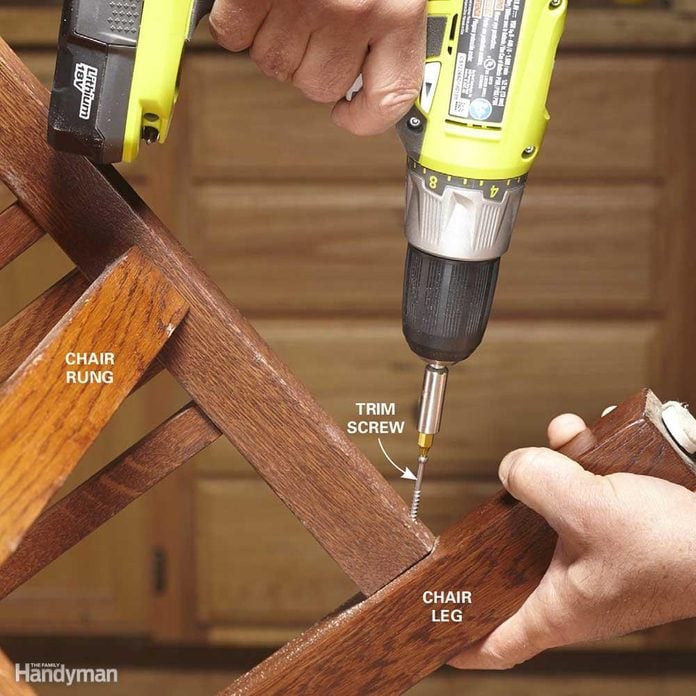
Attachments can make your drill more useful. They help with tasks like sanding, mixing, or driving screws.
Using the right attachment saves time and makes your work cleaner. Always check if the attachment fits your drill model.
- Sanding drums smooth rough surfaces
- Mixing paddles blend paint or plaster
- Screwdriver bits speed up screw driving
Credit: www.familyhandyman.com
Frequently Asked Questions
How Often Should I Clean My Drill?
Clean your drill after every use to remove dust and debris. Regular cleaning prevents clogging and extends tool life. Use a soft brush and dry cloth for best results.
What Lubricant Is Best For Drill Maintenance?
Use a light machine oil or a specific drill lubricant. Apply it to moving parts regularly to reduce friction and wear. Avoid over-lubricating to prevent dirt buildup.
How Can I Check Drill Bit Sharpness?
Inspect drill bits visually for dull or chipped edges. Test by drilling into scrap material; dull bits cause excessive heat and slow progress. Replace or sharpen bits as needed.
What Storage Tips Preserve Drill Longevity?
Store drills in a dry, dust-free environment. Use a case or toolbox to protect from moisture and impacts. Proper storage prevents rust and mechanical damage.
Conclusion
Proper drill maintenance ensures a longer lifespan and better performance. Clean your drill regularly to prevent dust buildup. Lubricate moving parts to reduce friction and wear. Store your drill in a dry place to avoid rust. Always check for loose parts before use.
Tighten screws and fittings as needed. Replace worn-out components promptly. Regular maintenance saves money and time in the long run. A well-maintained drill operates efficiently and safely. Keep these tips in mind for a reliable tool. Your DIY projects will benefit greatly from a well-cared-for drill.
Happy drilling!
