If you use a miter saw regularly, you know how quickly dust can build up inside its dust ports. This buildup can reduce your saw’s performance and make your workspace messier than it needs to be.
But here’s the good news: cleaning your miter saw dust ports is easier than you might think. In this guide, you’ll discover simple, effective steps to keep your saw running smoothly and your work area cleaner. Keep reading to learn how a little maintenance can save you time, improve safety, and extend the life of your tool.

Credit: www.amazon.ca
Why Clean Dust Ports Matter
Miter saws create a lot of dust when cutting wood. Dust ports help collect this dust. Keeping these ports clean is very important.
Clogged dust ports can cause problems with the saw and affect your health. Cleaning them often keeps the saw working well and the air cleaner.
Impact On Saw Performance
Dust build-up can block the dust ports. This makes the saw less efficient. It can slow down the motor and cause the blade to heat up.
Clean dust ports help the saw run smoothly. They allow dust to leave the saw quickly. This keeps the blade sharp and the motor cool.
- Prevents motor overheating
- Keeps blade sharp longer
- Improves cutting accuracy
- Extends the life of the saw
Health And Safety Benefits
Dust from cutting wood can be harmful to breathe. Dirty dust ports let dust escape into the air. This can cause breathing problems.
Cleaning dust ports helps keep the air clean. It reduces the risk of allergies and lung issues. It also makes the workspace safer by lowering dust build-up.
- Reduces airborne dust particles
- Improves air quality in the workspace
- Prevents respiratory issues
- Decreases fire hazards from dust
Tools Needed For Cleaning
Keeping your miter saw dust ports clean helps your saw work better and last longer.
Using the right tools makes cleaning easier and safer.
Basic Cleaning Supplies
Start with simple tools you can find at home or any hardware store. These help remove loose dust and dirt.
- Soft brush or paintbrush
- Clean cloth or rag
- Compressed air canister
- Mild soap and water
- Vacuum cleaner with small nozzle
Specialized Tools
For deeper cleaning, use tools designed for power tools and tight spaces.
| Tool | Use |
|---|---|
| Small wire brush | Scrapes hardened dust inside ports |
| Flexible cleaning brush | Reaches narrow or curved dust passages |
| Air compressor | Blows dust out with strong air pressure |
| Vacuum attachment brush | Combines suction with brushing to clean ports |
Step-by-step Cleaning Process
Keeping your miter saw dust port clean helps the tool work better. Dust can block airflow and reduce suction. Regular cleaning prevents buildup and keeps your workspace safer.
This guide shows you how to clean the dust port in easy steps. You will learn how to take it apart, clean it, and put it back together properly.
Disassembling The Dust Port
Start by unplugging the miter saw to stay safe. Find the dust port attached near the blade area. Use a screwdriver if needed to remove screws holding the port in place.
Gently pull the dust port away from the saw. If it is stuck, wiggle it slightly to loosen. Keep the screws and any small parts safe for reassembly.
Removing Dust And Debris
Use a brush or compressed air to remove dust inside the port. Clear out all the sawdust and debris from the opening and inside the tube.
- Wear a mask to avoid breathing dust
- Use a small brush to scrub tight spots
- Blow air through the port to push dust out
- Check for any stuck debris and remove carefully
Reassembling The Port
Once the port is clean, align it back to the saw. Insert screws and tighten them securely but do not overtighten. Check that the port fits snugly and there are no gaps.
| Task | Tip |
| Align dust port | Match holes before screwing |
| Insert screws | Use correct screwdriver size |
| Tighten screws | Keep firm but avoid stripping |
| Test fit | Ensure no gaps or looseness |
Common Problems And Fixes
Cleaning the miter saw dust ports keeps your tool working well. Dust buildup can cause problems. Fixing these issues helps maintain safety and accuracy.
Here are common problems with dust ports and how to fix them. Follow these tips to keep your saw clean and efficient.
Clogged Ports
Dust and debris often block the dust ports. This stops proper dust collection and can cause poor air flow.
- Use a brush or compressed air to clear dust from the ports.
- Check the dust hose for clogs and remove any blockages.
- Clean the ports after every use to prevent buildup.
- Inspect the dust bag or container and empty it regularly.
Damaged Seals
Seals around the dust ports keep dust from escaping. Damaged seals cause leaks and reduce suction power.
| Problem | Fix |
| Torn or cracked seals | Replace seals with new rubber or foam gaskets |
| Loose seals | Use adhesive to secure seals tightly |
| Worn seals | Check regularly and swap out worn parts |
Loose Connections
Dust ports and hoses must fit tightly. Loose connections cause dust leaks and reduce vacuum efficiency.
Fix loose connections by:
- Checking all joints and fittings for tightness
- Using hose clamps to secure hoses
- Replacing damaged or worn connectors
- Aligning parts carefully before tightening
Maintenance Tips To Prevent Build-up
Cleaning your miter saw dust ports is important for safe and efficient use. Dust build-up can block airflow and reduce tool performance.
Regular maintenance helps keep your saw working longer and reduces health risks from dust exposure.
Regular Cleaning Schedule
Set a cleaning schedule to remove dust from the ports often. This stops build-up before it causes problems.
Check the dust ports after each use. Clean them weekly if you use the saw daily.
- Use a brush or compressed air to clear dust
- Inspect ports for cracks or damage
- Wipe the area with a damp cloth
- Ensure ports are dry before use
Using Proper Dust Collection Systems
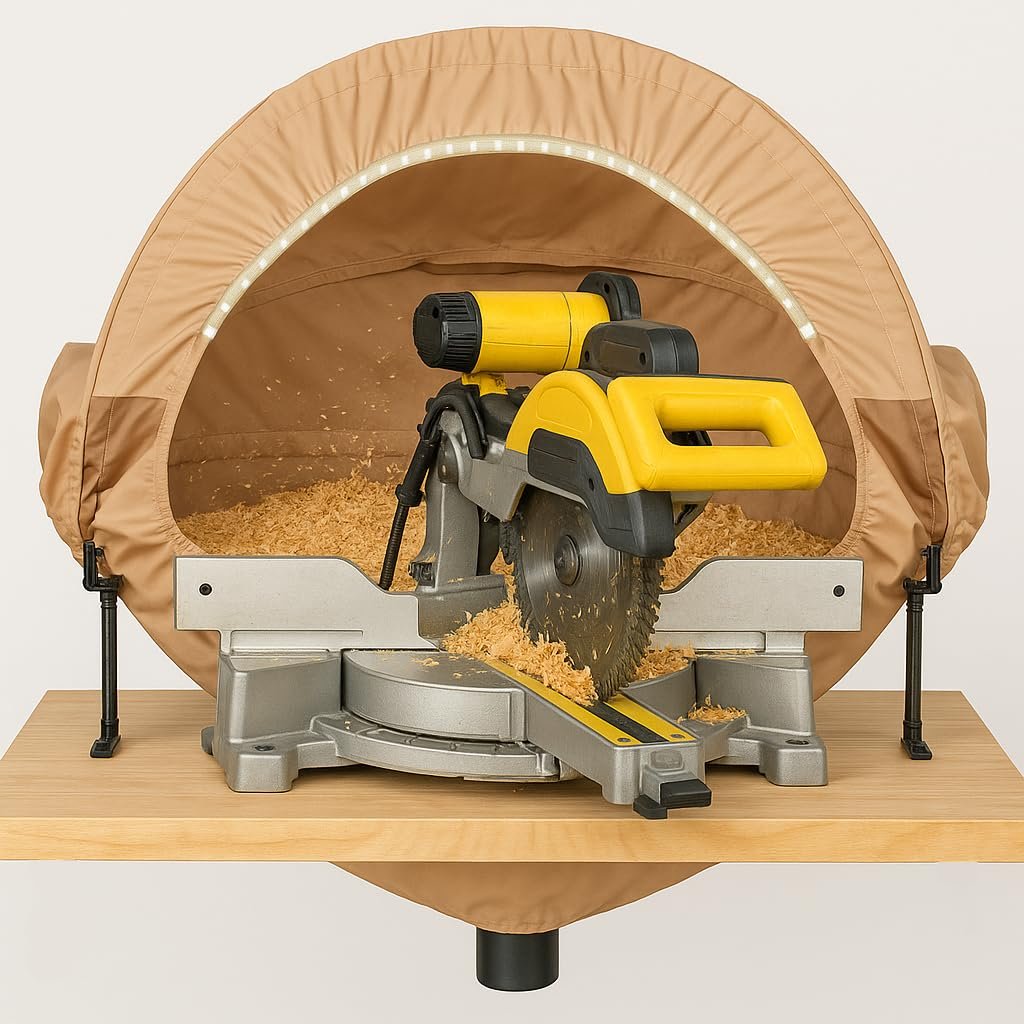
Attach a good dust collection system to your miter saw. It captures dust before it clogs the ports.
Choose systems that fit your saw and work well with your workspace size.
- Use a vacuum with strong suction power
- Check and empty dust bags often
- Use hoses that fit tightly to the ports
- Regularly inspect the system for leaks

Credit: shopnationstore.com
Enhancing Dust Collection Efficiency
Keeping your miter saw dust ports clean helps improve dust collection. This reduces mess and keeps your workspace safer. Efficient dust collection also extends the life of your saw.
This guide covers ways to upgrade dust ports and add vacuum attachments. These tips can help you manage sawdust better and keep your tools working well.
Upgrading Dust Ports
Old dust ports may be small or clogged, reducing dust flow. Upgrading to larger or better-shaped ports improves suction. You can use simple tools to make these changes.
- Remove the old dust port carefully from the saw.
- Measure the opening to choose a larger port size.
- Buy a dust port that fits your saw and hose diameter.
- Use screws or strong adhesive to attach the new port.
- Seal any gaps with silicone to avoid leaks.
Adding Vacuum Attachments
Vacuum attachments help collect dust directly from the saw. You can attach hoses that connect to a shop vacuum or dust collector. This keeps dust from spreading in your workspace.
| Attachment Type | Best Use | Material |
| Flexible Hose Adapter | Fits various saw models | Plastic |
| Rigid Pipe Connector | For permanent setups | Metal |
| Brush Attachment | Collects fine dust | Rubber bristles |

Credit: inspirewoodcraft.com
Frequently Asked Questions
How Do I Clean Miter Saw Dust Ports?
To clean miter saw dust ports, first unplug the saw. Use a brush to remove loose dust. Then, use compressed air to blow out stubborn debris. Ensure all dust is cleared to maintain optimal performance.
Why Is Dust Port Cleaning Important?
Cleaning dust ports improves saw efficiency and extends its lifespan. Dust buildup can hinder performance and cause overheating. Regular maintenance ensures smooth operation and reduces wear and tear.
What Tools Are Needed For Cleaning?
You’ll need a brush, compressed air, and a vacuum. The brush removes loose dust. Compressed air clears stubborn particles. A vacuum helps in collecting the debris. These tools ensure thorough cleaning.
How Often Should I Clean Dust Ports?
It’s best to clean the dust ports after every few uses. Regular cleaning prevents buildup and maintains saw efficiency. Frequency depends on usage, but monthly cleaning is a good practice.
Conclusion
Cleaning your miter saw dust ports keeps your tool working well. Dust build-up can block airflow and reduce cutting power. Regular cleaning helps avoid damage and keeps your workspace cleaner. Use simple tools like brushes or compressed air to clear dust.
Take a few minutes after each use to clean the ports. This small step saves time and money on repairs later. Keep your saw running smoothly and safely with easy dust port care. Simple habits make a big difference in tool life and performance.