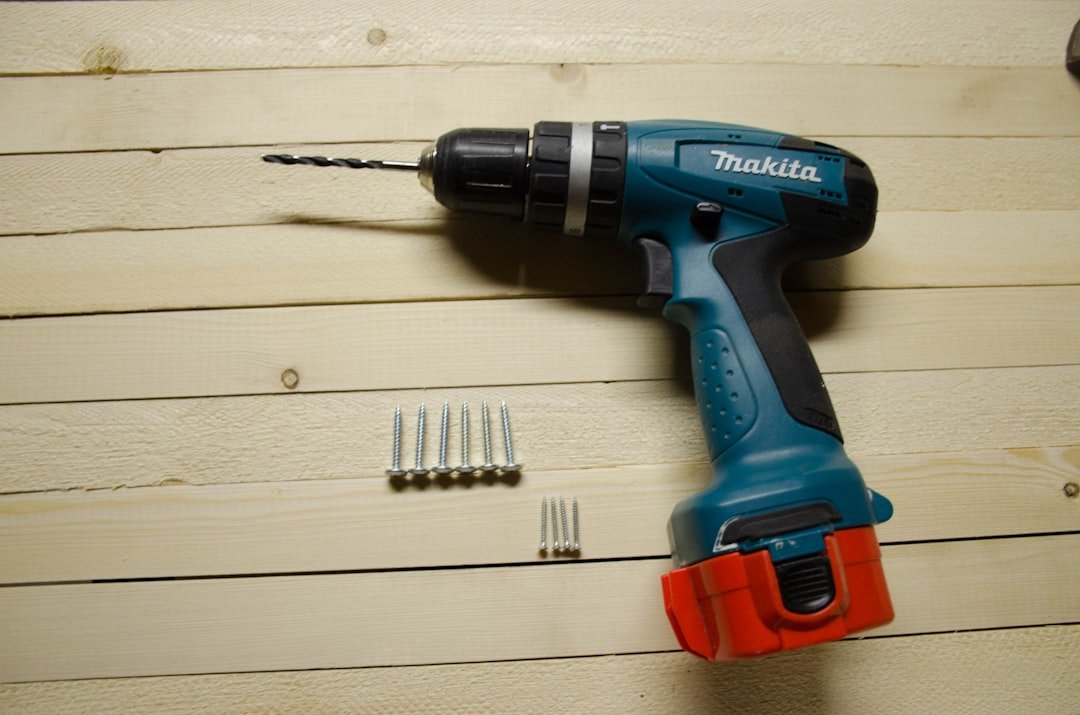
Are you ready to make your drilling tasks faster and easier? A cordless drill is a powerful tool that can save you time and effort, but only if you use it the right way.
In this guide, you’ll discover simple tips and tricks to get the most out of your cordless drill. Whether you’re a beginner or just want to improve your skills, you’ll learn how to work smarter, not harder. Keep reading to unlock the secrets that will help you drill with confidence and precision every time.
Choosing The Right Cordless Drill
Picking the right cordless drill helps you work faster and better. It is important to know what type of drill fits your needs.
This guide covers battery types, key features, and how to match the drill to your project.
Battery Types And Their Benefits
Battery types affect drill power, weight, and how long it lasts. The most common batteries are nickel-cadmium (NiCd), nickel-metal hydride (NiMH), and lithium-ion (Li-ion).
- NiCd:Heavy but works well in cold weather.
- NiMH:Lighter than NiCd and holds charge longer.
- Li-ion:Lightest, charges fast, and lasts longest.
Key Features To Consider
Look for features that make the drill easy to use and effective. Power, speed settings, and chuck size are important.
| Feature | Why It Matters |
| Voltage | Higher voltage means more power |
| Speed Settings | Adjust speed for different tasks |
| Chuck Size | Size of drill bit the drill can hold |
| Weight | Lighter drills are easier to handle |
Matching Drill To Your Project
Choose a drill that fits the type of work you will do. Light tasks need less power than heavy jobs.
- For small jobs, pick a drill with lower voltage and lighter weight.
- For heavy work, choose a drill with higher voltage and strong battery life.
- Check if you need cordless convenience or corded power.
- Consider drills with extra features like hammer mode for masonry.

Credit: www.lowes.com
Preparing For Drilling Tasks
Using a cordless drill is easier when you prepare well. Getting ready helps you work safely and efficiently.
Before you start drilling, check your tools and workspace. This saves time and avoids problems.
Selecting The Correct Drill Bit
Pick the right drill bit for your material. Wood, metal, and concrete need different bits.
Using the correct bit makes holes clean and prevents damage to your drill or workpiece.
- Wood bits have sharp points for easy starting
- Metal bits are made from high-speed steel for strength
- Masonry bits have a carbide tip for drilling into concrete
- Check bit size to match the screw or hole needed
Safety Gear Essentials
Wear safety gear to protect yourself during drilling. This reduces injury risk.
Always use eye protection and gloves. Hearing protection helps with loud drills.
- Safety glasses shield your eyes from flying debris
- Gloves protect your hands from sharp bits and rough surfaces
- Ear plugs reduce noise damage from the drill
- Wear a dust mask if drilling dusty materials
Workspace Setup Tips
Set up a clean and organized workspace before drilling. This helps keep tools handy.
Good lighting and a stable surface improve accuracy and safety.
- Clear the area of clutter and obstacles
- Use a sturdy workbench or table to hold your project
- Make sure your drill battery is fully charged
- Keep a container nearby for screws and drill bits
Effective Drilling Techniques
Using a cordless drill correctly helps you work faster and safer. Good drilling skills protect the drill and your materials.
This guide covers ways to control speed, hold the drill, and drill at different angles.
Controlling Speed And Torque
Adjust the drill’s speed based on the material you are drilling. Hard materials need slower speed and more torque.
Use low speed for tough surfaces. Use high speed for soft materials like wood or plastic.
- Start slow to avoid slipping
- Increase speed as drill bit bites in
- Lower torque for delicate materials
- Higher torque for dense materials
Maintaining Proper Grip And Posture
Hold the drill firmly with both hands to keep control. Keep your body balanced and stable.
Stand with feet shoulder-width apart. This stance helps you apply steady pressure and avoid slipping.
- Use your dominant hand on the trigger
- Support the drill with your other hand
- Keep elbows close to your body
- Keep your back straight
Drilling At Different Angles
Drilling straight down is easiest, but some jobs need angled holes. Adjust your drill to match the angle.
Keep the drill steady and aligned with the angle. Use a guide or jig to help if needed.
- Hold the drill perpendicular for straight holes
- Tilt the drill for angled holes slowly
- Check the angle with a level or protractor
- Practice on scrap material before drilling

Credit: tikweld.com
Maximizing Battery Life
Using a cordless drill efficiently means taking care of its battery. Good battery care helps your drill last longer. It also keeps the drill running well for many projects.
Understanding how to charge, store, and use the battery can save you time and money. This guide shares tips to help you get the most from your drill’s battery.
Charging Best Practices
Always charge your drill battery fully before use. Avoid letting the battery drain completely. Partial charges are better than full discharges.
Use the charger that comes with your drill. Chargers made for your battery keep it safe. Avoid cheap or unknown brand chargers.
- Charge the battery at room temperature
- Do not overcharge the battery after it is full
- Unplug the charger when charging is done
- Charge batteries before storing them for a long time
Storage Tips For Batteries
Store batteries in a cool, dry place. Heat can damage the battery and shorten its life. Avoid storing batteries in direct sunlight or near heat sources.
Keep batteries partially charged during storage. A charge level around 40% to 60% is best. This helps the battery stay healthy over time.
- Remove the battery from the drill before storing
- Use a plastic case or container to protect the battery
- Check stored batteries every few months and recharge if needed
Extending Drill Usage Time
Use the drill at the right speed and pressure. Pushing too hard drains the battery faster and can harm the drill. Let the drill do the work.
Keep a spare battery charged and ready. Swap batteries to avoid downtime. This helps you work longer without waiting for charging.
- Turn off the drill when not in use
- Use battery-saving modes if your drill has them
- Clean the drill and battery contacts regularly
Troubleshooting Common Issues
Using a cordless drill can be easy if you know how to fix common problems. Some issues can stop your work or damage the drill.
This guide helps you solve common troubles fast. You will learn about drill bit slippage, power problems, and overheating.
Dealing With Drill Bit Slippage
Drill bit slippage happens when the bit spins but does not dig into the material. This can waste time and damage the bit or drill.
Check if the chuck is tight enough. If it is loose, the bit will slip. Use the chuck key or hand tighten it firmly.
- Remove the bit and clean the chuck jaws
- Insert the bit straight and tighten the chuck
- Replace worn or damaged bits
- Use the right bit for the material
Fixing Power Problems
If the drill does not start or loses power, the battery may be the cause. A weak or dead battery will affect drill performance.
Try charging the battery fully. Check the battery contacts for dirt or damage. Swap batteries if possible to test the drill.
- Charge the battery before use
- Clean battery and drill contacts
- Use a compatible battery model
- Replace old or damaged batteries
Handling Overheating
Overheating can make your drill stop working or cause damage. It happens when the drill runs too long or under heavy load.
Let the drill cool down after heavy use. Avoid pushing too hard on the drill. Use the correct speed and bit for the job.
- Take breaks during long drilling tasks
- Keep vents clear of dust and debris
- Use lower speeds for hard materials
- Check for motor or battery issues if overheating repeats
Maintenance And Care
Keeping your cordless drill in good shape helps it last longer. Regular care prevents damage and improves performance.
Simple maintenance steps save you time and money. Follow these tips to keep your drill working well.
Cleaning Your Drill
Clean your drill after every use to remove dust and dirt. Use a soft brush or cloth to wipe the surface and vents.
Avoid using water directly on the drill. Instead, use a damp cloth to clean stubborn spots. Make sure the drill is unplugged or the battery is removed before cleaning.
Lubrication And Parts Replacement
Lubricate moving parts regularly to reduce friction. Use the oil recommended by the drill manufacturer for best results.
- Apply oil to the chuck and gears
- Replace worn-out brushes to maintain power
- Check the battery contacts and clean them if needed
- Change the drill bits when they become dull
Regular Inspection Checklist
| Item | What to Check | Action Needed |
| Battery | Charge level and damage | Charge fully or replace if damaged |
| Chuck | Tightness and smooth operation | Tighten or lubricate |
| Power Switch | Responsive and no sticking | Clean or repair if sticky |
| Drill Bits | Sharpness and straightness | Replace dull or bent bits |
| Housing | Cracks or loose parts | Secure screws or replace parts |
Advanced Tips And Tricks
Using a cordless drill well saves time and effort. You can do many tasks with one tool.
These tips help you use your drill in smarter ways. Learn how to get more from your drill.
Using Attachments For Versatility
Attachments let you do many jobs with one drill. You can drill, screw, and even sand with them.
Try using different bits and accessories. This makes your drill work for many projects.
- Use drill bits of various sizes for different holes
- Try screwdriver bits to quickly drive screws
- Attach wire brushes for cleaning metal surfaces
- Use sanding drums for smoothing wood
Customizing Settings For Precision
Adjust your drill’s speed and torque for better control. This prevents damage to your work.
Use lower speed for delicate tasks and higher speed for tough jobs. Change torque to match screw size.
- Set low torque to avoid stripping screws
- Use high speed for drilling through hard materials
- Switch to reverse mode to remove stuck screws
- Test settings on scrap material before working
Time-saving Hacks
Save time by preparing your work area and tools before starting. Organize bits and screws nearby.
Use quick-change chucks to swap bits fast. Keep your drill battery charged to avoid delays.
- Keep all drill bits in one case for easy access
- Charge multiple batteries to use without breaks
- Use clamps to hold materials steady while drilling
- Plan your drilling spots to reduce tool changes
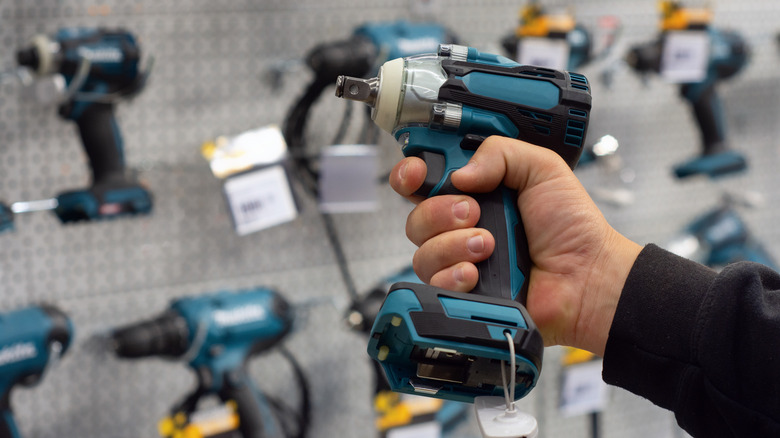
Credit: www.slashgear.com
Frequently Asked Questions
How Do I Choose The Right Cordless Drill Battery?
Choose a battery with sufficient voltage for your tasks. Lithium-ion batteries offer longer life and quick charging. Consider battery capacity (Ah) for longer use. Higher voltage means more power but less runtime. Match battery type to your drill model for compatibility.
What Drill Bits Work Best With Cordless Drills?
Use high-speed steel (HSS) bits for wood and metal. Carbide-tipped bits are ideal for masonry and concrete. Choose the right bit size for your screw or hole. Avoid cheap bits to prevent damage and improve efficiency. Proper bits ensure cleaner, faster drilling.
How Can I Extend My Cordless Drill’s Battery Life?
Avoid fully draining the battery; charge it halfway regularly. Store batteries in a cool, dry place. Use the correct charger supplied with the drill. Minimize heavy use to prevent overheating. Proper care prolongs battery performance and overall drill life.
What Safety Tips Should I Follow Using A Cordless Drill?
Wear safety goggles and gloves during use. Keep your workspace clean and well-lit. Secure materials firmly before drilling. Avoid loose clothing or jewelry near the drill. Always use the correct drill bit for the material.
Conclusion
Mastering cordless drill use boosts your DIY projects. Practice often. Safety first, always. Use the right drill bit for each task. Charge your drill before starting work. Check battery status regularly. Keep your drill clean after each use. This prolongs its life.
Organize your workspace for better efficiency. Avoid clutter. This saves time and reduces errors. A cordless drill is a handy tool. It simplifies many tasks. With these tips, you can use it efficiently. Happy drilling!