
Picture this: You’re on a bustling construction site, and every inch counts. Precision is your best ally, and traditional measuring tapes just won’t cut it anymore.
This is where a laser distance measurer comes into play. It’s not just a tool; it’s your secret weapon for accuracy and efficiency. Imagine being able to measure distances with pinpoint precision in a fraction of the time it takes with a tape measure.
In this guide, you’ll discover how to transform your construction projects with this revolutionary device. Dive in, and let’s unlock the full potential of your construction skills with the power of laser technology. Your projects deserve this upgrade.
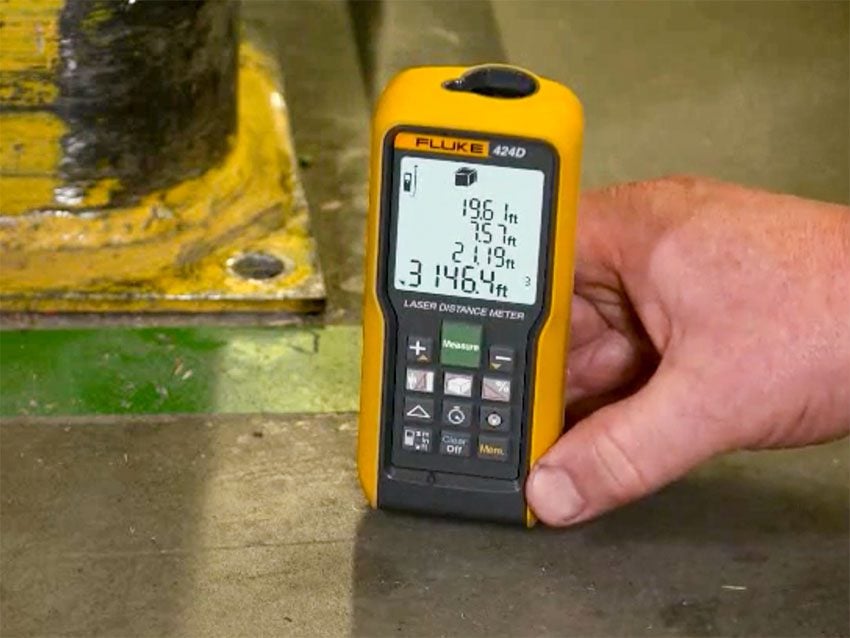
Credit: www.protoolreviews.com
Choosing The Right Laser Distance Measurer
Using a laser distance measurer makes measuring easier on construction sites. Picking the right one helps you work faster and more accurately.
Different models have features for various needs. Knowing the types and what to look for will guide your choice.
Types Of Laser Distance Measurers
Laser distance measurers come in many forms. Some are simple, while others have advanced functions for complex jobs.
- Basic models:Measure short distances with a simple display.
- Mid-range models:Offer added features like area and volume calculation.
- Advanced models:Include Bluetooth, memory storage, and longer range.
Key Features To Consider
Look for features that match your construction tasks. Some features improve accuracy and ease of use.
- Measurement range – Choose one that covers your usual distances.
- Accuracy – Higher accuracy means better results on site.
- Display – A clear screen helps read measurements easily.
- Durability – Water and dust resistance add protection.
- Additional tools – Functions like area, volume, or Pythagorean calculations can be helpful.
- Connectivity – Bluetooth lets you transfer data to other devices.
Budget Vs. Functionality
Think about how much you want to spend and what you need. More features often mean higher cost.
Basic models work well for small jobs. Advanced models suit large projects needing precise data.
- Set a clear budget before shopping.
- Match features to your job needs.
- Avoid paying for features you won’t use.
- Consider long-term value and durability.
Setting Up Your Device
Using a laser distance measurer correctly starts with proper setup. This ensures accurate readings on your construction site.
Follow simple steps to prepare your device and work area before measuring distances.
Calibrating The Measurer
Calibration makes sure your device measures distances correctly. Check the user manual for calibration instructions.
Regularly calibrate your device, especially after dropping or rough use. This keeps measurements reliable.
- Turn on the device and access the calibration mode
- Use a known distance to test the device
- Adjust settings if the reading is off
- Repeat until the device shows the correct distance
Preparing The Construction Site
Clear the area where you will measure to avoid obstacles. Objects can block the laser and cause wrong results.
Make sure the target surface is stable and visible. Smooth surfaces reflect the laser better than rough ones.
- Remove loose debris and materials
- Mark the start and end points clearly
- Use a reflective target if needed for better accuracy
- Check lighting conditions to see the laser clearly
Safety Precautions
Laser devices can harm eyes if used carelessly. Always handle the measurer with safety in mind.
Wear safety glasses and never point the laser at people or animals. Follow all safety instructions in the manual.
- Keep the laser away from eyes at all times
- Do not look directly into the laser beam
- Store the device safely when not in use
- Use the device only for its intended purpose
Effective Measuring Techniques
Using a laser distance measurer correctly improves accuracy on site. This guide covers key measuring techniques for construction work.
Learn how to take single distance measurements, use continuous mode, and measure indirect distances safely and precisely.
Single Distance Measurements
Single distance measurement is the simplest way to get the length between two points. Aim the laser at the target and press the measure button.
Make sure the laser hits a flat, reflective surface for the best result. Hold the device steady to avoid errors.
Continuous Measurement Mode
Continuous mode helps measure changing distances quickly. The device sends laser pulses repeatedly and updates the reading in real time.
- Hold the device firmly and move it slowly toward or away from the target.
- Watch the display for distance updates as you move.
- Stop when you reach the desired point or measurement.
- This mode is useful for finding the shortest distance or measuring room dimensions.
Measuring Indirect Distances
Sometimes you cannot measure distance directly. Use the laser’s indirect measurement functions based on the Pythagorean theorem.
| Method | Use | How It Works |
|---|---|---|
| Two-Point Measurement | Measure height or length indirectly | Measure two sides and calculate the third side |
| Three-Point Measurement | Measure height when direct line is blocked | Measure base and diagonal distances to find height |
Maximizing Accuracy And Reliability
Using a laser distance measurer helps get quick and precise measurements on site. Accurate readings reduce mistakes in your building projects.
To get the best results, you must understand common errors and how to keep your device steady and well-maintained.
Common Sources Of Error
Errors happen from many reasons that affect the laser beam or the device itself. Knowing these helps avoid wrong measurements.
- Reflective surfaces can cause the laser to bounce incorrectly.
- Dust, fog, or rain can block or scatter the laser beam.
- Holding the device at an angle may change the distance reading.
- Using the laser on uneven or unstable ground affects stability.
- Battery power low can reduce device performance.
Tips For Stable Measurements
Keeping the device steady is key for reliable results. Small movements can cause big errors.
- Hold the device firmly with both hands.
- Use a tripod or support stand for long-distance measures.
- Keep the laser beam aimed straight at the target.
- Stand on solid, flat ground to avoid shaking.
- Take multiple readings and use the average for better accuracy.
Maintaining Device Performance
Regular care keeps your laser measurer working well and accurate. Clean and check it often.
- Wipe the laser lens with a soft, dry cloth to remove dust.
- Store the device in a case to protect from damage.
- Replace batteries before they run too low.
- Check calibration if the device supports it or send for service.
- Avoid dropping or exposing the device to water or extreme heat.
Integrating Measurements With Construction Plans
Using a laser distance measurer helps improve accuracy on construction sites. You can quickly get exact measurements for your plans.
Integrating these measurements into your construction plans makes the building process smoother. It reduces errors and saves time.
Recording And Storing Data
Always record measurements carefully to avoid mistakes later. Some devices store data automatically for easy access.
- Write down measurements immediately after taking them.
- Use the laser measurer’s memory function if available.
- Label each measurement with its location or purpose.
- Backup data regularly to avoid loss.
Using Measurements For Layouts
Use the recorded measurements to mark the layout on the construction site. This helps workers place walls and fixtures correctly.
| Measurement Type | Use in Layout |
| Length | Mark wall edges and room sizes |
| Height | Set window and door positions |
| Width | Position beams and columns |
| Diagonal | Check for square corners |
Transferring Data To Digital Tools
Many laser distance measurers connect to apps or software. This allows you to send data directly to digital construction plans.
- Connect the device to your computer or smartphone.
- Open your construction plan software or app.
- Import or sync the measurement data.
- Check that the data matches your plan dimensions.
- Save the updated plans for easy sharing and editing.
Troubleshooting Common Issues
Using a laser distance measurer can speed up construction work. Problems may happen during use. This guide helps solve common issues.
Knowing how to fix device malfunctions, environmental challenges, and measurement errors helps keep your work accurate.
Device Malfunctions
Sometimes the device does not work as expected. Batteries may drain fast or the screen may freeze. The laser might not turn on or the buttons may be unresponsive.
- Check if batteries are charged or replace them.
- Restart the device to fix freezing issues.
- Clean the laser lens with a soft cloth.
- Make sure buttons are not stuck or damaged.
- Refer to the user manual for error codes.
Environmental Challenges
Outside conditions affect device performance. Bright sunlight can make the laser hard to see. Dust and moisture may block the laser path. Reflective surfaces can cause wrong readings.
| Challenge | Effect | Solution |
| Bright Sunlight | Laser hard to see | Use laser target plate or shade device |
| Dust or Dirt | Laser blocked | Clean lens and keep device covered |
| Moisture | Device may fail | Use weatherproof case and dry device |
| Reflective Surfaces | False readings | Aim at non-reflective targets or adjust angle |
Handling Measurement Discrepancies
Sometimes measurements differ from expected values. This can cause errors in construction. Check the device calibration and measure multiple times.
- Recalibrate the device following the manual.
- Measure from stable, flat surfaces.
- Take several measurements and average them.
- Avoid moving the device while measuring.
- Check the unit settings (feet, meters).
Advanced Applications In Construction
Laser distance measurers help builders do precise work. They are not just for simple measurements. Advanced uses improve construction accuracy and speed.
Using these tools in new ways can save time and reduce mistakes. Builders can plan and check projects with better data.
3d Mapping And Modeling
Laser distance measurers can create 3D maps of sites. These maps show exact shapes and sizes of buildings and land. They help with planning and design.
- Capture multiple points quickly
- Generate 3D models for review
- Detect errors early in the process
- Share models with architects and engineers
Remote Site Measurements
Laser distance measurers allow workers to measure hard-to-reach places. This is useful on large or dangerous sites. It reduces the need for physical access.
| Location Type | Measurement Benefit |
| High walls | Safe distance measuring |
| Roof tops | Quick height checks |
| Deep trenches | Accurate depth readings |
| Uneven terrain | Precise distance data |
Combining With Other Surveying Tools
Laser distance measurers work well with other tools. Combining data improves survey results and project planning.
Common tool combinations include:
- GPS devices for location data
- Total stations for angle measurements
- Drones for aerial imaging
Using these tools together helps create full site models.
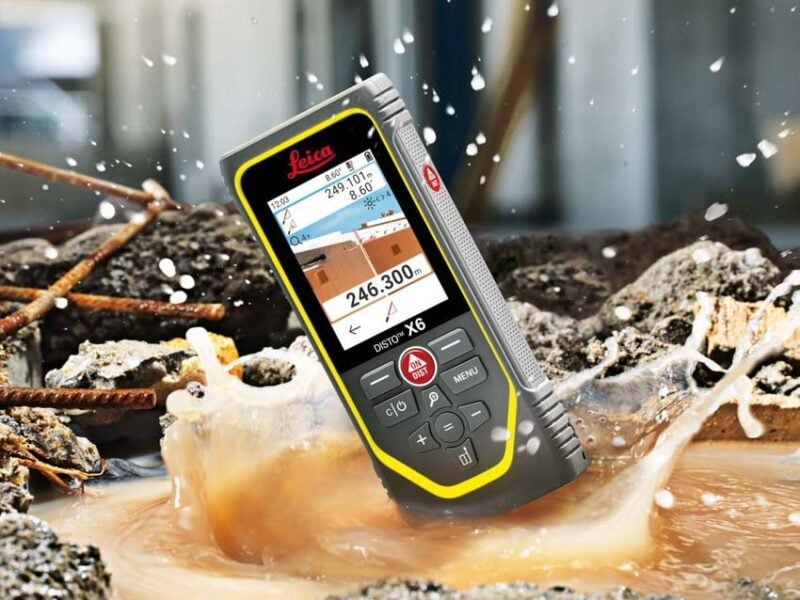
Credit: www.protoolreviews.com
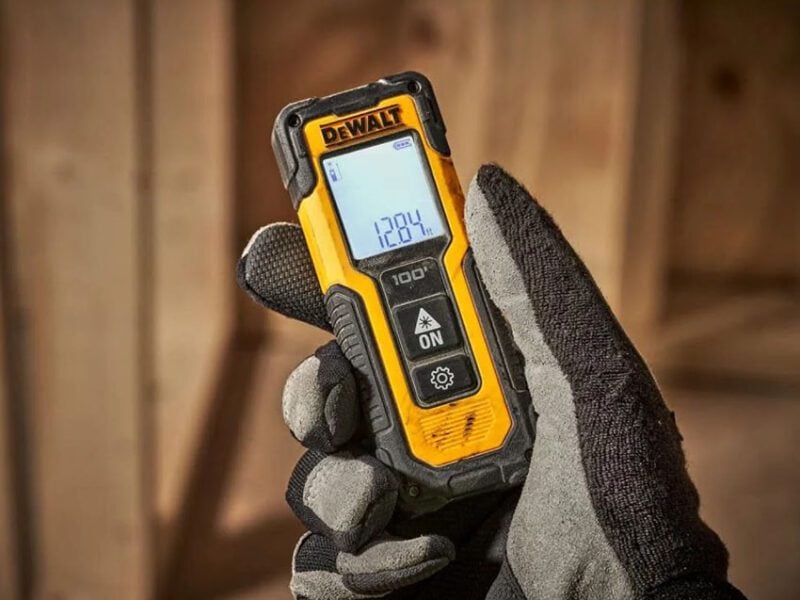
Credit: www.protoolreviews.com
Frequently Asked Questions
What Is A Laser Distance Measurer Used For In Construction?
A laser distance measurer accurately measures distances, areas, and volumes on construction sites. It speeds up tasks like layout, planning, and material estimation. This tool improves precision and reduces human error during measurements.
How Do You Operate A Laser Distance Measurer Safely?
To operate safely, hold the device steadily and avoid direct eye exposure to the laser. Use it on stable surfaces and follow manufacturer instructions. Wearing safety glasses is recommended to protect your eyes during measurements.
What Are The Benefits Of Using A Laser Distance Measurer?
Laser measurers offer quick, precise readings and reduce measuring errors. They save time compared to tape measures and can calculate complex measurements easily. This tool enhances productivity and ensures better project accuracy.
Can A Laser Distance Measurer Work Outdoors In Bright Light?
Yes, many laser measurers function outdoors, but bright sunlight can reduce visibility. Some models include a digital viewfinder or target plates to improve accuracy. Always check the device specifications for outdoor use.
Conclusion
Using a laser distance measurer makes construction work faster and easier. It helps you get accurate measurements every time. Save time by avoiding manual tape measures. The device is simple to use with a little practice. Always follow safety steps while measuring.
Keep the tool clean and store it properly for long life. With these tips, you can measure spaces confidently and reduce mistakes. Try using a laser measurer on your next project. It will help you work smarter, not harder.