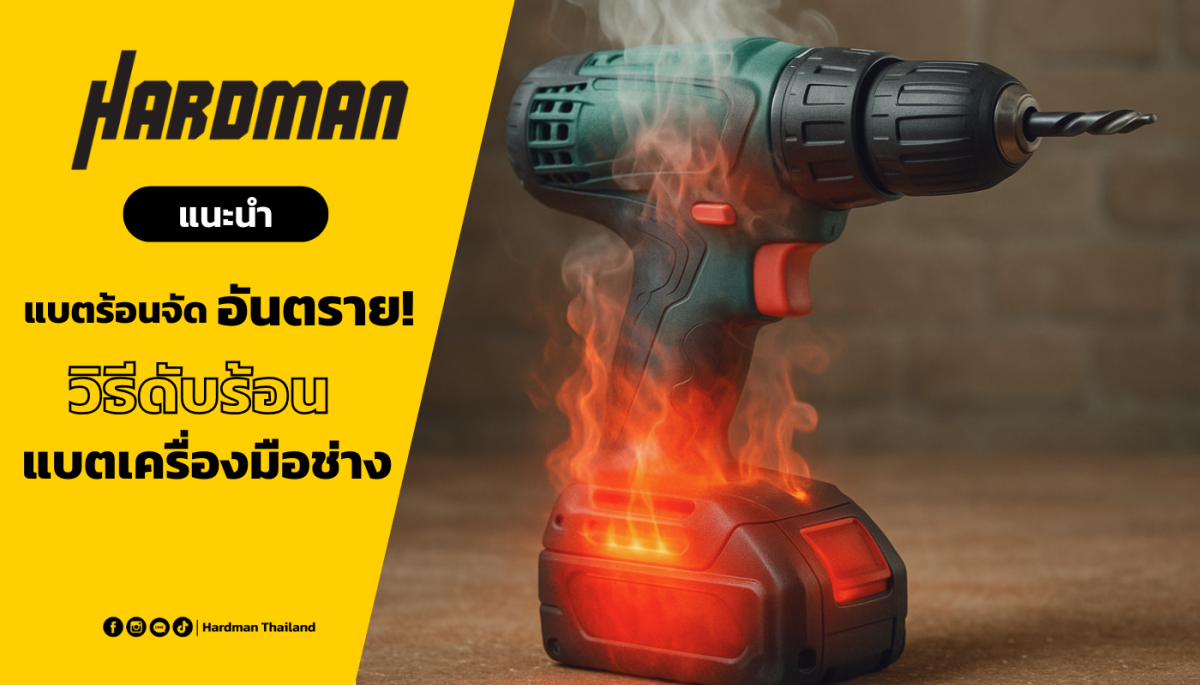
Are you tired of your cordless drill dying mid-project? You’re not alone.
Keeping your drill’s battery in top shape is crucial for any DIY enthusiast or professional. Imagine the frustration of a battery that fails just when you’re about to finish that crucial task. By learning how to maintain your cordless drill battery effectively, you can save both time and money, while ensuring that your projects run smoothly.
You’ll discover simple and practical tips to extend your battery’s life and keep your drill ready for action whenever you need it. Stay tuned to unlock the secrets of battery longevity and ensure your cordless drill is always at peak performance.
Choosing The Right Battery
Choosing the right battery is key to keeping your cordless drill working well. Different batteries offer different power, runtime, and lifespan.
Understanding battery types, capacity, voltage, and compatibility helps you pick the best one for your drill and tasks.
Types Of Cordless Drill Batteries
There are three main types of batteries for cordless drills: Nickel-Cadmium (NiCd), Nickel-Metal Hydride (NiMH), and Lithium-Ion (Li-ion).
- NiCd:Older type, affordable but heavier and has memory effect.
- NiMH:Better capacity than NiCd but can lose charge faster.
- Li-ion:Most common now, lighter, holds charge longer, no memory effect.
Battery Capacity And Voltage
| Term | Meaning | Impact |
| Capacity (mAh or Ah) | How much charge the battery holds | Higher capacity means longer drill use time |
| Voltage (V) | Power output of the battery | Higher voltage means more drill power |
Choose a battery with the right voltage for your drill. Also, pick a capacity that fits how long you want to work without charging.
Compatibility Considerations
Not all batteries fit all drills. Check the brand and model to find matching batteries. Using the wrong battery can damage your drill or battery.
- Match the battery brand with your drill brand.
- Check the voltage and size match your drill’s needs.
- Use batteries recommended by the drill manufacturer.

Credit: us.amazon.com
Proper Charging Practices
Taking care of your cordless drill battery starts with proper charging. Correct charging keeps the battery healthy and extends its life.
Understanding the right charger, charging time, and how to avoid overcharging will help you get the best performance from your battery.
Using The Correct Charger
Always use the charger made for your cordless drill battery. Chargers vary by brand and battery type. Using the wrong charger can damage the battery or cause safety issues.
- Check the charger model matches your battery.
- Do not use chargers from different brands unless specified.
- Look for chargers with built-in safety features.
- Avoid cheap, unbranded chargers.
Optimal Charging Times
Charge your battery only as long as needed. Batteries have recommended charging times listed in the manual. Charging too little or too long harms battery life.
| Battery Type | Typical Charging Time |
| NiCd (Nickel-Cadmium) | 1 to 2 hours |
| NiMH (Nickel-Metal Hydride) | 1 to 3 hours |
| Li-ion (Lithium-Ion) | 30 minutes to 1 hour |
Avoiding Overcharging
Leaving the battery on the charger too long can cause overcharging. Overcharging reduces battery capacity and may cause heat or leaks.
- Remove the battery once it is fully charged.
- Use chargers with automatic shutoff features.
- Do not charge overnight or unattended.
- Store the battery in a cool, dry place after charging.
Storage Tips For Longevity
Proper storage helps your cordless drill battery last longer. It keeps the battery healthy and ready to use.
Following simple storage rules can prevent damage and maintain battery power over time.
Ideal Storage Conditions
Store the battery in a dry, cool place. Avoid areas with high humidity or dust. Keep it away from direct sunlight.
- Choose a place with good air flow
- Keep the temperature around 50°F to 77°F (10°C to 25°C)
- Use a container to protect from dust and dirt
- Keep the battery separate from metal objects
Storing Partially Charged Batteries
Do not store batteries fully empty or fully charged. A partial charge keeps the battery healthy.
| Battery Charge Level | Storage Recommendation |
| 0% (Empty) | Do not store; recharge before storing |
| 40% to 60% | Ideal charge for storage |
| 100% (Full) | Avoid long-term storage at full charge |
Avoiding Extreme Temperatures
Extreme heat or cold can harm the battery. Keep it within a safe temperature range to avoid damage.
- High heat:Reduces battery capacity quickly
- Freezing cold:Can cause permanent damage
- Moderate temperature:Keeps battery stable
Regular Maintenance Steps
Keeping your cordless drill battery in good shape helps it last longer. Regular care ensures the battery works well every time you use it.
Simple maintenance steps can protect your battery from damage and improve its performance.
Cleaning Battery Contacts
Dirty contacts can stop the battery from charging properly. Clean the contacts gently to keep a good connection.
Use a dry cloth or a soft brush to remove dust and dirt. Avoid using water or liquids on the contacts.
- Remove the battery from the drill
- Wipe the metal contacts with a dry cloth
- Use a soft brush for stubborn dirt
- Check contacts before reattaching the battery
Inspecting For Damage
Look at the battery case and contacts for cracks or wear. Damaged parts can cause poor performance or safety risks.
Do not use the battery if you see swelling, leaks, or broken pieces. Replace it to avoid accidents.
- Check the battery case for cracks or swelling
- Look for corrosion on metal parts
- Inspect the contacts for bending or wear
- Stop using if you find any damage
Balancing Battery Cells
Battery cells need to have the same charge level to work well. Balancing cells helps the battery last longer.
Use a charger with a balancing function or follow the battery’s instructions to keep cells equal in charge.
- Charge the battery fully before use
- Use a smart charger with cell balancing
- Avoid overcharging or deep discharging
- Store batteries at half charge if not used
Maximizing Battery Life
Cordless drill batteries need care to last longer. Proper use keeps them healthy and powerful.
Follow simple habits to protect the battery and keep your drill ready for work.
Proper Usage Habits
Use your drill battery in moderate conditions. Avoid using it in extreme heat or cold. Charge the battery fully before first use. Do not leave the battery connected to the charger after it is full.
- Keep the battery clean and dry
- Use the charger made for your battery model
- Store batteries in a cool, dry place
- Remove the battery from the drill when not in use
Avoiding Deep Discharges
Letting the battery drain completely reduces its lifespan. Try to recharge before the battery is empty. Deep discharges can harm the battery cells and lower performance.
| Battery Charge Level | Action |
| Above 20% | Safe to use |
| 10% – 20% | Consider charging soon |
| Below 10% | Recharge immediately |
Rotating Multiple Batteries
Using more than one battery can keep your drill working without long waits. Rotate batteries to avoid using one battery all the time. This gives each battery rest and prevents early wear.
- Charge one battery while using another
- Mark batteries with use dates
- Store unused batteries properly
- Inspect batteries regularly for damage
Credit: www.slashgear.com
Troubleshooting Common Issues
Cordless drill batteries can face problems over time. Knowing how to fix these issues saves money and time.
This guide covers common problems and how to troubleshoot them easily.
Battery Not Holding Charge
If your battery drains quickly or won’t hold a charge, it may be damaged or old. This happens when battery cells wear out.
Try these steps to check the problem:
- Clean the battery contacts with a dry cloth.
- Fully charge the battery before use.
- Test the battery with a charger or multimeter.
- Replace the battery if it still drains fast.
Overheating Problems
Overheating can damage the battery and drill. It often happens from long use or a faulty charger.
To prevent overheating:
- Let the battery cool down between uses.
- Use the correct charger for your battery.
- Charge in a cool, dry place.
- Stop using the battery if it feels hot.
Slow Charging Symptoms
When a battery takes too long to charge, it may have an internal issue or charger problem.
Check these points to fix slow charging:
- Make sure the charger is working well.
- Clean battery and charger contacts.
- Avoid charging in very cold or hot areas.
- Replace the battery if slow charging continues.
When To Replace The Battery
Knowing when to replace your cordless drill battery saves you time and money.
Batteries lose power over time and may not hold a charge well. Watch for signs that the battery needs replacement.
Signs Of Battery Wear
Look for these common signs that your battery is wearing out and may need to be replaced.
- The drill runs for a much shorter time than usual.
- The battery takes longer than normal to recharge.
- The battery feels hot or swollen during or after use.
- The drill suddenly loses power while working.
- The battery is older than two years or has many charge cycles.
Recycling Old Batteries
Old batteries contain materials that can harm the environment. Recycling keeps these materials safe.
| Type of Battery | Where to Recycle | Notes |
| Nickel-Cadmium (NiCd) | Local recycling centers | Contains toxic metals |
| Nickel-Metal Hydride (NiMH) | Hardware stores | Less toxic but still recyclable |
| Lithium-Ion (Li-ion) | Specialized recycling programs | Needs careful handling |
Choosing A Replacement
Select a replacement battery that fits your drill model and offers good performance.
- Check the voltage and capacity match your drill’s requirements.
- Buy from reputable brands or the original manufacturer.
- Consider batteries with better charge retention.
- Look for warranties to protect your purchase.
- Make sure the battery fits securely in your drill.
Credit: www.slashgear.com
Frequently Asked Questions
How Often Should I Charge My Cordless Drill Battery?
Charge your cordless drill battery after each use to maintain optimal performance. Avoid letting it fully drain. Regular charging prevents battery degradation and extends its life.
Can I Use Any Charger For My Drill Battery?
No, always use the charger designed for your specific drill battery model. Using incompatible chargers can damage the battery and reduce its lifespan.
How Do I Store A Cordless Drill Battery Properly?
Store your battery in a cool, dry place away from direct sunlight. Keep it partially charged, around 40-60%, to preserve battery health during long storage periods.
What Causes Cordless Drill Batteries To Lose Charge Quickly?
Battery age, improper charging, and extreme temperatures can cause quick charge loss. Regular maintenance and proper storage help maintain battery capacity and efficiency.
Conclusion
Maintaining your cordless drill battery helps it last longer and work better. Charge it fully before use and avoid letting it drain completely. Store the battery in a cool, dry place to keep it healthy. Clean the battery contacts regularly for a good connection.
Use the drill often but don’t overheat the battery. Small habits like these save money and keep your tools ready. Caring for your battery is simple but important. Keep these tips in mind to get the best from your cordless drill.