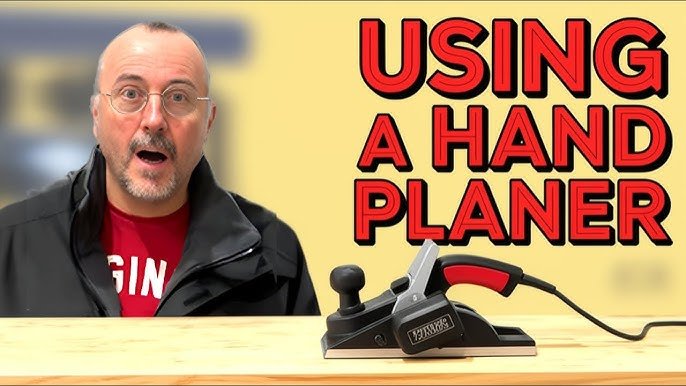
Are you ready to transform rough, uneven wooden surfaces into smooth, sleek masterpieces? If you’re diving into the world of woodworking, mastering the use of a power planer can be a game-changer.
This indispensable tool allows you to shave down wood with precision and ease, saving you both time and effort on your projects. Imagine running your hands over a perfectly flat tabletop or achieving seamless joints in your furniture creations. Whether you’re a hobbyist or a seasoned woodworker, learning how to operate a power planer effectively is essential to elevating your craftsmanship.
Stick around as we unravel the secrets to using this powerful tool, ensuring you get the most out of your woodworking endeavors.

Credit: www.findbuytool.com
Choosing The Right Power Planer
Using a power planer makes woodworking faster and easier. Picking the right one helps you get smooth, even wood surfaces.
There are many types and features to think about before buying. Safety is also very important when using a power planer.
Types Of Power Planers
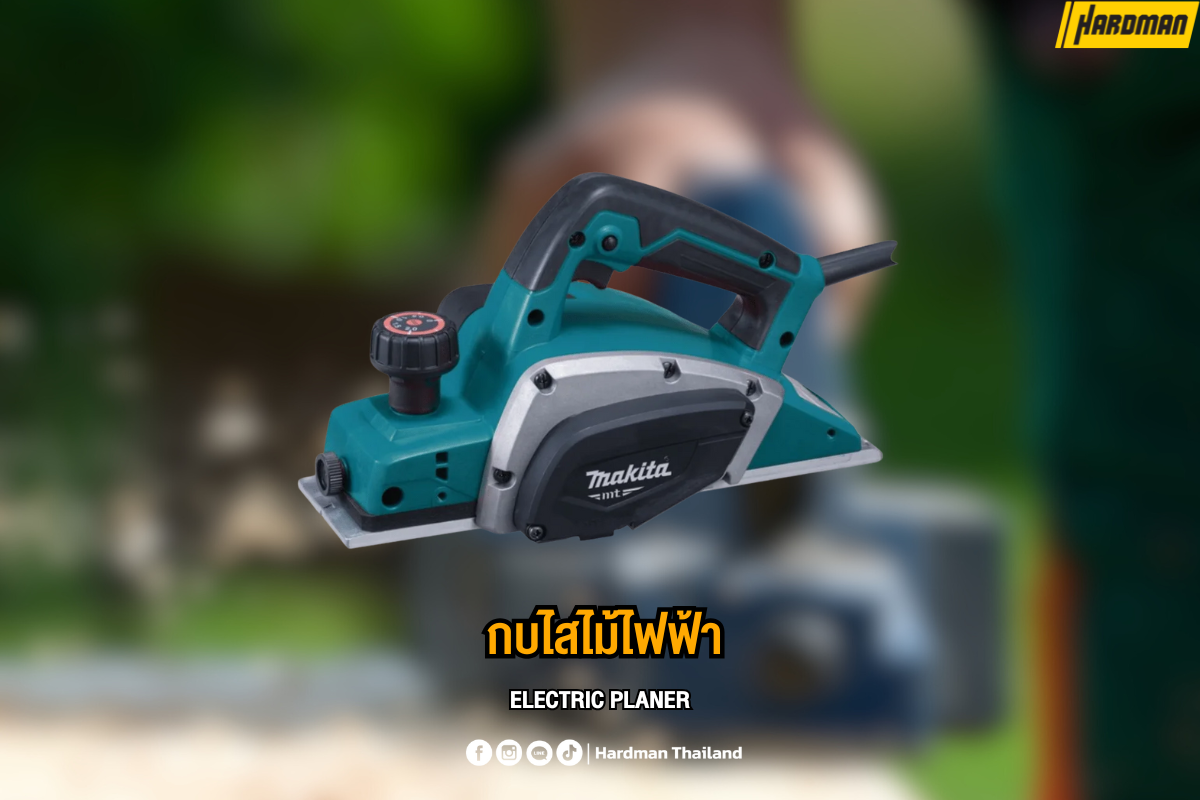
Power planers come in different types for different jobs. Some are small and light, while others are bigger for heavy work.
- Handheld Planers:Easy to use and good for small projects.
- Benchtop Planers:Fixed on a table, best for larger wood pieces.
- Thickness Planers:Cut wood to a set thickness evenly.
Key Features To Consider
Look for features that make your work easier and safer. Some features help control depth and speed.
- Cutting Depth:Adjustable depth helps get the perfect wood thickness.
- Blade Quality:Sharp blades last longer and cut cleanly.
- Speed Control:Variable speeds fit different wood types and finishes.
- Weight and Size:Choose one that feels comfortable to hold and use.
- Dust Collection:Helps keep your workspace clean and clear.
Safety Ratings And Certifications
Check if the power planer meets safety standards. Certified tools reduce the risk of accidents.
- UL Certification:Shows the tool meets safety rules in the US.
- CE Marking:Indicates compliance with European safety laws.
- CSA Approval:Confirms safety for Canadian users.
- Safety Features:Look for blade guards and automatic shutoff.
Preparing Your Workspace
Getting your workspace ready is important before using a power planer. A clean, well-lit, and organized area helps you work safely and efficiently.
This guide covers how to set up a stable workbench, ensure proper lighting, and organize your tools and accessories.
Setting Up A Stable Workbench
A stable workbench keeps your wood steady while planing. It reduces the risk of slips and mistakes.
- Choose a flat and strong surface that does not wobble.
- Secure the workbench to the floor or wall if possible.
- Use clamps to hold the wood firmly in place.
- Clear away clutter from the bench surface.
- Check that the workbench height is comfortable for standing.
Ensuring Proper Lighting
Good lighting lets you see the wood grain and planer marks clearly. It helps you work with precision and avoid accidents.
- Use bright LED lights with a color temperature of 4000K to 5000K.
- Position lights above and to the side of your workbench.
- Eliminate shadows by adding more light sources if needed.
- Keep light fixtures clean for maximum brightness.
Organizing Tools And Accessories
Keeping your tools and accessories organized saves time and reduces hazards. Know where every item is before you start.
| Tool | Recommended Storage | Purpose |
| Power Planer | Workbench shelf or hanging hook | For smoothing wood surfaces |
| Clamps | Wall rack or toolbox | To hold wood pieces steady |
| Measuring Tape | Drawer or pegboard | For accurate measurements |
| Safety Glasses | Dedicated container or shelf | To protect eyes from debris |
| Dust Mask | Hooks or small box | To avoid inhaling wood dust |
Safety Precautions Before Use
Using a power planer for woodworking can be safe if you prepare well. Always follow safety steps to avoid accidents.
Before you start, check your tools and work area carefully. This helps keep you safe and your work smooth.
Personal Protective Equipment
Wear the right gear to protect your eyes, ears, and hands. Power planers make wood chips and loud noise.
- Safety goggles shield your eyes from flying debris
- Ear protection reduces noise damage
- Work gloves protect your hands from splinters
- Wear a dust mask to avoid breathing sawdust
Inspecting The Planer And Blades
Check the power planer before each use. Make sure the blades are sharp and not damaged.
Look for loose parts or cracks on the planer body. Do not use the tool if anything looks broken.
- Ensure blades are tight and clean
- Check the power cord for cuts or frays
- Test the switch to make sure it works smoothly
- Remove any dust or wood chips inside the planer
Clearing The Work Area
Keep your workspace clean and free of clutter. This stops accidents and helps you move the planer safely.
Make sure the wood you plan to work on is secure and stable. This prevents slipping during planing.
- Remove tools and debris from the work surface
- Keep cords away from your cutting path
- Use clamps or a vise to hold the wood firmly
- Have good lighting to see your work clearly
Basic Operation Techniques
Using a power planer safely and correctly helps you shape wood smoothly. This tool removes thin layers of wood for a flat surface.
Learn how to adjust settings, hold the tool right, and move it steadily for best results.
Adjusting Depth Settings
Set the cutting depth before starting. This controls how much wood the planer removes in one pass.
- Turn off the planer and unplug it.
- Locate the depth adjustment knob or lever.
- Move the knob to the desired depth, usually measured in millimeters or inches.
- Check the setting by pressing the planer gently on a scrap piece of wood.
- Make small adjustments for fine control.
Holding And Positioning The Planer
Hold the planer firmly with both hands. Keep a steady grip to control the tool.
| Hand | Position | Purpose |
|---|---|---|
| Front hand | On the front handle or knob | Guide the planer smoothly |
| Rear hand | On the main handle with trigger | Control power and direction |
Position your body to stand balanced. Keep the wood stable on a workbench.
Starting And Moving The Tool Smoothly
Start the planer before it touches the wood. This avoids gouging the surface.
- Switch on the planer and wait for full speed.
- Place the planer flat on the wood’s surface.
- Push the tool forward with steady pressure.
- Keep a consistent speed to avoid uneven cuts.
- Lift the planer off the wood before switching off.
Advanced Planing Tips
Using a power planer well can save time and improve your woodworking projects. This guide shares advanced tips to help you get smooth and even surfaces.
Focus on how you handle different wood types, keep steady pressure, and avoid common errors for better results.
Handling Different Wood Types
Different woods react differently to planing. Softwoods and hardwoods need distinct approaches to avoid damage.
- For softwoods, use a lighter touch to prevent gouging.
- When planing hardwoods, slow your feed rate to keep blades from dulling fast.
- Grain direction matters: always plane in the direction of the grain to reduce tear-out.
- Wet or green wood requires slower passes and sharper blades.
Maintaining Even Pressure
Keep the planer flat and apply steady pressure to avoid uneven surfaces. Uneven pressure can cause dips or ridges on the wood.
| Pressure Point | Effect on Surface |
| Front of Planer | Too much pressure creates dips |
| Back of Planer | Too much pressure causes ridges |
| Even Pressure | Flat and smooth finish |
Avoiding Common Mistakes
Many issues come from simple mistakes. Watch out for these to keep your planing clean and efficient.
- Do not force the planer too fast; this can cause rough cuts.
- Always check blade sharpness before use.
- Secure the wood piece firmly to prevent movement.
- Make multiple light passes instead of one deep cut.
- Clean the planer after each use to avoid clogging.
Credit: www.hardman.co.th
Maintaining Your Power Planer
Keeping your power planer in good shape helps it work well and last longer. Regular care prevents problems and keeps your woodworking smooth.
This guide covers cleaning, lubricating, sharpening blades, and storing your power planer properly.
Cleaning And Lubricating Parts
After each use, clean sawdust and wood chips from your planer. Use a brush or compressed air to reach tight spots.
Lubricate moving parts with light machine oil to reduce friction and wear. Avoid getting oil on the blades or motor.
- Unplug the planer before cleaning
- Brush away dust from blades and base
- Use a dry cloth for the outer body
- Apply oil to the depth adjustment and rollers
- Wipe off excess oil to prevent dirt build-up
Sharpening And Replacing Blades
Dull blades cause rough cuts and strain the motor. Check blades often and sharpen or replace them as needed.
Follow the manufacturer’s instructions for blade removal. Use a proper sharpening tool or replace blades if they are damaged.
- Wear gloves to protect your hands
- Remove blades carefully without bending them
- Sharpen blades on a sharpening stone or with a blade sharpener
- Replace blades if they have chips or cracks
- Reinstall blades securely before use
Regular Inspection And Storage
Inspect your power planer for loose screws, damaged cords, and worn parts. Tighten or fix issues before using it.
Store your planer in a dry, cool place. Keep it in a case or cover it to protect from dust and moisture.
- Check electrical cord for cuts or frays
- Ensure all screws and nuts are tight
- Look for signs of rust or damage
- Store away from direct sunlight and damp areas
- Keep blades covered or removed during long storage
Troubleshooting Common Issues
Using a power planer for woodworking can sometimes lead to problems. Identifying issues early helps keep your work smooth and safe.
This guide covers common problems and how to fix them quickly. Follow these tips to improve your planer’s performance.
Planer Not Cutting Smoothly
If your planer leaves rough or uneven surfaces, check the blades first. Dull or damaged blades cause poor cuts.
Clean the blade area from dust and wood chips. Adjust the depth setting to avoid cutting too deep at once.
- Sharpen or replace dull blades
- Remove debris around blades
- Set the correct cutting depth
- Ensure wood is fed evenly and steadily
Excessive Vibration Or Noise
Strong vibration or noise may mean loose parts or unbalanced blades. Check all screws and bolts are tight.
Inspect the blades for damage or uneven wear. Worn blades cause vibration and noise during use.
- Tighten all screws and bolts
- Replace or sharpen uneven blades
- Clean dust and debris inside the planer
- Check the planer is on a stable surface
Power Or Motor Problems
If the planer does not start or loses power, check the power source first. Make sure the cord and plug are in good condition.
Overheating or motor stalls can happen if the blades are clogged or the motor is overloaded. Let the motor cool down and clear the blades.
- Inspect power cord and plug for damage
- Check the circuit breaker or fuse
- Clear wood chips blocking the blades
- Avoid forcing the planer through hard wood

Credit: www.findbuytool.com
Frequently Asked Questions
What Safety Gear Is Essential When Using A Power Planer?
Always wear safety glasses and hearing protection. Use dust masks to avoid inhaling wood particles. Gloves provide hand protection but ensure they don’t hinder tool control. Proper clothing and a clean workspace enhance overall safety during operation.
How Do I Adjust The Depth On A Power Planer?
Locate the depth adjustment knob or lever on the planer. Turn it to set the cutting depth according to your project needs. Start with a shallow depth to avoid removing too much material at once. Always test on scrap wood first.
Can A Power Planer Be Used On Hardwoods?
Yes, power planers work on hardwoods but require slow, steady passes. Use sharp blades and adjust depth to prevent tear-out. Hardwood surfaces may need multiple passes for smooth results. Proper feed speed and blade maintenance improve performance.
How Do I Maintain A Power Planer For Longevity?
Clean the planer regularly to remove wood shavings and dust. Sharpen or replace blades as needed for optimal cutting. Lubricate moving parts according to the manufacturer’s instructions. Store the tool in a dry, safe place to prevent damage.
Conclusion
Operating a power planer can make woodworking easier and faster. Always focus on safety and proper handling. Keep the blades sharp and check the wood before planing. Take your time and work steadily for smooth results. Practice helps you gain confidence and better control.
Enjoy creating clean, flat surfaces with your power planer.