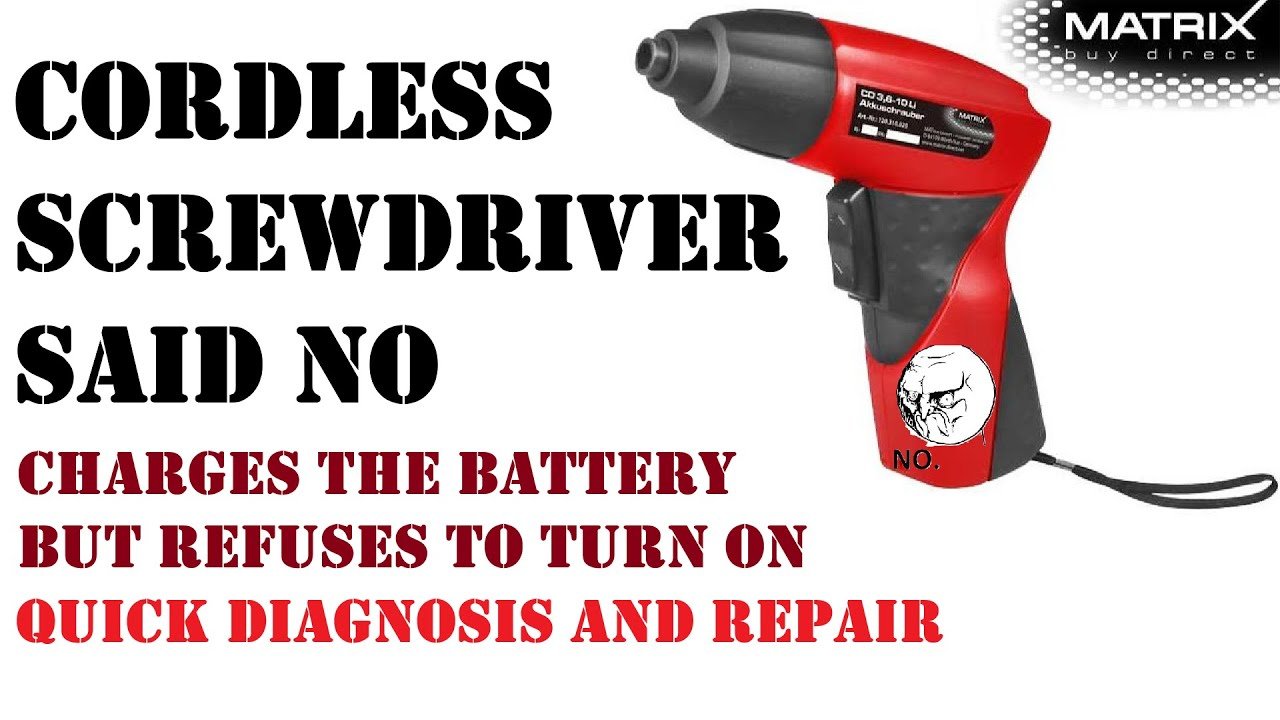
Is your trusty cordless screwdriver no longer working as it should? Don’t worry—you’re not alone.
Many people face issues with their tools, and the good news is that you can often fix them yourself without spending a fortune on replacements or professional repairs. Imagine the satisfaction of bringing your favorite tool back to life with your own hands.
In this guide, you’ll discover simple, step-by-step instructions to diagnose and repair your cordless screwdriver. Whether it’s a battery issue or a mechanical problem, you’ll learn how to get it running smoothly again. Ready to save money and boost your DIY skills? Let’s dive into the solutions that will have your screwdriver working like new in no time.
Common Issues With Cordless Screwdrivers
Cordless screwdrivers are handy tools for many tasks. They can stop working well over time.
Knowing common problems helps you fix them quickly and save money.
Battery Problems
Batteries often cause issues with cordless screwdrivers. They may not hold a charge or run out fast.
- Battery does not charge
- Battery drains quickly
- Battery overheats during use
- Charger not working properly
Motor Malfunctions
The motor can fail or slow down. Dust or worn brushes cause motor problems.
| Motor Issue | Possible Cause | Fix |
|---|---|---|
| Motor won’t start | Worn brushes or wiring | Replace brushes or check wiring |
| Motor runs slowly | Low battery or dirt inside | Charge battery, clean motor area |
| Strange noises | Damaged gears or motor parts | Inspect and replace damaged parts |
Chuck And Bit Issues
The chuck holds the bit in place. It can get loose or jammed. Bits may wear out or break.
- Chuck does not tighten properly
- Bit slips during use
- Bit breaks inside the chuck
- Chuck is dirty or rusted
Switch And Trigger Failures
Switches and triggers control the tool’s power. They can wear out or fail to connect properly.
Common problems include the screwdriver not turning on or the trigger sticking.

Credit: www.amazon.ca
Tools Needed For Repairs
Repairing a cordless screwdriver requires some basic tools. These tools help you open, test, and replace parts safely and correctly.
Having the right tools will save time and prevent damage to your device. Below are the essential tools you need for most repairs.
Basic Hand Tools
You need simple hand tools to open and work on your screwdriver. These tools let you remove screws and small parts easily.
- Phillips and flathead screwdrivers of various sizes
- Needle-nose pliers for gripping small parts
- Small adjustable wrench for bolts
- Plastic pry tools to open the casing without damage
- Tweezers to handle tiny components
Multimeter For Testing
A multimeter helps check electrical parts inside the screwdriver. You use it to test the battery, motor, and wiring for faults.
| Function | What to Test |
| Voltage Measurement | Battery power level |
| Continuity Test | Switches and wiring connections |
| Resistance Check | Motor coils and circuits |
Replacement Parts
Some parts wear out and need replacing. Keep common parts ready before you start repairs.
- Rechargeable batteries compatible with your model
- Small motor units or brushes
- Switches and trigger buttons
- Screws and fasteners specific to your screwdriver
- Gear sets inside the gearbox
Diagnosing The Problem
Repairing a cordless screwdriver starts with finding what is wrong. You need to check different parts carefully.
Look closely at the battery, motor, chuck, and wiring. Each part can cause the tool to stop working.
Checking The Battery And Charger
The battery is the most common cause of problems. If it does not hold a charge, the screwdriver will not work.
Check if the charger works correctly. A faulty charger will not fill the battery with power.
- Remove the battery and look for damage or leaks
- Use a multimeter to test battery voltage
- Plug the charger in and see if the indicator light turns on
- Try charging another battery to test the charger
Testing The Motor Function
The motor moves the screwdriver bit. If it is broken, the tool will not spin.
Listen for sounds when you turn it on. No sound or a strange noise can mean motor issues.
- Remove the battery before checking the motor
- Look for burnt smells or visible damage
- Use a multimeter to check motor resistance
- Try spinning the motor shaft by hand to check for blockage
Inspecting The Chuck And Bit Holder
The chuck holds the screwdriver bit in place. If it is loose or jammed, the bit will slip or not turn.
Check if the chuck tightens and loosens smoothly. Look for dirt or damage that blocks movement.
- Remove the bit and clean the chuck
- Check for worn or broken parts in the chuck
- Try tightening the chuck by hand
- Replace the chuck if it is damaged or does not hold bits firmly
Assessing The Switch And Wiring
The switch controls power to the motor. Broken wiring can stop the screwdriver from working.
Check the switch for wear or damage. Look for loose or broken wires inside the tool.
- Use a multimeter to test switch continuity
- Inspect wiring connections for corrosion or breaks
- Secure any loose wires with solder or connectors
- Replace the switch if it does not work properly
Credit: www.vevor.ca
Fixing Battery And Charging Issues
Cordless screwdrivers often stop working because of battery or charging problems. Fixing these issues can save you money and time.
This guide shows you how to clean battery contacts, replace the battery pack, and troubleshoot the charger.
Cleaning Battery Contacts
Dirty battery contacts can stop your cordless screwdriver from charging or working. Cleaning them helps restore power flow.
- Remove the battery pack from the screwdriver.
- Use a soft cloth or cotton swab to wipe the contacts.
- Apply a little rubbing alcohol to remove grease or dirt.
- Let the contacts dry completely before reinserting the battery.
Replacing The Battery Pack
If cleaning does not help, the battery pack may be dead. Replacing it can fix the power issue.
| Battery Type | Signs It Needs Replacement |
| NiCad | Short runtime and memory effect |
| NiMH | Quick discharge and overheating |
| Li-ion | Fails to hold charge and swelling |
Buy a replacement battery that matches your screwdriver’s model and voltage.
Troubleshooting The Charger
The charger may cause battery problems if it does not supply power properly. Check the charger to find issues.
- Inspect the charger cord for cuts or damage.
- Make sure the charger is plugged into a working outlet.
- Look for indicator lights on the charger; no light may mean a fault.
- Try charging another battery if possible to test the charger.
If the charger is faulty, consider replacing it with one that fits your battery pack.
Repairing Motor And Mechanical Parts
Cordless screwdrivers need care to work well. Fixing motor and mechanical parts keeps them strong.
This guide covers key repairs to keep your tool working like new. Simple fixes save money and time.
Lubricating Moving Parts
Moving parts in cordless screwdrivers need oil to run smoothly. Lack of lubrication causes wear and noise.
Use light machine oil or grease on gears and shafts. Apply a small drop and wipe off extra oil.
- Remove the screwdriver casing carefully.
- Locate gears, shafts, and bearings inside.
- Apply oil or grease on all moving parts.
- Turn parts by hand to spread lubrication evenly.
- Reassemble the screwdriver and test it.
Replacing Worn Brushes
Brushes transfer electricity to the motor. Worn brushes cause weak power or no power at all.
Check brushes by opening the motor cover. If brushes look short or cracked, replace them with new ones.
- Switch off and unplug the screwdriver.
- Remove screws to open the motor area.
- Find the carbon brushes near the motor.
- Take out old brushes and insert new ones.
- Close the motor cover and tighten screws.
- Test the screwdriver to confirm repair.
Fixing Gear And Chuck Problems
Gears and chucks can wear out or break. This causes slipping or difficulty holding bits tightly.
Inspect gears for cracks or missing teeth. Check the chuck for damage or looseness. Replace damaged parts.
- Open the screwdriver casing to access gears and chuck.
- Look for visible damage or worn teeth on gears.
- Remove faulty gears or chuck parts carefully.
- Install new gears or chuck components correctly.
- Reassemble the tool and test its grip and rotation.
Addressing Electrical And Switch Problems
Cordless screwdrivers can stop working due to electrical or switch issues. Fixing these problems can save you money and extend tool life.
Understanding how to test and repair switches and wiring helps you keep your screwdriver running smoothly.
Testing And Replacing Switches
The switch controls the power to the screwdriver motor. A faulty switch may cause the tool to stop or work intermittently.
Use a multimeter to check if the switch is working. Set the meter to continuity mode and press the switch.
- If the meter beeps, the switch is good.
- If there is no beep, the switch is faulty and needs replacement.
- Remove the old switch carefully and install a new one with matching ratings.
Repairing Wiring Connections
Loose or damaged wires can stop the screwdriver from working. Check all wiring inside the tool for breaks or loose ends.
Repair wiring by twisting loose wires tightly or soldering broken connections. Use electrical tape or heat shrink tubing to cover exposed wires.
- Inspect wiring near the battery and motor.
- Secure any loose wires to avoid shorts.
- Replace wires that are badly damaged or burnt.
Maintenance Tips To Prevent Future Issues
Cordless screwdrivers work best when you keep them clean and cared for. Regular maintenance helps avoid damage and extends their life.
Follow simple steps to keep your tool ready and safe for every job. This guide covers cleaning, battery care, and storage tips.
Regular Cleaning And Lubrication
Dirt and dust can block moving parts and cause wear. Clean your cordless screwdriver after each use. Wipe the body with a dry cloth to remove grime.
- Use compressed air to blow out dust from vents.
- Apply a small amount of machine oil to the chuck and moving parts.
- Do not use water or harsh cleaners.
- Check screws and tighten if loose.
Proper Battery Care
Caring for the battery keeps your screwdriver running longer and prevents damage. Avoid fully draining the battery before charging.
| Battery Care Tip | Reason |
| Charge battery after use | Prevents deep discharge damage |
| Store battery at room temperature | Maintains battery health |
| Use the correct charger | Ensures safe charging |
| Avoid overcharging | Protects battery lifespan |
Safe Storage Practices
Proper storage keeps your screwdriver safe from damage and dust. Store it in a dry, cool place away from direct sunlight.
- Keep the tool in its case or a toolbox to avoid impact damage.
- Remove the battery if you will not use the screwdriver for a long time.
- Store batteries separately to prevent leaks or corrosion.
- Avoid placing heavy objects on top of the screwdriver.

Credit: www.youtube.com
Frequently Asked Questions
How Do I Fix A Cordless Screwdriver Not Charging?
Check the battery and charger for damage or dirt. Clean contacts and ensure the charger is plugged in. Replace the battery if it no longer holds a charge.
Why Is My Cordless Screwdriver Losing Power Quickly?
Battery age or faulty cells can cause quick power loss. Ensure full charging before use. Consider replacing old batteries for better performance.
What Causes A Cordless Screwdriver To Stop Spinning?
A jammed bit or motor issue often stops spinning. Remove the bit, check for debris, and test the motor. Repair or replace damaged parts as needed.
How Can I Replace The Battery In My Screwdriver?
Identify the battery type and model. Open the screwdriver casing carefully. Remove the old battery and insert a compatible new one, ensuring correct polarity.
Conclusion
Repairing cordless screwdrivers saves money and extends tool life. Check the battery, motor, and switch carefully. Clean parts and replace any broken components. Follow simple steps to keep your tool working well. Regular maintenance prevents future problems. With patience, you can fix most common issues yourself.
Keep your screwdriver ready for any job ahead. Small fixes make a big difference in performance. Stay confident and handle repairs one step at a time. Your cordless screwdriver will serve you longer and better.