Are you worried about accidentally touching live wires or unsure if a circuit is powered before working on it? Knowing how to test voltage with a pen tester is a simple skill that can keep you safe and confident.
This tool helps you quickly check if electrical current is present without any complicated steps. You’ll learn exactly how to use a pen tester the right way, avoid common mistakes, and protect yourself every time you handle electrical equipment. Keep reading, and you’ll never have to guess if a wire is live again.
Credit: m.tvcmall.com
Choosing The Right Pen Tester
Testing voltage safely requires the right pen tester. Picking the right tool helps you work accurately and avoid risks.
This guide covers types of pen testers, important features, and safety ratings to help you choose well.
Types Of Pen Testers
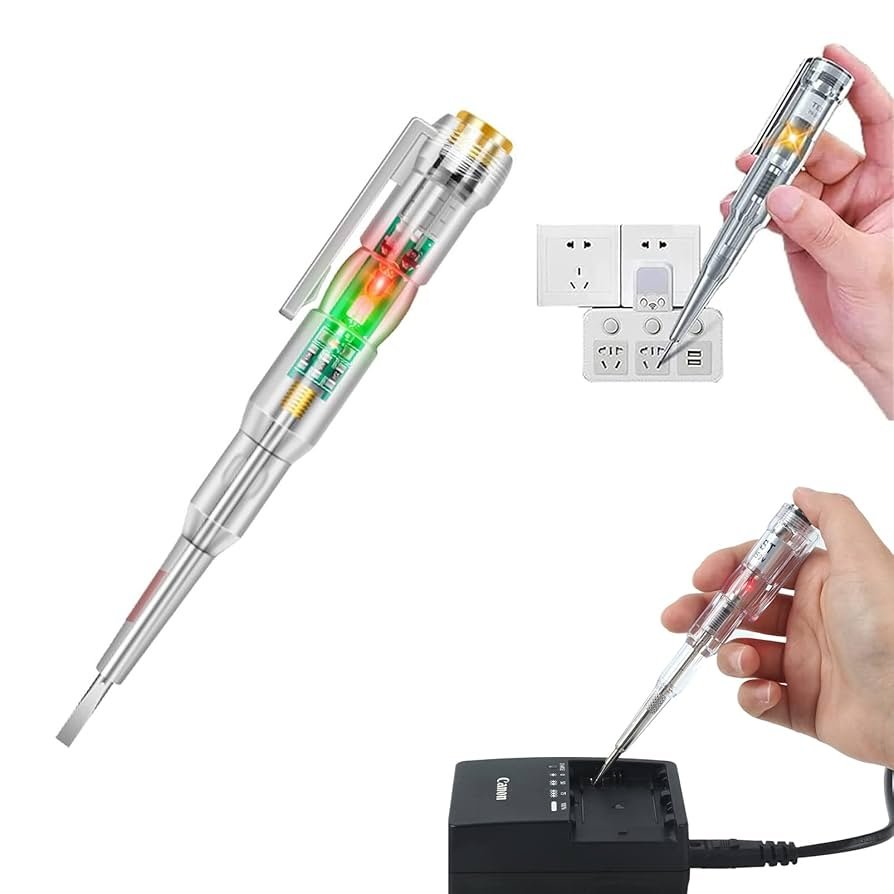
Pen testers come in different styles. Some detect voltage without contact, while others need direct contact.
- Non-contact pen testers: Detect voltage from a short distance.
- Contact pen testers: Require touching the wire or terminal.
- Digital pen testers: Show voltage readings on a screen.
- Analog pen testers: Use a needle or light to show presence of voltage.
Features To Look For
Choose a pen tester with features that fit your needs. Accuracy and ease of use matter most.
| Feature | Why It Matters |
| Voltage Range | Ensures it works for your electrical systems. |
| Display Type | Makes reading results clear and simple. |
| Power Source | Affects how long the tester works without recharging. |
| Size and Weight | Comfortable to hold and easy to carry. |
| Additional Functions | Like continuity or resistance tests for more uses. |
Safety Ratings
Safety ratings show how well a pen tester protects you from electric shock. Check these before buying.
- CAT Ratings: Define safe use environments (CAT I to CAT IV).
- Voltage Limits: Maximum voltage the tester can handle safely.
- Insulation Quality: Prevents accidental shocks.
- Certification Marks: Look for UL, CE, or other safety certifications.

Credit: www.amazon.com
Preparing For Voltage Testing
Testing voltage with a pen tester is a simple but important task. Before you start, you must prepare properly to stay safe and get accurate results.
This guide helps you get ready by covering safety tips, needed tools, and checking your pen tester.
Safety Precautions
Electricity can be dangerous. Always follow these safety rules before testing voltage.
- Wear insulated gloves and safety glasses.
- Make sure your hands are dry.
- Stand on a dry, non-conductive surface.
- Never touch exposed wires with bare hands.
- Turn off power if you can before testing.
- Keep a safe distance from live parts.
Required Tools And Equipment
You need the right tools to test voltage safely and correctly. Here is what you should have ready.
| Tool | Purpose |
| Pen Tester | Detects presence of voltage |
| Insulated Gloves | Protects from electric shock |
| Safety Glasses | Protects eyes from sparks |
| Voltage Detector Manual | Instructions and specs |
| Flashlight | Improves visibility in dark areas |
Checking The Pen Tester Functionality
Before use, make sure your pen tester works well. Follow these quick checks.
- Test the pen tester on a known live circuit.
- Look for the indicator light or sound to confirm voltage detection.
- Check the battery power and replace if weak.
- Inspect the pen tester for cracks or damage.
- Do not use if the device looks broken or fails tests.
Step-by-step Voltage Testing
Using a pen tester is a simple way to check if a wire or device has voltage. It helps you see if electricity is flowing without touching live parts directly.
Follow these steps carefully to test voltage safely and correctly with your pen tester.
Testing Ac Voltage
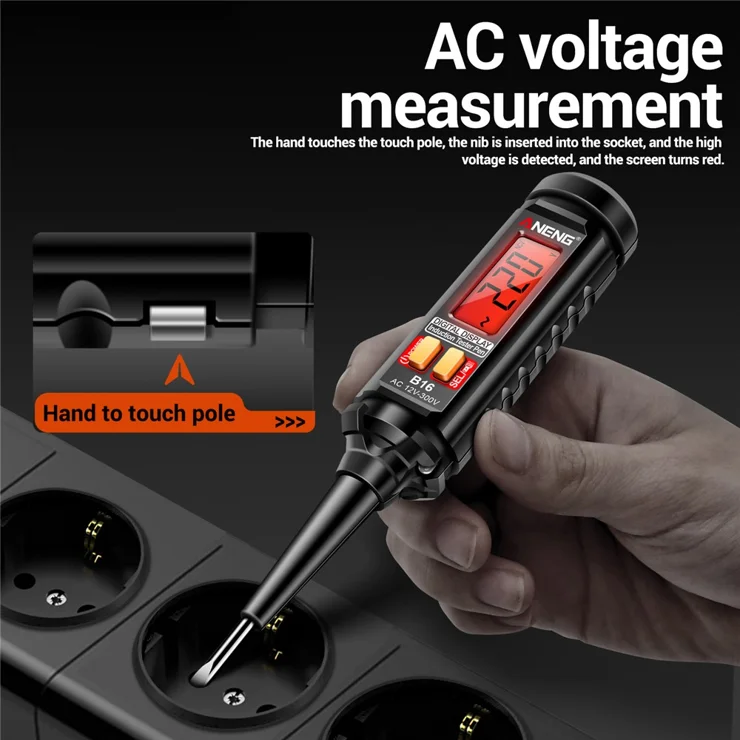
To test AC voltage, first turn on your pen tester. Hold it by the insulated handle. Touch the tester tip to the wire or terminal you want to check.
If the wire carries AC voltage, the pen tester will light up or beep. This shows electricity is present. Make sure you test the right wire and do not touch metal parts.
- Turn on the pen tester.
- Hold the insulated handle only.
- Touch the tester tip to the wire or terminal.
- Watch for light or sound signals.
- Do not touch exposed wires.
Testing Dc Voltage
Testing DC voltage with a pen tester is similar but needs care. Some pen testers detect DC voltage, but not all. Check your tester’s manual first.
Touch the tester tip to the positive wire or terminal. The negative or ground wire should be held or touched by another probe if your tester requires it. Look for lights or sounds indicating voltage.
- Confirm your tester works with DC voltage.
- Hold the insulated handle.
- Touch the tip to the positive wire.
- If needed, connect the other probe to the negative wire.
- Watch for voltage indication.
Interpreting The Indicator Signals
Pen testers show voltage by lighting up, beeping, or both. Different signals mean different voltage levels or types.
Some testers flash faster or brighter with higher voltage. A steady light or beep means low or stable voltage. No signal means no voltage or a dead wire.
- Bright or fast flashing light = high voltage
- Steady light or beep = low voltage present
- No light or sound = no voltage detected
- Different colors may mean AC or DC voltage
Troubleshooting Common Issues
Testing voltage with a pen tester is easy but can sometimes cause confusion. You may face issues like wrong readings or the tester not working.
Understanding common problems helps fix them quickly and safely. This guide covers false positives and negatives, no lights, and inconsistent readings.
False Positives And Negatives
False positives happen when the pen tester shows voltage but there is none. False negatives occur when the tester does not show voltage even if it is present.
These errors may come from incorrect use or environmental factors like nearby wires or moisture.
- Keep the tester clean and dry
- Hold the tester correctly near the wire
- Avoid testing in wet or crowded electrical areas
- Check the tester on a known live wire first
Pen Tester Not Lighting Up
If the pen tester does not light up, it may have a dead battery or a fault inside. Sometimes the tester is not touching the wire properly.
Always check the battery first. Replace it if needed. Make sure you hold the tester tip close to the wire or socket.
- Test battery and replace if weak
- Hold tester tip firmly near the conductor
- Test on a known live source to confirm
- Inspect the tester for damage or wear
Dealing With Inconsistent Readings
Inconsistent readings happen when the pen tester flickers or changes results. This can be due to weak batteries or poor contact with the wire.
Electrical noise or interference can also cause this problem. Move the tester slowly and hold steady to get better results.
- Replace weak batteries
- Hold the tester steady on the wire
- Avoid testing near other electrical devices
- Test multiple times to confirm results
Maintaining Your Pen Tester
Keeping your pen tester in good condition helps it work accurately. Regular care prevents damage and extends its life.
This guide covers cleaning, battery care, and calibration. Follow these tips to keep your pen tester ready for use.
Cleaning And Storage Tips
Clean your pen tester after each use to remove dirt and grime. Use a soft cloth and avoid harsh chemicals.
- Wipe the body with a damp cloth
- Do not immerse in water or liquids
- Keep the tip free of dust and debris
- Store in a dry, cool place away from direct sunlight
- Use a protective case to prevent damage
Battery Replacement
Check your pen tester’s battery regularly. A weak battery can cause wrong readings or no power at all.
| Battery Type | Replacement Frequency | Signs to Replace |
|---|---|---|
| AAA or AA | Every 6-12 months | Dim light, no beep, intermittent power |
| Button Cell | Every 12 months | Weak display, device fails to turn on |
Always use the recommended battery type for your model. Dispose of old batteries safely.
Periodic Calibration
Calibration ensures your pen tester gives correct voltage readings. Check calibration every 6 months or after a drop.
- Use a known voltage source for testing
- Compare readings with a calibrated meter
- Adjust settings as per the user manual
- Send to a professional service if needed

Credit: scccltd.com
Frequently Asked Questions
How Does A Pen Tester Detect Voltage Presence?
A pen tester detects voltage by sensing electrical fields without direct contact. It lights up or beeps when voltage is present, helping identify live wires safely.
Can A Pen Tester Measure Voltage Levels Accurately?
No, pen testers indicate voltage presence but do not provide exact voltage readings. For precise measurements, use a multimeter instead.
Is It Safe To Use A Pen Tester On All Wires?
Yes, pen testers are designed for safe voltage detection on most wires. However, follow safety guidelines and manufacturer instructions to avoid hazards.
What Types Of Voltage Can A Pen Tester Detect?
Pen testers typically detect AC voltage, mainly from household wiring. Some models also detect low DC voltage but confirm specifications before use.
Conclusion
Testing voltage with a pen tester is simple and safe. Always check the pen tester before use. Touch the tester tip to the wire or outlet carefully. Watch for the light or sound signal to know if voltage is present.
This tool helps find electrical problems quickly. Practice often to gain confidence and skill. Stay alert and follow safety rules every time. Using a pen tester saves time and avoids danger. Keep your hands dry and tools in good condition.
Voltage testing becomes easier with each try.