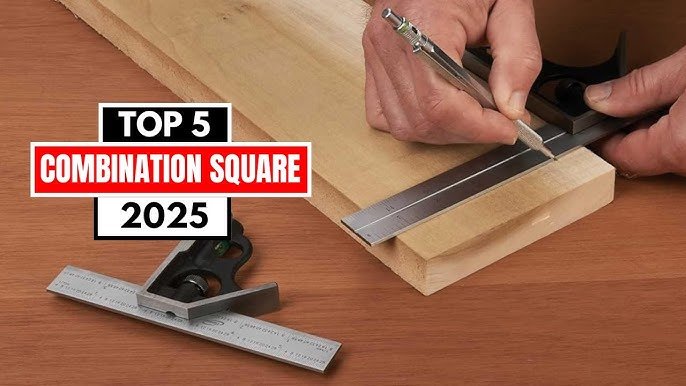
Are you looking to improve your woodworking or metalworking skills? Mastering the use of a combination square can make a huge difference in your projects.
This simple tool helps you measure, mark, and check angles with precision, saving you time and frustration. If you want to learn how to use a combination square for layout like a pro, keep reading. By the end of this article, you’ll have clear, easy steps to boost your accuracy and confidence in every project you tackle.
Choosing The Right Combination Square
A combination square is a useful tool for woodworking and metalworking. Picking the right one helps you get accurate measurements and layouts. Consider the types, materials, and size before buying.
This guide will explain how to choose the right combination square for your needs. Understanding its features makes your work easier and more precise.
Types Of Combination Squares
There are different types of combination squares designed for specific tasks. Knowing these types helps you pick the best tool.
- Standard Combination Square:Measures angles and depths, checks squareness.
- Center Square:Finds the center of round objects like pipes or rods.
- Protractor Square:Measures and marks angles precisely.
- Depth Gauge:Measures depths and steps in materials.
Materials And Build Quality
The material of the combination square affects its durability and accuracy. Look for tools made with strong, stable materials to last longer.
| Material | Pros | Cons |
| Stainless Steel | Rust-resistant, durable, accurate | Can be heavier, more expensive |
| Carbon Steel | Strong, holds accuracy well | May rust if not cared for |
| Plastic | Lightweight, affordable | Less durable, less accurate |
Size Considerations
Size matters when choosing a combination square. The ruler length affects what you can measure and mark.
- Shorter rulers (4-6 inches) fit small projects and tight spaces.
- Medium rulers (7-12 inches) work well for general tasks.
- Longer rulers (12+ inches) suit large projects and wide materials.
Parts Of A Combination Square
A combination square is a useful tool for measuring and marking in woodworking and metalworking. It has several parts that work together to help you make precise layouts.
Understanding each part will help you use the tool correctly and get accurate results in your projects.
Blade And Ruler
The blade, also called the ruler, is the long metal strip with measurement marks. It slides through the handle and can lock in place.
- The blade usually has both metric and imperial scales.
- It helps measure lengths and mark straight lines.
- The edges of the blade are flat and straight for accuracy.
- Blades come in different lengths depending on the tool model.
Handle And Head
The handle, also called the head, is the block that holds the blade. It can slide along the blade and lock it in place.
| Part | Description | Function |
| Handle / Head | Metal or plastic block with a locking screw | Holds blade; locks blade at set length |
| Bubble Level | Small vial with liquid and bubble inside | Check level and plumb angles |
| Square Edge | Right angle side of the head | Helps mark 90° angles |
| Protractor Scale | Graduated scale on the head | Measure angles from 0° to 180° |
Scriber
The scriber is a sharp metal point stored inside the handle. It is used to mark wood, metal, or other materials.
- The scriber slides out from the handle for use.
- It leaves fine scratch marks for precise layouts.
- When not in use, it stays safely inside the handle.
Setting Up Your Combination Square
A combination square is a useful tool for layout and measuring. Setting it up correctly helps you get accurate results. This guide covers the basics of adjusting the blade, locking it in place, and calibrating your tool.
Taking time to set up your combination square properly saves effort and ensures precision in your work. Follow the steps below to prepare your tool for use.
Adjusting The Blade
The blade is the long metal ruler part of the combination square. You can slide it to the length you need. To adjust the blade:
- Hold the body of the square firmly.
- Slide the blade to the desired measurement.
- Make sure the blade edge is flush with the body for accuracy.
- Check that the blade is not bent or damaged before use.
Locking Mechanism
The locking mechanism keeps the blade in place during use. It usually involves a small knob or screw. To lock the blade:
- Adjust the blade to the right length.
- Tighten the locking knob or screw firmly.
- Test by gently trying to move the blade. It should stay fixed.
- Loosen the lock to make any new adjustments.
Calibrating For Accuracy
Calibration ensures your combination square gives correct measurements. You can check this with a square test and adjust if needed.
| Test Method | What to Check | Action |
| Square Test | Blade at 90 degrees to the body | Adjust blade until it is perfectly perpendicular |
| Zero Check | Blade length reads zero when fully retracted | Reset blade position or tighten locking mechanism |
| Blade Flatness | No gaps between blade and surface | Straighten or replace bent blade |

Credit: en.wikipedia.org
Basic Layout Techniques
A combination square is a handy tool for woodworking and metalworking. It helps you mark and measure with ease. Learning basic layout techniques improves your project accuracy.
This guide explains how to mark straight lines, measure angles, and check squareness using a combination square.
Marking Straight Lines
Use the ruler and the head of the combination square to draw straight lines. The head acts as a guide, keeping the ruler steady against the edge of your workpiece.
- Place the head firmly against the edge of the material.
- Adjust the ruler to the needed measurement.
- Hold the tool firmly to prevent slipping.
- Draw the line along the ruler edge.
Measuring Angles
The combination square can measure common angles like 45 and 90 degrees. Use the adjustable ruler to check or mark these angles easily.
| Angle | How to Use |
| 90 degrees | Place the head flush against the edge. The ruler will be perpendicular. |
| 45 degrees | Use the angled edge of the head as a guide for marking. |
Checking Squareness
Check if surfaces or edges meet at right angles by using the combination square. This ensures your work is square and fits together well.
Follow these steps to check squareness:
- Place the head of the combination square against one edge.
- Let the ruler extend over the adjoining edge.
- Check for any gaps between the ruler and the edge.
- No gaps mean the edges are square.
Advanced Layout Uses
The combination square is more than a simple measuring tool. It helps with complex layout tasks in woodworking and metalworking. Learning advanced uses improves your accuracy and efficiency.
This guide covers transferring measurements, finding center points, and using the scriber for marking. Each section explains how to use the tool for precise work.
Transferring Measurements
Transferring measurements ensures that parts fit together perfectly. Use the combination square to copy distances from one piece to another without errors.
- Set the ruler to the desired measurement using the head.
- Lock the ruler in place with the locking screw.
- Place the head against the edge of the workpiece.
- Mark the measurement along the ruler with a pencil or scriber.
- Check the mark for accuracy before cutting or drilling.
Finding Center Points
Finding the center of a board or round stock is easy with a combination square. This helps you drill holes or make cuts at the exact middle.
| Material Type | Method | Notes |
|---|---|---|
| Rectangular board | Measure width, divide by two, mark with square | Use ruler edge and head for accuracy |
| Round stock | Draw two diagonal lines with square, center is intersection | Ensure lines cross exactly at center |
| Irregular shapes | Use multiple measurements from edges | Average marks to find center |
Using The Scriber For Marking
The scriber on a combination square marks surfaces with fine lines. This is useful for cutting and layout lines that need precision.
Tips for using the scriber:
- Hold the square firmly against the workpiece edge.
- Use steady pressure to scratch a clear line.
- Mark both sides of the material for better guidance.
- Sharpen the scriber tip regularly for clean lines.
Common Mistakes To Avoid
Using a combination square helps with accurate layout work. Avoid mistakes that can cause errors.
Learn these common errors to get better results and save time.
Misreading Measurements
Reading the scale incorrectly can lead to wrong cuts or marks. The blade has two sides: one for inches and one for millimeters.
- Check which side you are reading before measuring.
- Make sure to align the zero mark properly.
- Read the measurement at eye level to avoid parallax errors.
- Double-check measurements to avoid simple mistakes.
Loose Blade Issues
A loose blade moves during marking, causing inaccurate lines. Always tighten the locking screw firmly.
| Problem | Cause | Fix |
| Lines shift | Loose blade | Tighten locking screw |
| Blade slips | Worn screw | Replace or repair screw |
| Inconsistent marks | Blade not seated properly | Reposition blade before tightening |
Improper Calibration
The square must be true for accurate layout. Calibration errors cause angles and measurements to be wrong.
Check calibration by these steps:
- Place the square against a known straight edge.
- Draw a line along the blade.
- Flip the square and draw another line from the same edge.
- If lines do not align, adjust or replace the square.
Maintaining Your Combination Square
Taking care of your combination square helps it stay accurate and last longer. Regular maintenance keeps the tool reliable for all your layout tasks.
Simple habits like cleaning, checking calibration, and replacing parts make a big difference. Follow these tips to keep your combination square in good shape.
Cleaning And Storage
Clean your combination square after each use. Dirt and dust can affect its accuracy and move the parts.
Store it in a dry place to prevent rust. Use a case or toolbox to protect it from damage.
- Wipe blade and head with a soft cloth
- Use light oil to stop rust on metal parts
- Keep it away from moisture and dust
- Store with blade retracted or locked
Regular Calibration Checks
Check your combination square’s accuracy often. Calibration ensures your measurements stay correct.
Test the square by placing it against a known straight edge. Look for gaps or misalignment between the blade and the head.
- Place the square on a flat surface
- Check if the blade is perfectly perpendicular
- Adjust the head if you find errors
- Repeat the test after any adjustment
Replacing Worn Parts
Over time, parts of the combination square may wear out. Replace worn parts to keep the tool working well.
Common parts to replace include the blade, locking screws, and the head. Use parts made for your specific model.
- Remove damaged or bent blades
- Replace loose or stripped locking screws
- Swap out the head if it no longer fits securely
- Check parts fit tightly after replacement

Credit: www.youtube.com

Credit: www.amazon.ca
Frequently Asked Questions
What Is A Combination Square Used For?
A combination square is a versatile tool for measuring, marking, and checking angles. It’s essential for woodworking, metalworking, and construction. It helps ensure precision in layouts and cuts. The square consists of a ruler and an interchangeable head, making it adaptable for various tasks.
How Do You Measure Angles With A Combination Square?
To measure angles, align the blade with the workpiece’s edge. Adjust the head to the desired angle. Tighten the locking nut to secure the position. Use the built-in protractor for precise angle measurements, ensuring accuracy in your projects.
Can A Combination Square Check Level Surfaces?
Yes, a combination square can check level surfaces. The tool features a built-in spirit level for this purpose. Place the square on the surface to check for levelness. Adjust as necessary to achieve a level surface, ensuring accurate and balanced work.
Is A Combination Square Good For Marking?
A combination square is excellent for marking straight lines and angles. Its adjustable head allows precise placement on workpieces. Use the ruler’s edge to guide your marking tool. This ensures clean, accurate lines, essential for successful project layouts.
Conclusion
Using a combination square helps you mark straight and accurate lines. It fits many layout tasks in woodworking and metalwork. Practice with it often to improve your skills. Keep the tool clean and store it safely after use. This simple tool makes your work easier and more precise.
Try different ways to measure and check angles. Soon, you will feel confident using it on many projects. A good combination square is a helpful tool to have.
