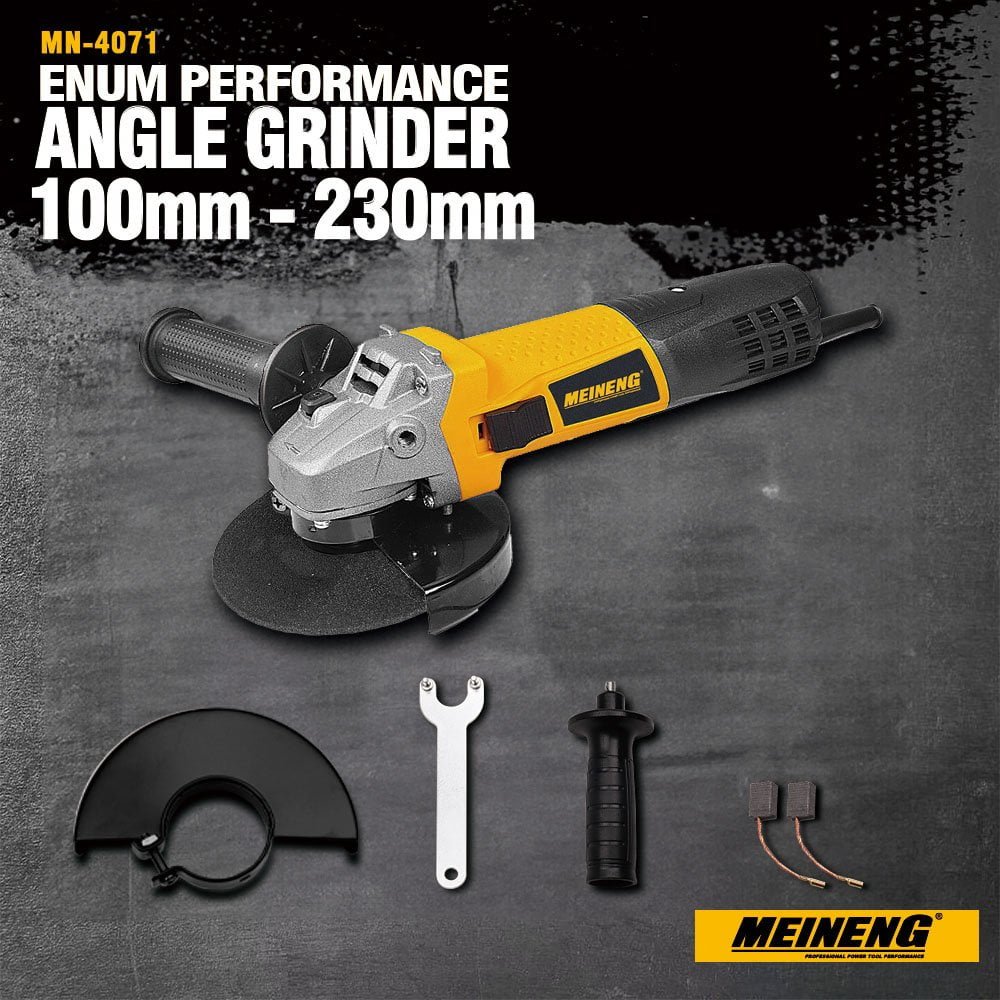
If you work with metal, you know how powerful and handy an angle grinder can be. But to keep it running smoothly and safely, you need to take good care of it.
Imagine starting a big project only to have your grinder slow down or break. Frustrating, right? By following a few simple tips, you can make sure your angle grinder stays in top shape, saves you time, and keeps your work precise.
Keep reading to discover easy ways to maintain your angle grinder and get the best results on every metal project.
Choosing The Right Angle Grinder
Choosing the right angle grinder is important for metal projects. The tool must fit the work and the user’s skill level.
Using the correct grinder helps keep you safe and makes the job easier. Consider the size, power, and type before buying.
Types Of Angle Grinders
There are many types of angle grinders. Each type suits different metal tasks and user needs.
Handheld grinders are common and easy to use. They come in different sizes and power levels.
- Small grinders (4-5 inches) are good for light work and tight spaces.
- Medium grinders (6-7 inches) handle most metal projects well.
- Large grinders (9 inches or more) are for heavy-duty cutting and grinding.
- Corded grinders provide constant power but limit movement.
- Cordless grinders offer more freedom but need battery charging.
Selecting The Correct Disc
Discs are the parts that touch the metal. Choosing the right disc improves work quality and safety.
Discs come in different types for cutting, grinding, or polishing metal. Pick a disc designed for your metal project.
- Cut-off discs are thin and good for straight cuts on metal.
- Grinding discs are thicker and remove metal quickly.
- Flap discs smooth and polish metal surfaces.
- Wire brush discs clean rust and paint from metal.
- Always check the disc size matches the grinder.
- Use discs rated for the grinder’s speed (RPM).

Credit: www.gz-supplies.com
Safety Precautions
Using an angle grinder for metal projects needs care and attention. Safety precautions help prevent accidents and injuries.
Always follow rules for protective gear and safe handling to keep yourself safe while working.
Protective Gear Essentials
Wearing the right protective gear reduces the risk of injury from sparks, debris, and noise.
- Wear safety goggles to protect your eyes from flying particles.
- Use ear protection like earplugs or earmuffs to guard against loud noise.
- Put on gloves to protect your hands from cuts and heat.
- Wear a dust mask to avoid breathing metal dust and fumes.
- Use sturdy work boots to protect your feet from falling objects.
Safe Handling Practices
Handle your angle grinder carefully to avoid accidents and machine damage.
| Practice | Reason |
| Check the grinder before use | Ensure no damage or loose parts |
| Hold the grinder firmly with both hands | Maintain control and balance |
| Keep sparks away from flammable materials | Prevent fires and explosions |
| Use the correct disc for your metal project | Ensure efficient cutting and safety |
| Switch off and unplug before changing discs | Avoid accidental starts |
| Work in a clean, well-lit area | Reduce tripping hazards and improve visibility |
Cleaning Your Angle Grinder
Keeping your angle grinder clean helps it work well and last longer. Dirt and dust can build up inside and cause problems.
Regular cleaning prevents damage and keeps the tool safe to use. Focus on removing dust and cleaning key parts.
Removing Dust And Debris
Dust and debris can clog your angle grinder. Use a soft brush to clear away dirt from the outside and around the disc guard.
- Unplug the grinder before cleaning
- Use a small brush to remove dust on the surface
- Blow compressed air into tight spots to clear hidden debris
- Wipe the body with a dry cloth to remove remaining dust
Cleaning The Ventilation Slots
Ventilation slots keep your grinder cool. Dust can block these slots and cause overheating.
| Cleaning Tool | Purpose |
|---|---|
| Compressed air can | Blow dust out of ventilation slots |
| Soft brush | Remove dust from slot edges |
| Cloth | Wipe off loose dust around slots |
Lubrication And Maintenance
Keeping an angle grinder in good shape is important for metal projects. Proper lubrication and maintenance help the tool last longer.
Regular care prevents damage and keeps the grinder working smoothly. Focus on greasing parts and checking brushes often.
Greasing Moving Parts
Greasing the moving parts of your angle grinder reduces friction. This stops parts from wearing out too fast.
Use the right type of grease as recommended in the user manual. Apply it to gears and bearings carefully.
- Clean parts before applying grease
- Use a small brush or cloth for even spread
- Do not over-grease to avoid dirt buildup
- Grease regularly based on use frequency
Checking And Replacing Brushes
Brushes inside the grinder wear out with use. Check them often to keep the motor working well.
Replace brushes if they look thin or damaged. Using worn brushes can cause motor problems.
- Turn off and unplug the grinder before checking
- Remove the brush covers carefully
- Inspect brushes for cracks or short length
- Replace brushes with the exact type for your model
- Clean brush holders before installing new brushes
Inspecting Discs And Accessories
Keeping your angle grinder discs and accessories in good shape is key for safety and performance. Regular checks help find problems early.
Inspect discs and accessories before each use. Look closely for signs of wear or damage to avoid accidents or poor results.
Identifying Worn Or Damaged Discs
Check discs for cracks, chips, or uneven edges. Worn discs reduce cutting power and increase risk of breakage.
- Look for visible cracks or missing pieces.
- Inspect the disc edges for uneven wear.
- Check if the disc is warped or bent.
- Listen for unusual sounds during use, which may signal damage.
- Replace discs immediately if any damage is found.
Proper Storage Of Accessories
| Accessory Type | Storage Tip |
| Cutting Discs | Store flat in a dry place away from heavy objects. |
| Grinding Wheels | Keep in original packaging or on racks to avoid bumps. |
| Flap Discs | Hang or lay flat to maintain shape and prevent warping. |
| Backing Pads | Clean and store in a dust-free area to extend life. |
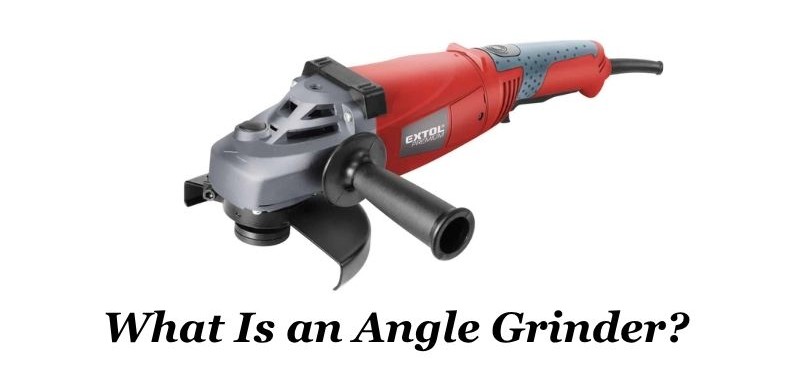
Credit: extoltools.com
Proper Storage Techniques
Keeping your angle grinder safe after use helps it last longer. Proper storage stops damage and wear.
Storing the tool well makes it ready for the next metal project. It also keeps your workspace safe.
Avoiding Moisture And Rust
Moisture causes rust on metal parts and can harm your angle grinder. Always keep it dry to avoid damage.
Use a dry cloth to wipe your tool after use. Store it in a place with low humidity.
- Keep the angle grinder inside a dry toolbox or cabinet
- Use silica gel packs to absorb moisture
- Avoid storing near water sources or damp areas
- Check the tool regularly for signs of rust
Organizing Your Workspace
A tidy workspace helps protect your angle grinder and other tools. It also saves time when working.
Store your grinder and accessories in specific spots. This stops them from falling or getting lost.
- Use hooks or shelves for easy tool access
- Keep grinding discs in labeled containers
- Arrange power cords neatly to avoid tangles
- Clean your workspace after each project
Troubleshooting Common Issues
An angle grinder is a powerful tool for metal projects. It can face some common issues that slow work or damage the tool.
Knowing how to spot and fix these problems helps keep your grinder safe and working well.
Handling Overheating
Overheating can cause damage to the angle grinder and reduce its life. It often happens if the tool is used too long or under heavy load.
- Check the air vents for dust or blockages and clean them.
- Use the correct disc type and size for your metal project.
- Take breaks to let the tool cool down during long jobs.
- Avoid pushing the grinder too hard on the material.
- Inspect the brushes and replace them if they are worn out.
Addressing Unusual Noises
Strange sounds from your angle grinder can show internal problems. These noises might mean loose parts or worn bearings.
| Noise Type | Possible Cause | Fix |
| Grinding or rattling | Loose parts or screws | Tighten all screws and parts |
| High-pitched whining | Worn bearings | Replace the bearings |
| Clicking or popping | Damaged gears | Inspect and repair or replace gears |
| Harsh knocking | Motor issues | Have a professional service the motor |
Extending The Lifespan Of Your Grinder
Using an angle grinder for metal projects is tough on the tool. Proper care helps it last longer.
Simple maintenance and timely upgrades keep your grinder working well and safe to use.
Routine Maintenance Schedule
Regular checks and cleaning stop damage before it starts. Follow a routine to keep your grinder in top shape.
- Unplug the grinder before starting any maintenance.
- Clean dust and metal bits off the tool after each use.
- Check the power cord for cuts or wear every week.
- Inspect the grinding disc for cracks or chips before every job.
- Lubricate moving parts monthly to reduce friction.
- Tighten loose screws and bolts regularly.
- Store the grinder in a dry, dust-free place after use.
Upgrading Parts When Necessary
Replacing worn parts keeps your grinder efficient and safe. Use quality parts for the best fit.
| Part | When to Replace | Why Upgrade |
| Grinding Disc | When cracked or worn | Prevents accidents and poor cuts |
| Carbon Brushes | After 50 hours of use | Maintains motor power and speed |
| Power Cord | If frayed or damaged | Avoids electric shocks |
| Bearings | If noisy or stiff | Ensures smooth operation |
| Safety Guard | If bent or broken | Protects from sparks and debris |
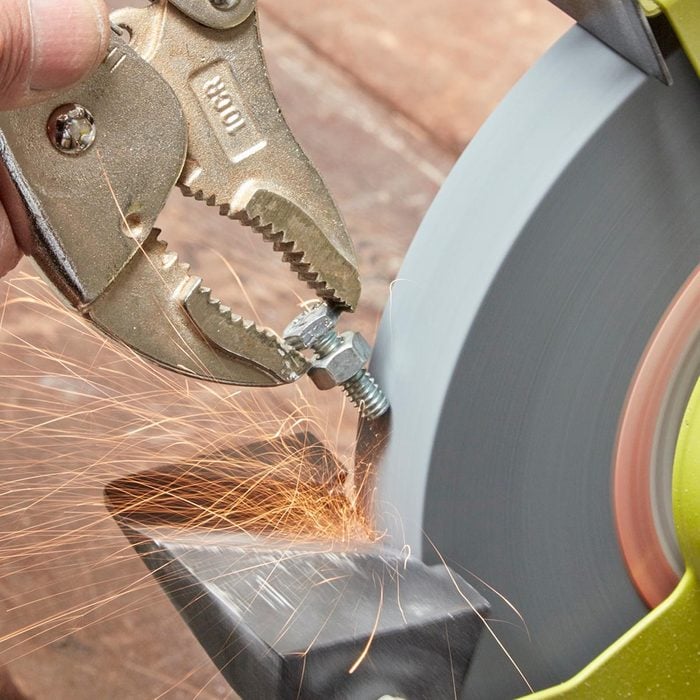
Credit: www.familyhandyman.com
Frequently Asked Questions
How Often Should I Clean My Angle Grinder?
Cleaning your angle grinder after each use is essential. Regular maintenance prevents dust and debris buildup. This practice ensures optimal performance and longevity of your tool. Always disconnect from the power source before cleaning. Use a soft cloth and compressed air to remove particles.
What Lubricant Is Best For Angle Grinders?
Use a high-quality machine oil or lubricant specifically designed for power tools. Regular lubrication of moving parts reduces friction and wear. This ensures smooth operation and extends the tool’s lifespan. Always refer to the manufacturer’s guidelines for specific recommendations.
Why Is My Angle Grinder Overheating?
Overheating can result from prolonged use or clogged vents. Ensure proper ventilation by cleaning air vents regularly. Avoid overloading the grinder and give it breaks during extended use. Using the right disc for your project also minimizes overheating risks.
How Do I Change An Angle Grinder Disc?
First, disconnect the grinder from its power source. Use a wrench to loosen the spindle nut. Remove the old disc and replace it with a new one. Tighten the spindle nut securely before use. Always follow the manufacturer’s instructions for safe disc replacement.
Conclusion
Regular cleaning and proper storage keep your angle grinder in good shape. Check the discs often for wear and replace them when needed. Tighten loose parts to avoid accidents and improve performance. Use the right accessories for each metal project to protect your tool.
Small care steps save money and extend tool life. Keep your angle grinder ready for any job. A well-maintained grinder works better and lasts longer. Simple habits make a big difference.