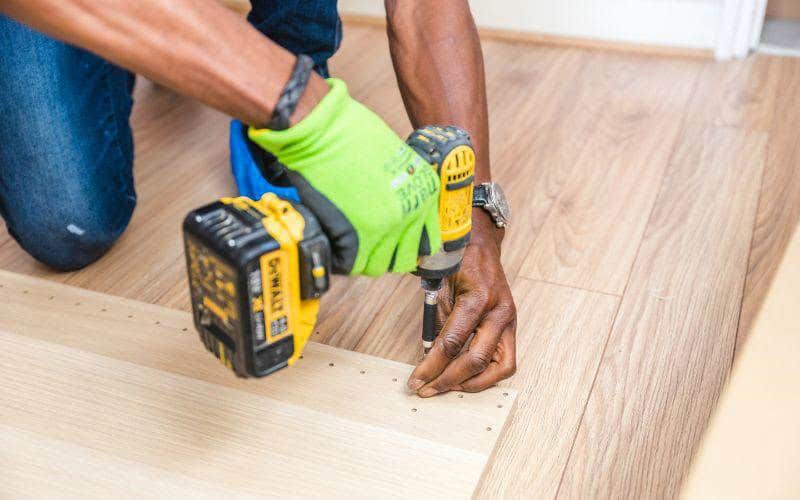
When it comes to drilling, one small mistake can ruin your entire project. Imagine spending hours only to find your holes are off by just a few millimeters.
Frustrating, right? The secret to perfect drilling starts with marking your drill points accurately. If you want your work to look professional and hold together strong, you need the right tips and techniques. Keep reading, and you’ll discover simple yet powerful ways to mark drill points that save you time, avoid costly errors, and boost your confidence every time you pick up your drill.
Choosing The Right Tools
Marking drill points accurately is important for a clean job. Using the right tools helps you place marks precisely.
Good tools make it easier to avoid mistakes and save time. Choose tools that suit your project and material.
Selecting Accurate Marking Tools
Pick marking tools that give clear and fine marks. Sharp pencils, scribing tools, and fine-tip markers work well.
Use a ruler or measuring tape to place marks exactly where you need them. Avoid thick or blurry marks that cover the spot.
- Sharp pencils for wood and soft materials
- Scribing tools for metal or hard surfaces
- Fine-tip markers for visible marks on dark surfaces
- Rulers or measuring tapes for precise measurements
Using Center Punches Effectively
A center punch creates a small dent on the mark. This dent stops the drill bit from slipping away.
Hold the center punch steady and tap it lightly with a hammer. Make sure the dent is clear but not too deep.
- Place the punch on the exact drill point
- Hold the punch straight and steady
- Tap gently with a hammer to make a small dent
- Check the dent before drilling
Preparing The Surface
Marking drill points accurately starts with a clean and smooth surface. Dirt or rough areas can cause the drill to slip.
Taking time to prepare the surface helps you place marks exactly where you want them.
Cleaning And Smoothing
Remove dust, dirt, and grease from the surface before marking. Use a clean cloth or brush to wipe the area.
If the surface is rough, sand it lightly to make it smooth. A smooth surface helps you make clear, precise marks.
- Wipe the surface with a dry cloth
- Use a mild cleaner if needed
- Sand any rough spots gently
- Remove sanding dust with a brush or cloth
Applying Guide Marks
Use a pencil or fine marker to apply guide marks on the prepared surface. Make small dots or crosses where you plan to drill.
Check the marks carefully before drilling to avoid mistakes. You can use a ruler or square to align your marks evenly.
- Choose a sharp pencil or fine-tip marker
- Make small, clear marks
- Use measuring tools for accuracy
- Double-check the marks before drilling
Measuring Techniques
Marking drill points accurately is key for good results. Careful measuring helps avoid mistakes.
Use the right tools and methods to get exact drill marks. This saves time and materials.
Using Rulers And Tape Measures
Rulers and tape measures are basic tools for marking drill points. They work well on flat surfaces.
Keep the ruler or tape measure straight and tight. This prevents errors in your measurements.
- Place the ruler firmly on the surface.
- Use the smallest unit on the scale for better accuracy.
- Mark the point with a sharp pencil or scribe.
- Double-check the distance before drilling.
Employing Calipers For Precision
Calipers help measure small distances with high accuracy. They work well for tight spaces.
Use calipers to mark exact drill points or check distances between marks. This avoids guesswork.
- Zero the caliper before measuring.
- Use the inside or outside jaws depending on the need.
- Hold the caliper steady while marking the point.
- Read the scale carefully to note the exact measurement.
Credit: oukailuo.com
Marking Methods
Marking drill points accurately helps create clean and precise holes. Good marks guide the drill bit and reduce mistakes.
Different marking methods suit different projects and materials. Using the right method improves your work’s quality.
Scribing Lines And Points
Scribing means scratching a thin line or point onto the work surface. It shows exactly where to drill without smudging.
Use a sharp tool like a scriber or an awl for clear marks. Press lightly to avoid damaging the material.
- Draw lines with a pencil, then scribe over them for precision
- Use a center punch to make a small dent at drill points
- Check marks under good light to confirm accuracy
- Keep the scriber sharp for clean, thin lines
Utilizing Templates And Jigs
Templates and jigs help mark several drill points quickly and evenly. They ensure consistent hole placement.
Templates are flat patterns with pre-made holes. Jigs hold the material steady while you mark or drill.
- Use a template made from sturdy material like plastic or metal
- Place the template on the workpiece and mark through the holes
- Build or buy jigs designed for your specific drilling tasks
- Secure jigs tightly to avoid movement during marking
Verifying Drill Points
Marking drill points accurately is important for a clean and precise job. Checking your measurements before drilling saves time and material.
Careful verification helps avoid mistakes and ensures your project looks professional.
Double-checking Measurements
Always measure twice before marking drill points. Use a reliable ruler or tape measure and note the exact spot clearly. Double-check both the horizontal and vertical distances.
- Use a pencil to mark points lightly at first
- Confirm measurements from different edges or references
- Re-measure after marking to ensure accuracy
- Use a square tool to check right angles
Test Drilling On Scrap Material
Before drilling the actual workpiece, test your drill points on scrap material. This step helps you confirm the placement and depth without risking damage.
| Test Drill Purpose | What to Check | Why It Matters |
|---|---|---|
| Check drill point alignment | Is the hole in the right spot? | Prevents misaligned holes on final piece |
| Confirm drill depth | Does the hole go deep enough? | Avoids drilling too shallow or too deep |
| Test drill bit size | Is the hole the correct diameter? | Ensures proper fit for screws or anchors |
:max_bytes(150000):strip_icc()/JS_1864-2008bd548fb548db8f5729d54b71976b.jpg)
Credit: www.woodmagazine.com
Common Mistakes To Avoid
Marking drill points needs care to keep your work precise. Small errors can cause big problems later.
Knowing what to watch out for helps you avoid mistakes and get better results.
Misalignment Issues
Misalignment happens when drill points are not lined up correctly. This can lead to holes that do not match.
- Not checking measurements twice before marking.
- Using a dull pencil or marker that smudges.
- Rushing the marking process.
- Ignoring the edges of the material for reference.
- Failing to use a square or guide to keep points straight.
Overlooking Surface Irregularities
Surface bumps or dents can cause drill points to shift or be off-center.
| Surface Problem | Effect on Marking | How to Fix |
|---|---|---|
| Uneven wood grain | Marks slide off the grain | Smooth the surface before marking |
| Rusty or rough metal | Marks may skip or be unclear | Clean and polish the area |
| Warped material | Points do not line up flat | Secure material firmly before marking |
Advanced Techniques
Marking drill points accurately is key for precise work. Advanced tools help reduce errors and save time.
This guide covers two helpful methods: using laser guides and digital measuring tools. Both improve your accuracy.
Using Laser Guides
Laser guides project a clear line or dot where you need to drill. This lets you mark points with high precision.
- Set the laser guide on a stable surface or clamp it to your workpiece.
- Adjust the beam to align with your intended drill point.
- Use the laser dot as a direct marking spot to reduce visual errors.
- Double-check alignment by measuring from reference edges.
- Wear safety glasses to protect eyes from the laser beam.
Digital Measuring Tools
Digital tools like laser distance meters and digital calipers provide exact measurements fast. They reduce guesswork.
| Tool | Function | Best For |
| Laser Distance Meter | Measures distances using laser | Long or hard-to-reach points |
| Digital Caliper | Measures small distances precisely | Marking drill hole spacing |
| Digital Angle Finder | Measures angles digitally | Aligning drill points on angled surfaces |
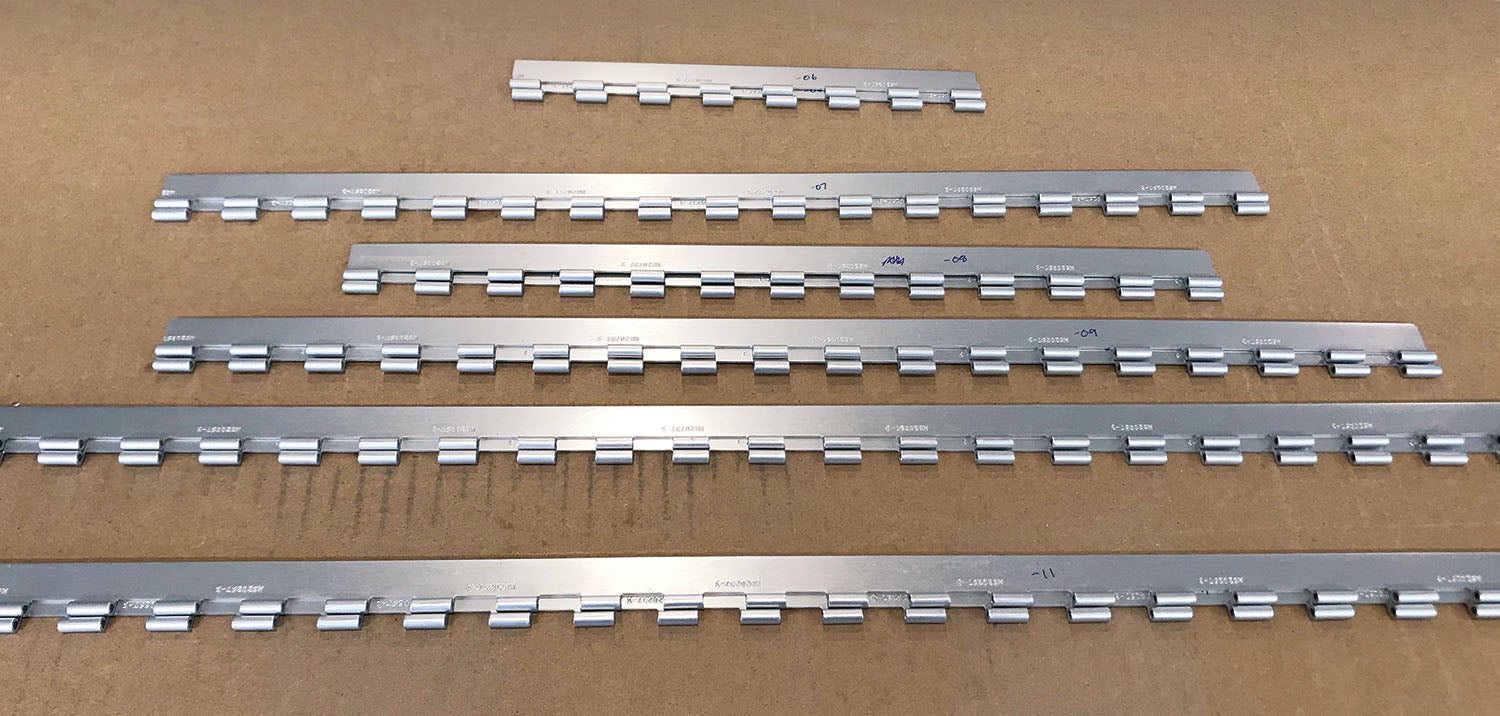
Credit: www.kitplanes.com
Frequently Asked Questions
How Do I Ensure Drill Points Are Marked Accurately?
Use a sharp pencil or awl to mark drill points clearly. Measure twice and mark once. Use a ruler or template for consistent spacing. Double-check alignment before drilling to avoid mistakes.
What Tools Help Improve Drill Point Marking Precision?
A center punch, ruler, and measuring tape enhance accuracy. A drill guide or template ensures consistent spacing. These tools help prevent drill bit wandering and improve overall precision.
Why Is Measuring Twice Important Before Marking Drill Points?
Measuring twice prevents errors and reduces material waste. Accurate measurement ensures holes align correctly. It saves time by avoiding rework and ensures professional results.
Can Templates Speed Up Marking Drill Points?
Yes, templates provide consistent hole placement quickly. They save time and improve accuracy for repetitive drilling tasks. Templates reduce guesswork and ensure uniform results every time.
Conclusion
Marking drill points accurately boosts your project’s success. Precision ensures a clean finish. Practice these tips for better results. Use the right tools and measure twice. This prevents errors. Keep your work surface stable. It helps maintain accuracy. Always mark lightly first, then deepen your marks.
This avoids mistakes. Remember to check your markings before drilling. Small steps lead to big outcomes. Consistency is key in any project. These techniques make your work easier. Enjoy the process and watch your skills grow. Happy drilling!