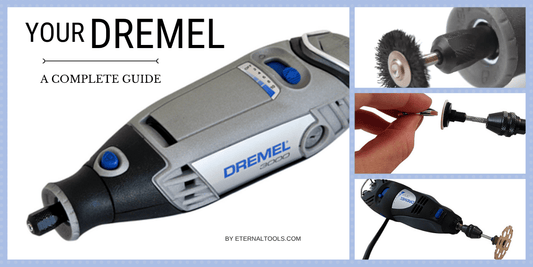
Are you ready to take your metal engraving skills to the next level? Using a rotary tool for engraving metal can seem tricky at first, but with the right tips, you’ll find it easier and more enjoyable than you imagined.
Whether you want to personalize jewelry, create custom designs, or add intricate details to your projects, mastering this tool will give you the precision and control you need. Keep reading, and you’ll discover simple, effective tips that will help you engrave metal like a pro—right from your own workspace.
Your next masterpiece is just a few steps away!
Choosing The Right Rotary Tool
Using a rotary tool for engraving metal needs the right equipment. Picking the best rotary tool helps you work safely and clearly.
This guide explains how to select the correct rotary tool and accessories for metal engraving projects.
Selecting Appropriate Models
Look for rotary tools made for metalwork. These tools have strong motors and steady speed control.
Choose models that feel comfortable in your hand. A lightweight tool reduces fatigue during long use.
- Variable speed control for different metals
- Power between 1.0 and 1.5 amps
- Compact size for precision work
- Durable build quality
- Good grip and ergonomic design
Essential Accessories For Metal Engraving
Use the right accessories to get clean and detailed engravings. Accessories help protect your work and improve results.
Common accessories include different engraving bits and safety gear. Each one plays a key role in your project.
- Carbide and diamond-tipped bits for hard metals
- Cutting wheels for shaping and trimming
- Polishing pads to smooth edges
- Safety glasses to protect eyes from sparks
- Dust mask to avoid breathing metal dust
Preparing Metal Surfaces
Preparing the metal surface is important before engraving. It helps the rotary tool work better and makes your design clearer.
Good preparation also protects the metal and gives a smooth finish. Follow these tips to get ready for engraving.
Cleaning Techniques
Clean metal surfaces remove dirt and oils that block engraving. Use the right cleaning tools to get a smooth surface.
Start with soap and water, then dry the metal well. For tough spots, use rubbing alcohol or a metal cleaner.
- Wash with mild soap and warm water
- Use a soft cloth or sponge
- Dry completely with a clean cloth
- Apply rubbing alcohol for oily areas
- Avoid abrasive cleaners that scratch the metal
Marking Your Design
Mark your design clearly on the metal before engraving. This helps guide your rotary tool and keeps the design accurate.
Use a pencil or a fine-tip marker that shows well on metal. You can also use stencil or transfer paper for complex patterns.
- Draw simple outlines with a pencil
- Use permanent markers for dark metals
- Try stencil paper for repeated designs
- Check your marks before starting to engrave
Setting Up Your Workspace
Creating a good workspace is important for engraving metal with a rotary tool. It helps you work better and stay safe.
Organize your area so you can focus on your project without distractions or hazards.
Lighting And Visibility
Good lighting lets you see fine details while engraving. Bright light reduces mistakes and eye strain.
Use a strong desk lamp or natural light. Adjustable lights help you focus on different angles.
- Place light directly over your work area
- Use daylight bulbs for clear color views
- Keep shadows away from your metal piece
- Wear magnifying glasses if needed
Safety Measures
Safety is very important when using a rotary tool. Protect yourself from dust, sparks, and noise.
Wear safety glasses and gloves. Keep your workspace clean and free from clutter.
- Use a dust mask to avoid breathing metal dust
- Wear ear protection to reduce noise damage
- Secure your metal piece with clamps
- Keep a fire extinguisher nearby
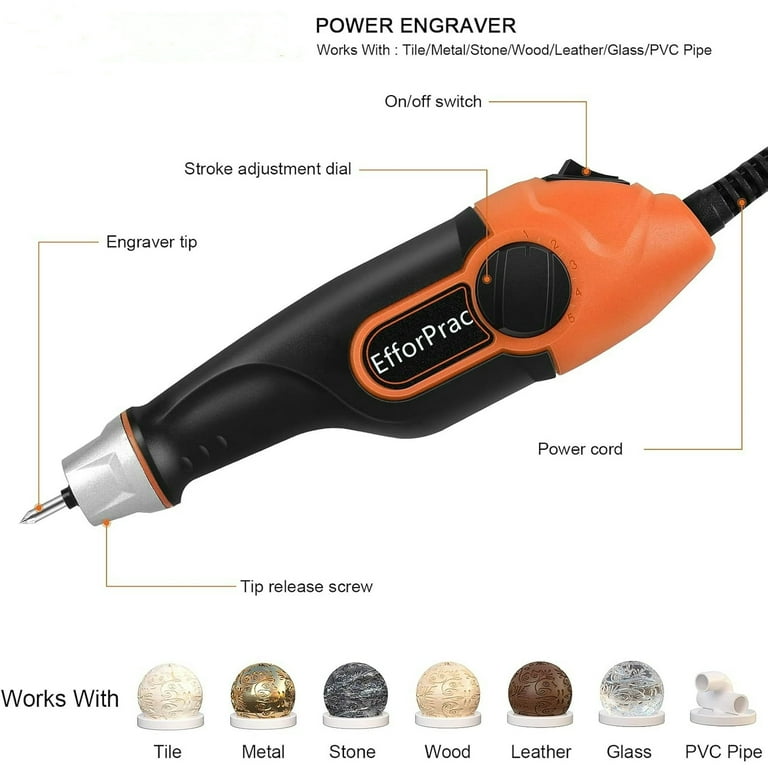
Credit: www.walmart.com
Engraving Techniques
Using a rotary tool for engraving metal requires skill and attention. The right techniques help create clear and precise designs.
This guide covers how to control speed and pressure and how different bits affect the engraving results.
Controlling Speed And Pressure
Adjusting the speed of your rotary tool changes how the metal reacts. Lower speeds give more control for fine details.
Pressure also affects the depth and clarity of the engraving. Too much pressure can damage the metal or the bit.
- Start with a low speed setting
- Use light pressure to avoid slipping
- Increase speed slightly for deeper cuts
- Practice on scrap metal to find the best balance
Using Different Bits For Effects
Different bits create different textures and line widths on metal. Choosing the right bit helps achieve the desired look.
| Bit Type | Effect |
| Diamond Tip | Fine lines and detailed work |
| Carbide Burr | Deep cuts and rough textures |
| High-Speed Cutter | Smooth curves and broad lines |
| Grinding Stone | Polishing and soft shading |
Maintaining Precision
Using a rotary tool for engraving metal needs careful control. Precision helps create clear and neat designs.
Small mistakes can ruin your work. Follow tips to keep a steady hand and avoid common errors.
Steady Hand Tips
Keep your hand steady to avoid slips. Rest your wrist on a solid surface for support. Use light pressure on the tool to control movement.
- Hold the tool like a pencil for better control.
- Work in a well-lit area to see details clearly.
- Take short breaks to prevent hand fatigue.
- Practice on scrap metal before the final piece.
Avoiding Common Mistakes
| Mistake | How to Avoid |
| Applying too much pressure | Use gentle, steady strokes |
| Moving the tool too fast | Slow down and focus on each line |
| Not securing the metal piece | Clamp the metal firmly before engraving |
| Skipping safety gear | Wear goggles and gloves every time |
Finishing Touches
After engraving metal with a rotary tool, finishing touches make your work look professional. These steps help smooth and protect the surface for lasting beauty.
Proper finishing keeps the metal safe from damage and enhances the engraved design’s appearance.
Smoothing And Polishing
Smoothing removes rough edges and polish brings shine to the engraved metal. Use these tips to finish your piece cleanly.
- Use fine-grit sandpaper to gently smooth rough spots.
- Polish the surface with a soft cloth and metal polish.
- Apply polish in small circular motions for even shine.
- Clean the metal with a soft brush to remove dust before polishing.
- Test polishing products on a small area first to avoid damage.
Protecting The Engraved Surface
Protecting your engraving helps it stay clear and prevents rust or tarnish. Choose a method based on the type of metal and use.
| Protection Method | Description | Best For |
| Clear Lacquer | Spray a thin, clear coat over the metal. | Soft metals like copper and brass |
| Wax Coating | Apply paste wax with a cloth and buff gently. | Silver and other polished metals |
| Oil Treatment | Rub light oil to prevent rust on steel. | Steel and iron pieces |
| UV Resistant Sealant | Protects from sun damage outdoors. | Outdoor metal art and jewelry |
Troubleshooting Challenges
Using a rotary tool for engraving metal can be tricky. Problems may appear that affect your work. Knowing how to fix common issues saves time and frustration.
This guide covers two common challenges: uneven engraving and tool overheating. Learn simple tips to handle these problems effectively.
Fixing Uneven Engraving
Uneven engraving happens when the tool does not cut smoothly. It can make your design look rough or unclear. This issue often comes from inconsistent pressure or tool speed.
Keep a steady hand and apply gentle, even pressure. Check the rotary tool speed and adjust if it is too fast or too slow. Using the right engraving bit for metal also helps.
- Hold the tool firmly but do not press too hard
- Move the tool at a consistent speed
- Choose the correct bit for metal engraving
- Practice on scrap metal before the final piece
Dealing With Tool Overheating
Rotary tools can get hot during long use. Overheating can damage the tool and cause poor engraving results. It also reduces the tool’s lifespan.
Take breaks to let the tool cool down. Use lower speeds if possible and avoid pressing too hard. Make sure the tool’s vents are not blocked so air can flow freely.
- Pause regularly to cool the tool
- Use lower speed settings for metal
- Keep vents clean and clear
- Do not push the tool too hard into the metal
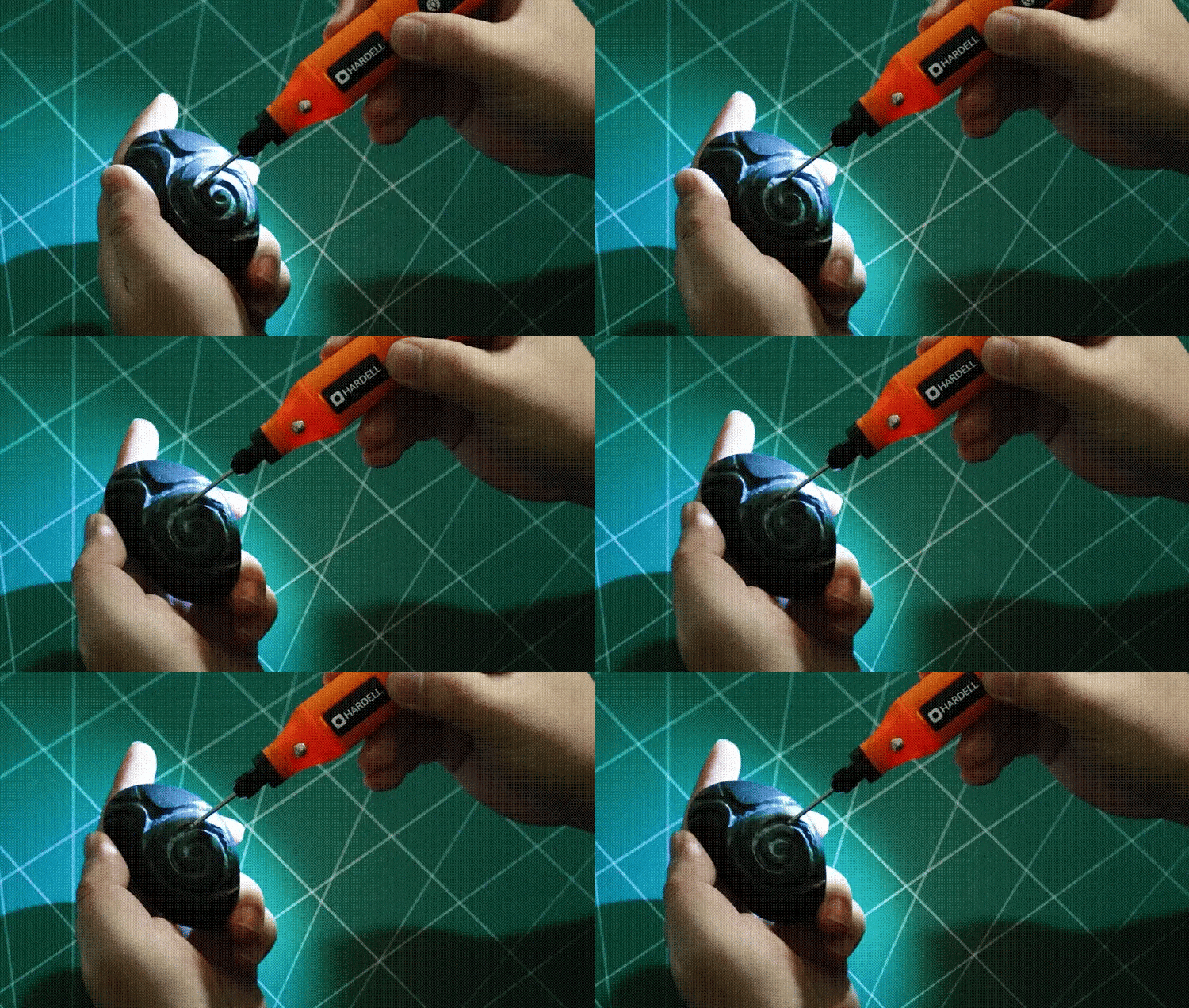
Credit: hardell.com

Credit: www.amazon.com
Frequently Asked Questions
How Do I Choose The Right Rotary Tool?
Selecting the right rotary tool depends on your project needs. Consider factors like speed settings, power, and compatibility with engraving bits. A variable speed tool offers versatility for different materials. Ensure it supports the specific bits designed for metal engraving.
What Safety Gear Is Needed For Engraving?
When engraving metal, wear safety goggles to protect your eyes from flying debris. Gloves can help protect your hands from sharp edges. A dust mask is also advisable to avoid inhaling metal particles. Safety gear ensures a safer and more comfortable engraving experience.
Can Beginners Use A Rotary Tool For Engraving?
Yes, beginners can use a rotary tool for engraving. Start with simple designs and practice on scrap metal. Familiarize yourself with the tool’s speed and pressure settings. With practice, even beginners can achieve professional-looking engravings.
What Metals Can Be Engraved With A Rotary Tool?
A rotary tool can engrave on various metals like aluminum, brass, and stainless steel. Ensure you use the correct engraving bits for each metal type. Softer metals like aluminum are easier to engrave, while harder metals may require more patience and precision.
Conclusion
Using a rotary tool for metal engraving takes practice and care. Start with the right bits and work slowly for best results. Keep your hands steady and use light pressure on the metal. Always wear safety gear to protect your eyes and hands.
Clean the metal surface before and after engraving for a clear design. With patience, your skills will improve over time. Enjoy the process and create unique, personal designs. Engraving metal can be fun and rewarding with these simple tips.