Are you ready to get the most out of your cordless drill? Whether you’re a beginner or someone who uses one occasionally, knowing how to use your drill efficiently can save you time, effort, and frustration.
Imagine finishing your projects faster, with cleaner results and less battery drain. This guide will show you simple tips and tricks to boost your skills and make every drill move count. Keep reading, and you’ll discover how to turn your cordless drill into your most reliable tool.
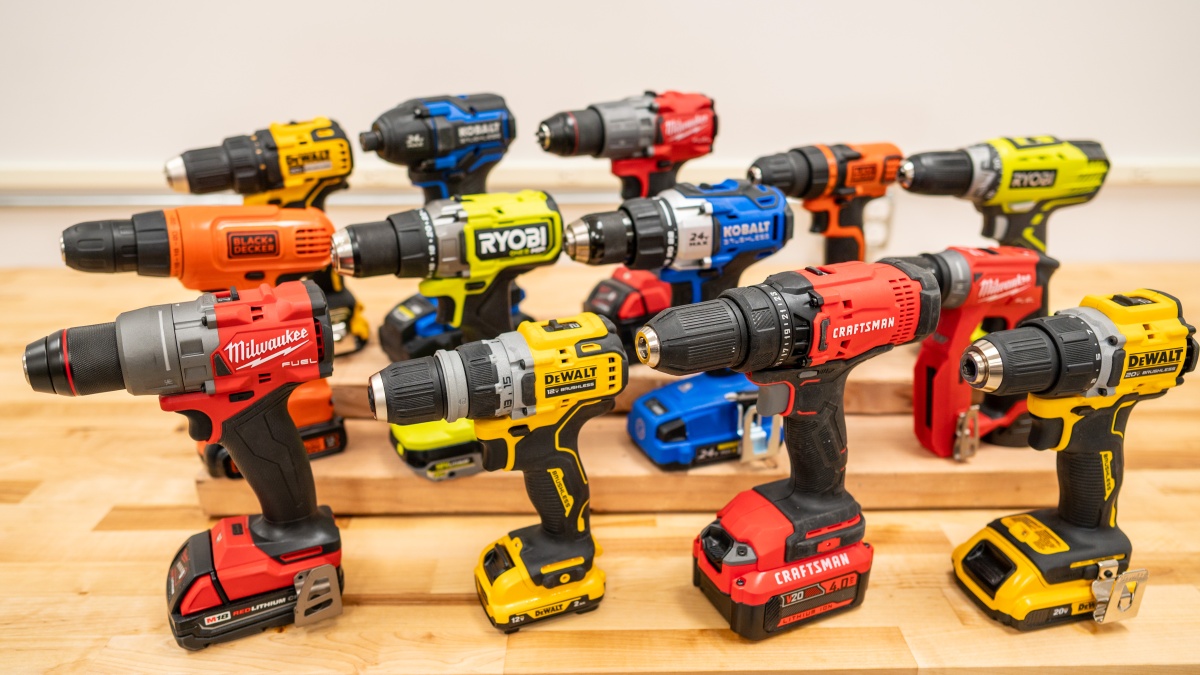
Credit: www.techgearlab.com
Choosing The Right Drill
Picking the right cordless drill can make your work faster and easier. It helps to know what features matter most before buying.
This guide covers battery types, drill size, weight, and key features to look for in a drill.
Battery Types And Capacity
Most cordless drills use lithium-ion batteries. They last longer and charge faster than older types.
- Li-ion batteries hold charge well over time.
- Higher capacity means longer use between charges.
- Look for batteries with at least 18 volts for tough jobs.
- Extra batteries help if you work for long periods.
Drill Size And Weight
Choose a drill size that fits your hand and the jobs you do. Heavy drills can tire your arm quickly.
| Drill Size | Weight | Best For |
| Compact | 2-3 lbs | Light tasks, tight spaces |
| Mid-size | 3-5 lbs | Most home projects |
| Heavy-duty | 5+ lbs | Large jobs, professional use |
Key Features To Look For
Some features make drills easier and safer to use. Check these before buying.
- Variable speed control for different materials.
- Reverse function to remove screws easily.
- LED light to see in dark areas.
- Comfort grip handles to reduce hand strain.
- Brushless motors for longer tool life.

Credit: www.boschtools.com
Preparing For The Task
Using a cordless drill safely and efficiently starts with good preparation. Knowing how to set up your drill will make your work easier and faster.
This guide covers three key areas: choosing the right drill bit, setting the speed, and following safety steps.
Selecting The Correct Drill Bit
Pick the drill bit that matches your material and task. Using the wrong bit can damage your project or the drill.
- Use wood bits for soft materials like wood or drywall.
- Choose metal bits for steel or aluminum.
- Pick masonry bits for concrete or brick.
- Match the bit size to the hole you need to drill.
Setting The Appropriate Speed
Adjust the drill speed to fit the material and bit size. Too fast or too slow can cause poor results or damage.
| Material | Recommended Speed (RPM) |
| Wood | 1500 – 3000 |
| Metal | 500 – 1500 |
| Masonry | 300 – 700 |
Ensuring Safety Measures
Safety is important when using a cordless drill. Follow these rules to avoid accidents.
- Wear safety goggles to protect your eyes.
- Use gloves to protect your hands from sharp bits.
- Keep the work area clean and well-lit.
- Secure the material firmly before drilling.
- Check the drill and battery for damage before use.
Techniques For Maximum Power
Using a cordless drill efficiently helps you finish tasks faster. Applying the right techniques increases power and saves battery life.
This guide explains how to get the most from your drill by focusing on grip, pressure, and heat control.
Proper Grip And Posture
Hold the drill firmly but not too tight. Keep your wrist straight and your body balanced. This reduces strain and improves control.
- Use your dominant hand for the grip
- Support the drill with your other hand for stability
- Stand with feet shoulder-width apart
- Keep your back straight to avoid fatigue
Applying Consistent Pressure
Press the drill steadily into the material. Too little pressure slows drilling. Too much pressure can damage the drill or bit.
| Pressure Level | Effect |
| Light | Drill spins but slow progress |
| Moderate | Best speed and power use |
| Heavy | Overheats motor, wears bits fast |
Avoiding Overheating
Overheating reduces drill life and power. Cool the drill by pausing often and using sharp drill bits.
- Take breaks every few minutes during heavy work
- Use bits designed for the material you drill
- Keep the drill clean and vents clear
- Charge the battery fully before use
Maintenance Tips
Using a cordless drill well means taking care of it regularly. Proper maintenance helps your drill last longer and work better.
Simple care steps can keep your drill safe and ready for any job. Follow these tips to keep your tool in top shape.
Battery Care And Charging
Look after your drill’s battery to keep it healthy. Charge it fully before use and avoid letting it drain completely.
Use the charger that comes with your drill. Remove the battery from the drill when charging if possible.
- Charge batteries at room temperature
- Avoid overcharging to prevent damage
- Store batteries partially charged if unused
- Keep battery contacts clean
Cleaning And Lubrication
Keep your drill clean to avoid dirt buildup that can harm parts. Wipe it down after each use with a dry cloth.
Lubricate moving parts lightly to reduce wear. Use the type of oil recommended by the drill’s maker.
- Remove dust from vents and chuck
- Use a soft brush to clean hard-to-reach areas
- Apply a small amount of oil to the chuck
- Avoid excess oil that attracts dirt
Storing Your Drill Safely
Store your drill in a dry, cool place to protect it. Avoid damp or very hot areas to stop damage to the drill and battery.
Keep the drill in its case or a tool box. This prevents dust buildup and accidental damage.
- Remove the battery before storing
- Store drill and batteries separately
- Use original cases or padded bags
- Keep away from children and pets
Troubleshooting Common Issues
Using a cordless drill can be easy if you know how to fix common problems. Small issues may stop your work.
This guide helps you solve power loss, drill bit slippage, and overheating problems quickly.
Dealing With Power Loss
Power loss can make your drill stop working suddenly. Check the battery first to see if it is charged.
Sometimes, dirt or debris can block the contacts between the battery and drill. Clean them with a dry cloth.
- Charge the battery fully before use
- Inspect battery for damage or wear
- Clean battery contacts regularly
- Ensure the battery is properly locked in place
Fixing Drill Bit Slippage
Drill bit slippage happens when the bit spins but does not drill. This wastes time and can damage the bit.
Make sure the drill chuck is tight around the bit. If the chuck is worn, replace it to hold the bit firmly.
- Use the correct size drill bit for the chuck
- Tighten the chuck securely before drilling
- Replace worn or damaged chucks
- Check the drill bit for wear or damage
Addressing Overheating Problems
Overheating can make your drill stop or reduce its power. It happens if you use the drill too long without breaks.
Let the drill cool down after heavy use. Use the correct drill speed and pressure for the material you work on.
- Take breaks to cool the drill during long jobs
- Use the right drill speed for the material
- Do not press too hard on the drill
- Keep vents clean to allow air flow
Credit: www.slashgear.com
Frequently Asked Questions
How Do I Choose The Right Cordless Drill?
Select a cordless drill by considering battery life, torque, and weight. Match drill speed and power to your tasks. Check for ergonomic design to reduce fatigue. Read reviews to ensure durability and reliability. Choose based on your specific project needs.
What Battery Type Is Best For Cordless Drills?
Lithium-ion batteries are best for cordless drills. They offer longer life, quick charging, and less weight. NiCad batteries are heavier and have memory issues. Lithium-ion also provides consistent power until fully drained. Always opt for drills with lithium-ion batteries for efficiency.
How Can I Extend My Drill’s Battery Life?
To extend battery life, avoid full discharges and recharge early. Store batteries in a cool, dry place. Use the correct charger and avoid overcharging. Remove the battery when not in use for long periods. Proper care ensures longer battery performance.
What Safety Tips Should I Follow Using A Cordless Drill?
Always wear safety goggles and gloves. Check the drill bit is securely fastened. Keep hands away from rotating parts. Work in a clean, well-lit area. Avoid loose clothing and tie back long hair. Follow manufacturer guidelines for safe operation.
Conclusion
Mastering the use of a cordless drill can boost your projects. Practice makes perfect. Start with simple tasks, then try more complex jobs. Always prioritize safety. Use the right drill bit for the material. Check the battery charge before you begin.
Keep a steady hand and firm grip while drilling. Clean your drill after each use. This ensures it stays in good condition. With these tips, you’ll work efficiently and confidently. Enjoy your DIY adventures with your cordless drill. Happy drilling!